ZMR Tech Solutions

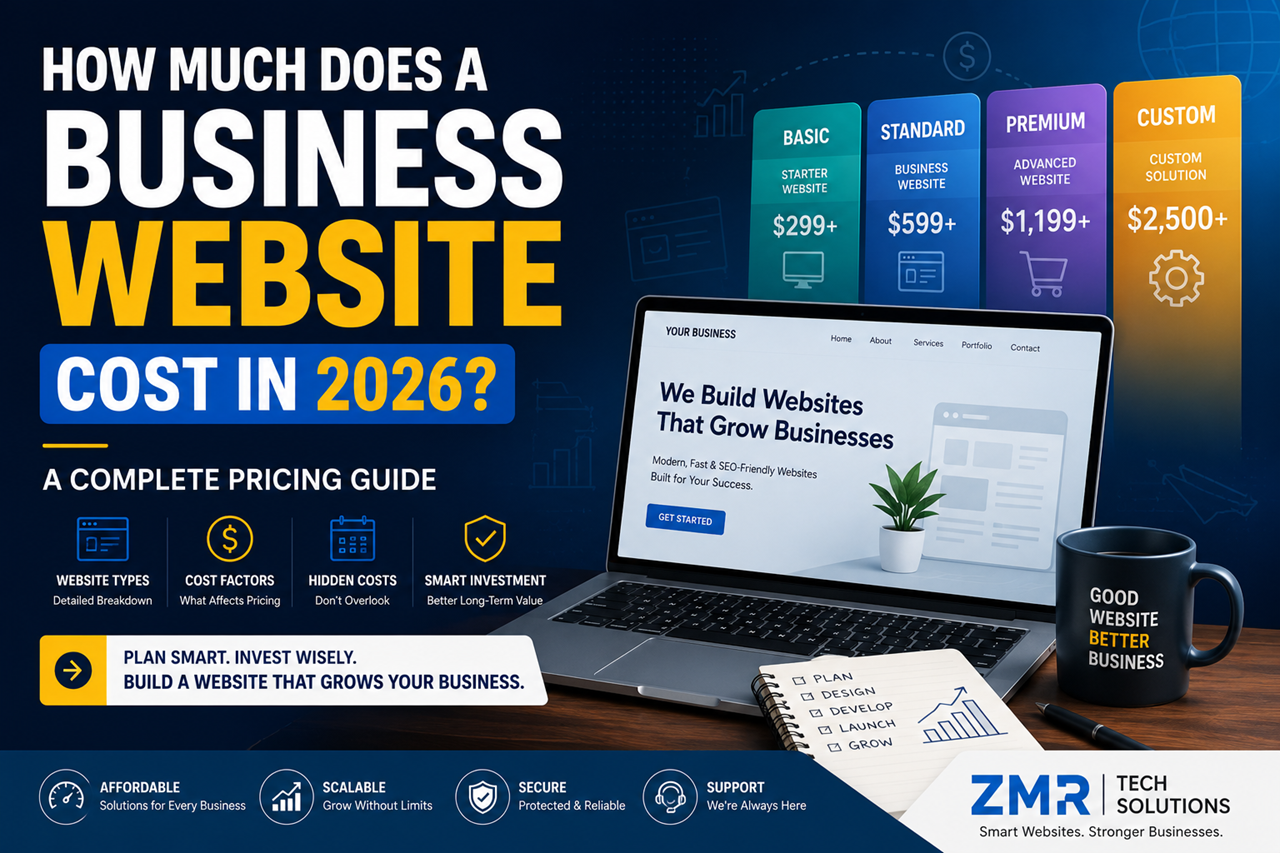
How Much Does a Business Website Cost in 2026? A Complete Pricing Guide

How Much Does a Business Website Cost in 2026? A Complete Pricing Guide

If you’re planning to create a website for your business, one of the first questions that comes to mind is:

“How much will it cost?”

The answer isn’t as simple as giving a single number. Website pricing depends on several factors, including the type of website, the features you need, the platform you choose, and the company you hire.

Some businesses only need a professional online presence, while others require online booking, eCommerce, customer dashboards, or custom software integrations.

The good news is that you don’t have to overspend to get a high-quality website. By understanding what affects website pricing, you can make a smarter investment and avoid paying for features you don’t need.

In this guide, we’ll explain everything in simple English so you can confidently plan your website budget.


Table of Contents

  1. Why Website Costs Vary
  2. Factors That Affect Website Pricing
  3. Types of Business Websites
  4. WordPress Website Cost
  5. Custom Website Cost
  6. eCommerce Website Cost
  7. Hidden Costs to Consider
  8. How to Choose the Right Website
  9. FAQs
  10. Final Thoughts

Why Website Costs Are Different

Many business owners compare websites the same way they compare products in a store.

But websites are different.

A website is more like building a house.

A small one-bedroom house costs less than a large luxury villa because the size, materials, design, and features are completely different.

The same applies to websites.

A simple five-page company website will naturally cost less than a large online store with hundreds of products or a custom business portal.

Instead of asking:

“What’s the cheapest website?”

Ask yourself:

“What kind of website does my business actually need?”

That simple question can save you money and help you make a better long-term decision.


What Affects the Cost of a Website?

Several factors influence the final price of a website.

1. Number of Pages

A website with five pages is easier and faster to build than one with fifty pages.

More pages mean more design work, content, testing, and optimization.


2. Design Requirements

A template-based design usually costs less.

A fully custom design created specifically for your brand requires more planning, creativity, and development time.


3. Features and Functionality

Basic websites may only include:

  • Home
  • About
  • Services
  • Contact
  • Blog

Advanced websites may include:

  • Appointment booking
  • Payment gateway
  • Customer dashboard
  • Membership system
  • CRM integration
  • Live chat
  • Multi-language support
  • API integrations

Every additional feature adds to the overall project cost.


4. Content Creation

If you already have professional content and images, your project may cost less.

If the agency needs to create:

  • Website copy
  • Graphics
  • Icons
  • Banners
  • SEO content

the total investment will be higher.


5. SEO

A website without SEO is like opening a shop in the middle of a desert.

Basic SEO usually includes:

  • Meta titles
  • Meta descriptions
  • Image optimization
  • Mobile optimization
  • Page speed improvements
  • Sitemap
  • Technical SEO setup

Investing in SEO from the beginning can help your website attract visitors more effectively.


6. Hosting and Domain

Every website needs:

  • Domain name
  • Web hosting
  • SSL certificate

These are recurring yearly costs and should be included in your overall website budget.

7. WordPress Website Cost

WordPress is one of the most affordable and flexible platforms for business websites. It is suitable for startups, local businesses, service providers, consultants, and even eCommerce stores.

A typical WordPress website usually includes:

  • Professional design
  • Mobile-friendly layout
  • Contact forms
  • Blog
  • Basic SEO
  • Security setup
  • SSL integration
  • Speed optimization

The final cost depends on the number of pages, custom features, premium plugins, and design requirements.

When Should You Choose WordPress?

WordPress is a great choice if you:

  • Want a professional website quickly.
  • Have a limited budget.
  • Need an easy-to-manage website.
  • Plan to publish blogs regularly.
  • Want strong SEO capabilities.

For most small and medium-sized businesses, WordPress provides excellent value without compromising on quality.


8. Custom Website Cost

A custom website is designed and developed specifically for your business. Every feature, layout, and function is built according to your requirements.

Custom websites are commonly used for:

  • Large companies
  • SaaS platforms
  • Business portals
  • Membership websites
  • Booking systems
  • CRM-based applications
  • Marketplace platforms

Because everything is built from scratch, development takes more time and usually requires a higher investment.

Benefits of a Custom Website

  • Unique design
  • Better flexibility
  • Advanced functionality
  • Easier integration with business systems
  • Long-term scalability

If your website plays a central role in your business operations, investing in a custom solution can be worthwhile.


9. eCommerce Website Cost

Selling products online involves more than just displaying items.

An eCommerce website may include:

  • Product catalog
  • Shopping cart
  • Secure checkout
  • Payment gateway
  • Order management
  • Inventory management
  • Shipping integration
  • Customer accounts
  • Discount coupons

The overall cost depends on:

  • Number of products
  • Payment methods
  • Shipping rules
  • Custom features
  • Third-party integrations

Instead of focusing only on the initial cost, consider how the website will support your sales and customer experience over time.


10. Hidden Costs You Shouldn’t Ignore

Many businesses only think about the cost of designing a website.

However, there are other ongoing expenses to consider.

Domain Renewal

Your domain name must be renewed every year.


Web Hosting

Reliable hosting keeps your website fast, secure, and available to visitors.


SSL Certificate

An SSL certificate protects customer data and helps build trust.


Website Maintenance

Regular maintenance includes:

  • Updates
  • Backups
  • Security monitoring
  • Performance optimization
  • Bug fixes

Ignoring maintenance can lead to security issues and poor website performance.


SEO and Content Marketing

Building a website is only the beginning.

To attract new visitors, you should continue investing in:

  • Blog writing
  • SEO
  • Local SEO
  • Content updates
  • Landing pages

These ongoing efforts help improve your visibility in search engines and generate more business opportunities.


How to Choose the Right Website for Your Business

Before requesting a quote, ask yourself these questions:

What is the purpose of my website?

Do you want to:

  • Generate leads?
  • Sell products?
  • Build trust?
  • Share information?
  • Accept bookings?

Understanding your goal makes it easier to choose the right solution.


How much growth do I expect?

If your business is likely to expand in the next few years, choose a website that can grow with you.

Planning ahead often saves money in the long run.


Who will manage the website?

If you want to update content yourself, WordPress is an excellent option because it’s user-friendly.

If your website requires highly specialized features, a custom-built solution may be more appropriate.


Common Website Budget Mistakes

Avoid these common mistakes:

  • Choosing the cheapest option without checking quality.
  • Ignoring ongoing maintenance costs.
  • Forgetting SEO during development.
  • Selecting unnecessary features.
  • Hiring inexperienced developers.
  • Not planning for future growth.

A well-planned website is an investment, not just an expense.


Frequently Asked Questions

How much should a small business budget for a website?

The budget depends on your goals, required features, and design preferences. Focus on value rather than choosing the lowest price.

Why do website prices vary so much?

Every website is different. Design complexity, functionality, integrations, and content all affect the overall cost.

Is WordPress less expensive than a custom website?

In most cases, yes. WordPress websites usually require less development time, making them more affordable for many businesses.

Can I upgrade my website later?

Absolutely. Many businesses start with a basic website and add new features as they grow.

Is SEO included in every website package?

Not always. Some companies include basic SEO, while advanced SEO services are often offered separately. Always ask what’s included before making a decision.


Final Thoughts

A business website is one of the most valuable investments you can make.

Rather than asking, “What’s the cheapest website?”, ask “Which website will help my business grow?”

The right website should support your goals, represent your brand professionally, provide a great user experience, and make it easy for customers to contact you or buy from you.

By understanding the factors that influence website pricing, you can make a confident decision and invest in a solution that delivers long-term value.


Ready to Build a Website That Delivers Results?

Whether you need a professional WordPress website, a custom business website, or a fully featured eCommerce store, ZMR Tech Solutions can help.

We create modern, fast, secure, and SEO-friendly websites tailored to your business goals. Our team focuses on quality, performance, and long-term growth—so your website becomes more than just an online presence.

Contact ZMR Tech Solutions today for a free consultation and let’s build a website that helps your business grow with confidence.
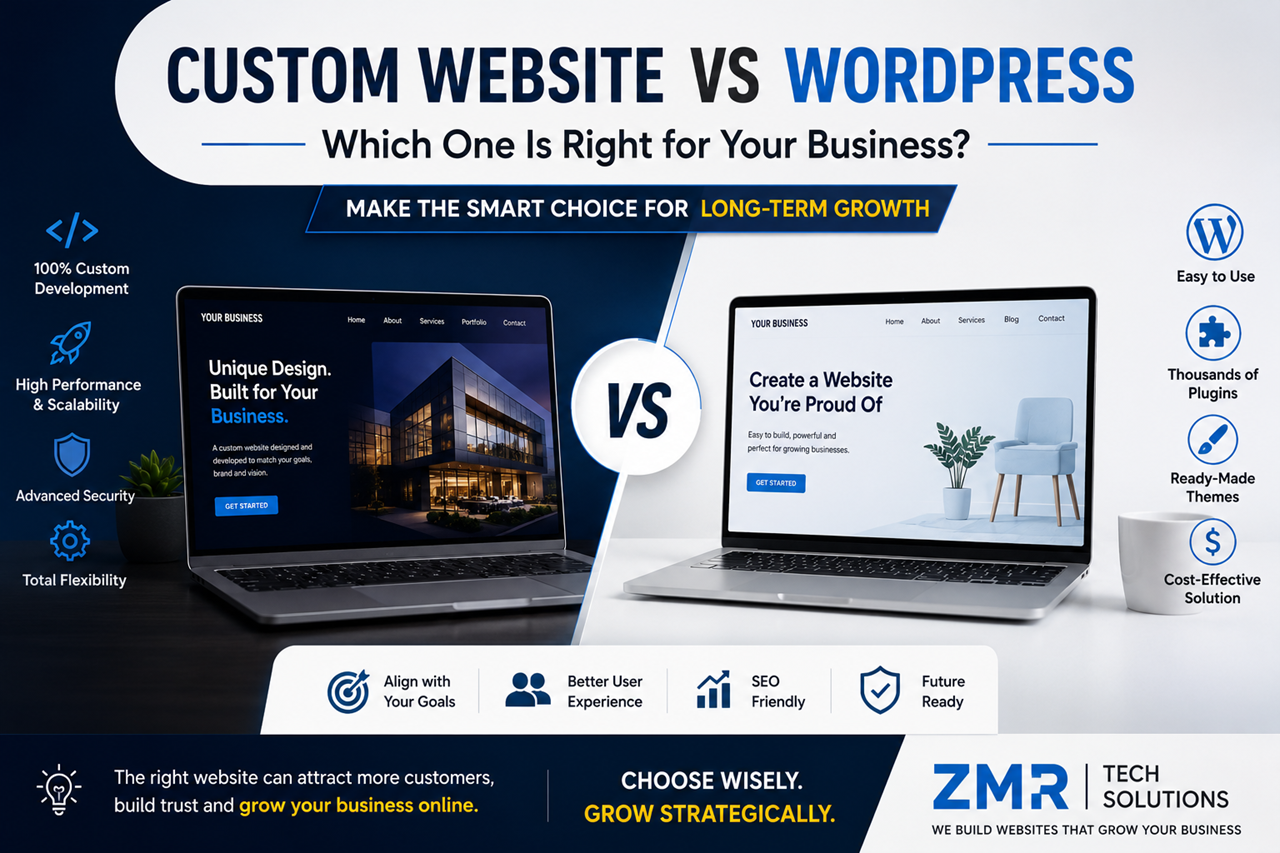
Custom Website vs WordPress: Which One Is Right for Your Business?

Custom Website vs WordPress: Which One Is Right for Your Business?

When planning a new website, one of the first questions business owners ask is:

“Should I choose WordPress or invest in a custom website?”

It’s a fair question—and the answer depends on your business goals, budget, and future plans.

Some businesses need a website they can launch quickly with a limited budget. Others need advanced features, custom workflows, and the flexibility to scale as they grow.

The good news is that both WordPress and custom websites can help your business succeed. The key is understanding which solution fits your needs today and can support your growth tomorrow.

In this guide, we’ll explain the differences in simple, easy-to-understand language so you can make an informed decision without getting lost in technical jargon.


Table of Contents

  1. What Is WordPress?
  2. What Is a Custom Website?
  3. Key Differences Between WordPress and Custom Websites
  4. Design & Branding
  5. Performance & Speed
  6. SEO Capabilities
  7. Security
  8. Scalability
  9. Cost Comparison
  10. Maintenance
  11. Which One Should You Choose?
  12. FAQs
  13. Final Thoughts

What Is WordPress?

WordPress is the world’s most popular Content Management System (CMS), powering millions of websites across industries. It allows businesses to create professional websites without building everything from scratch.

With thousands of themes and plugins available, WordPress makes it easy to launch websites for:

  • Small businesses
  • Service providers
  • Bloggers
  • Corporate websites
  • Online stores
  • Educational websites
  • Portfolios

One of the biggest advantages of WordPress is flexibility. You can start with a simple website and expand it as your business grows.

For many businesses, WordPress offers the perfect balance between affordability and functionality.


What Is a Custom Website?

A custom website is built specifically for your business from the ground up.

Instead of relying on pre-made themes or plugins, every page, feature, and functionality is designed around your unique requirements.

For example, if your company needs:

  • A custom booking system
  • Advanced CRM integration
  • Customer dashboards
  • Multi-vendor functionality
  • Unique business workflows

A custom-built website gives developers complete control over how everything works.

Although custom development usually costs more, it offers unmatched flexibility for businesses with specific needs.


WordPress vs Custom Website: The Key Difference

The easiest way to understand the difference is this:

Think of WordPress as buying a fully furnished apartment.

It’s ready to move into, cost-effective, and can be customized to suit your style.

A custom website, on the other hand, is like building your own house from the ground up.

You choose the layout, the design, the materials, and every feature based on your exact requirements.

Neither option is better for everyone.

The right choice depends entirely on your business goals.


Design & Branding

Your website represents your brand.

If it looks outdated or generic, visitors may lose confidence before reading a single line of content.

WordPress

Modern WordPress themes offer beautiful designs that can be customized with colors, fonts, layouts, and branding.

For many businesses, this level of customization is more than enough.

Custom Website

A custom website gives designers complete creative freedom.

Every section can be designed specifically for your audience and your brand identity.

If your business wants to stand out in a competitive market, custom design provides a unique experience that template-based websites often can’t match.


Performance & Speed

Website speed affects both user experience and search engine rankings.

A fast website keeps visitors engaged and improves the chances they’ll contact your business.

WordPress

A well-optimized WordPress website can deliver excellent performance.

However, installing too many plugins, using oversized images, or choosing poor-quality hosting can slow it down.

Custom Website

A custom-built website contains only the code needed for your business.

Because unnecessary features aren’t included, custom websites can often load faster and perform better under heavy traffic.

That said, performance still depends on the quality of development and hosting.


SEO Capabilities

One of the biggest myths is that custom websites automatically rank better than WordPress.

The truth is different.

Search engines don’t rank websites based on the platform they use.

They rank websites based on factors such as:

  • High-quality content
  • Fast loading speed
  • Mobile responsiveness
  • User experience
  • Technical SEO
  • Website security
  • Helpful information

Both WordPress and custom websites can achieve excellent search engine rankings when built correctly and supported by a strong SEO strategy.

7. Security: Which Platform Is Safer?

Security is one of the biggest concerns for any business website. Whether you collect customer information, process inquiries, or accept online payments, protecting your website should always be a priority.

Many people believe that WordPress is not secure. The truth is a little different.

WordPress itself is regularly updated and is considered secure when maintained properly. Most security issues happen because websites use outdated plugins, weak passwords, or poorly coded themes.

WordPress Security

A well-maintained WordPress website can be highly secure if you:

  • Keep WordPress updated.
  • Update plugins and themes regularly.
  • Use strong passwords.
  • Install a trusted security plugin.
  • Enable SSL (HTTPS).
  • Take regular backups.

Custom Website Security

A custom website doesn’t rely on third-party plugins as much, which can reduce some security risks.

However, security depends entirely on how the website is developed. Poor coding practices can create vulnerabilities just as easily as outdated plugins.

Winner: It’s a tie. Both platforms can be very secure when built and maintained correctly.


8. Scalability: Can Your Website Grow with Your Business?

Your business today may look very different in two or three years.

That’s why it’s important to choose a platform that can grow with you.

WordPress

WordPress is highly scalable for most businesses.

You can start with a simple website and later add features such as:

  • Online booking
  • Blog
  • WooCommerce store
  • Membership area
  • Live chat
  • CRM integration
  • Marketing automation

For many small and medium-sized businesses, WordPress offers all the scalability they’ll ever need.

Custom Website

A custom website offers virtually unlimited flexibility.

If your business requires complex workflows, custom dashboards, advanced reporting, or enterprise-level systems, custom development is often the better choice.

Winner: Custom Website (for complex business requirements).


9. Cost Comparison

Budget is often one of the biggest deciding factors.

Let’s compare the typical costs.

WordPress Website

A professional WordPress website usually includes:

  • Domain name
  • Hosting
  • Premium theme (optional)
  • Plugins
  • Website design
  • Development
  • Basic SEO

This makes WordPress an excellent option for startups and growing businesses.

Custom Website

A custom website requires everything to be designed and developed specifically for your business.

The cost depends on:

  • Number of pages
  • Features
  • Integrations
  • User roles
  • Dashboard requirements
  • APIs
  • Testing
  • Future scalability

While the investment is higher, businesses with unique requirements often benefit from the additional flexibility.

Tip: Don’t choose the cheapest option. Choose the solution that supports your business goals for the next three to five years.


10. Maintenance

Launching your website is only the beginning.

Regular maintenance keeps your website secure, fast, and reliable.

WordPress Maintenance

Maintenance usually includes:

  • WordPress updates
  • Plugin updates
  • Theme updates
  • Backups
  • Security monitoring
  • Performance optimization

Custom Website Maintenance

Custom websites also require maintenance.

Developers may need to:

  • Update server software
  • Fix bugs
  • Improve performance
  • Add new features
  • Maintain integrations

Every website—regardless of the platform—needs ongoing care.


Pros and Cons

WordPress

Pros

  • Lower development cost
  • Faster launch
  • Easy content management
  • Thousands of plugins
  • Large community support
  • Excellent for SEO

Cons

  • Requires regular updates
  • Too many plugins can affect performance
  • Advanced custom features may require additional development

Custom Website

Pros

  • Completely unique design
  • Built around your business
  • Greater flexibility
  • Better for complex systems
  • Highly scalable

Cons

  • Higher initial investment
  • Longer development time
  • Requires experienced developers
  • Future updates usually need development support

Which Businesses Should Choose WordPress?

WordPress is ideal for:

  • Small businesses
  • Local service providers
  • Consultants
  • Digital agencies
  • Schools
  • Restaurants
  • Healthcare clinics
  • Real estate agencies
  • Corporate websites
  • Online stores

If your goal is to launch quickly, manage content easily, and stay within budget, WordPress is an excellent choice.


Which Businesses Should Choose a Custom Website?

A custom website is a better option for businesses that need:

  • Custom business workflows
  • Enterprise software integration
  • Advanced customer dashboards
  • Multi-vendor marketplaces
  • Membership platforms
  • Large-scale web applications
  • Unique user experiences

If your website is central to how your business operates, custom development can provide greater long-term value.


Common Mistakes to Avoid

Many businesses make these mistakes when choosing a website platform:

  • Choosing based only on price
  • Ignoring future growth
  • Selecting features they don’t actually need
  • Forgetting maintenance costs
  • Choosing an inexperienced developer
  • Not planning for SEO from the beginning

The best website isn’t the most expensive one—it’s the one that solves your business problems and supports your goals.


Frequently Asked Questions

Is WordPress good for business websites?

Yes. WordPress powers millions of business websites and is suitable for most small and medium-sized companies.

Is a custom website better for SEO?

Not automatically. SEO depends on content quality, website speed, technical optimization, and user experience—not just the platform.

Which platform is more affordable?

WordPress generally has a lower initial cost, making it a popular choice for businesses with limited budgets.

Can I move from WordPress to a custom website later?

Yes. Many businesses start with WordPress and transition to a custom solution as their needs become more advanced.

Which option is better for long-term growth?

If your requirements are standard, WordPress can support years of growth. If your business depends on highly customized functionality, a custom website may be the better long-term investment.


Final Verdict

There is no universal “best” platform.

The right choice depends on your business goals, budget, timeline, and future plans.

Choose WordPress if you want a professional, SEO-friendly website that is cost-effective, easy to manage, and quick to launch.

Choose a Custom Website if your business requires advanced functionality, unique workflows, or enterprise-level scalability.

Instead of asking, “Which platform is better?”

Ask yourself:

“Which platform is better for my business?”

That question will help you make the right decision.


Ready to Build the Right Website?

Whether you choose WordPress or a fully custom solution, the most important factor is working with a team that understands your business goals.

At ZMR Tech Solutions, we build fast, secure, mobile-friendly, and SEO-optimized websites tailored to your business needs. From professional WordPress websites to fully custom web applications, we help businesses create a strong online presence that delivers real results.

Contact us today for a free consultation and let’s build a website that grows with your business.

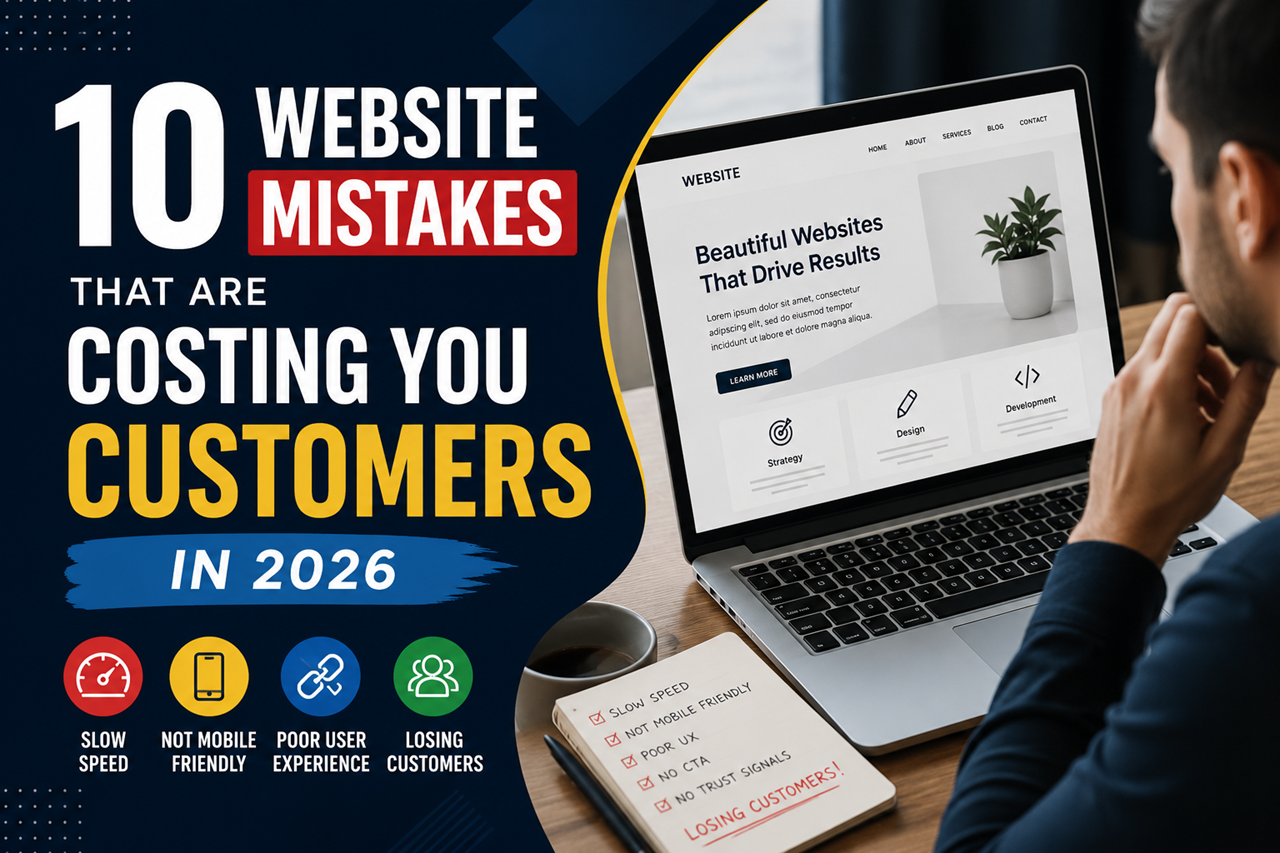
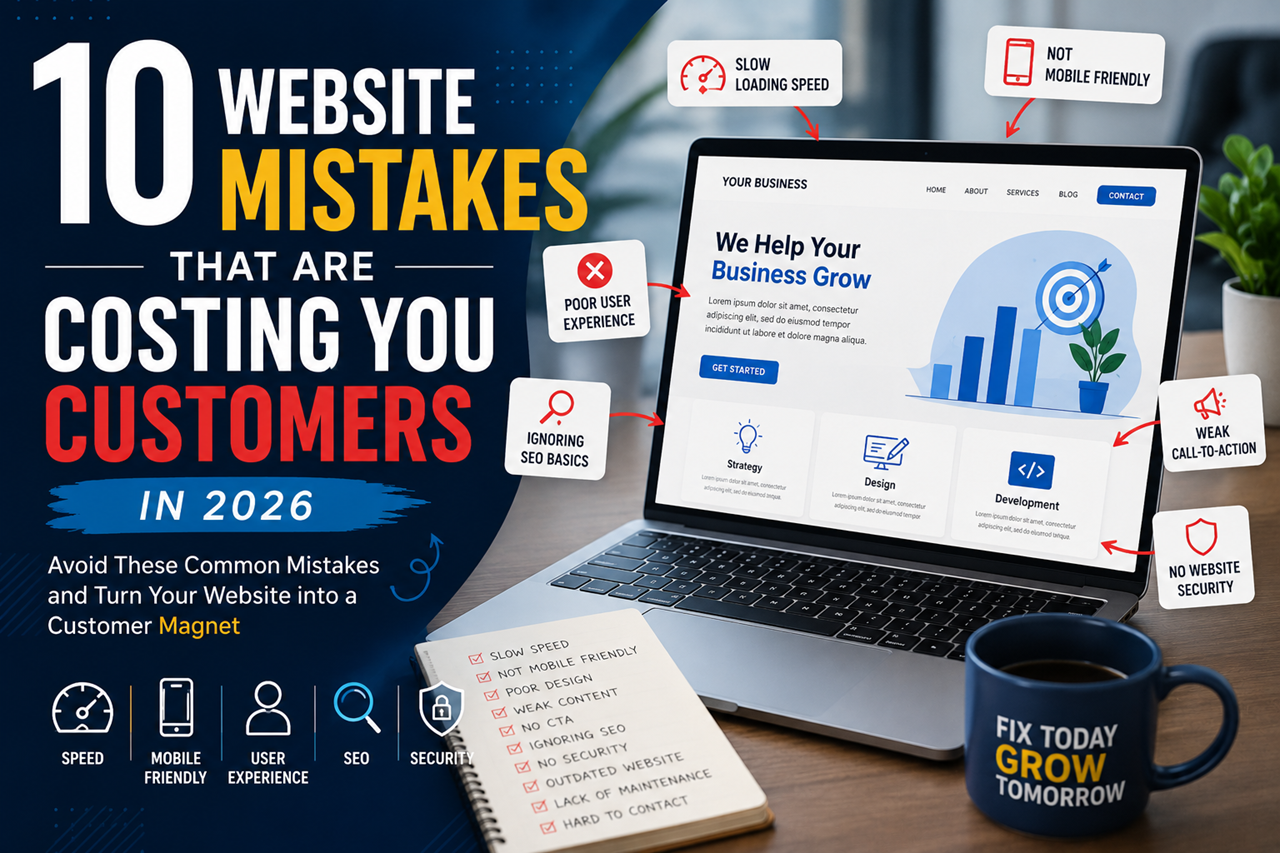
10 Website Mistakes That Are Costing You Customers in 2026 Part-2


6. Outdated Website Design

Your website doesn’t need to look flashy, but it should look modern and professional.

An outdated design can make visitors question your credibility. If your website looks like it hasn’t been updated in years, people may assume your business isn’t active or trustworthy.

Signs Your Website Needs a Redesign

  • Old-fashioned layout
  • Poor-quality images
  • Inconsistent fonts and colors
  • Cluttered pages
  • Difficult-to-read text

A clean and modern design helps visitors stay longer and builds confidence in your business.


7. Your Content Doesn’t Answer Customer Questions

Many business websites focus too much on talking about themselves instead of helping their visitors.

Your content should answer questions like:

  • What services do you offer?
  • How can you solve my problem?
  • Why should I choose your business?
  • How do I get started?

Write in simple English and avoid technical terms whenever possible. Your goal is to educate your readers, not confuse them.

Example

Instead of writing:

“We provide scalable digital infrastructure solutions.”

Write:

“We build fast, secure, and user-friendly websites that help businesses grow online.”

Clear and simple language creates a better experience for everyone.


8. Ignoring Basic SEO

Search Engine Optimization (SEO) helps people find your website through search engines.

Without basic SEO, even a great-looking website may never reach the right audience.

Some essential SEO practices include:

  • Writing unique page titles
  • Adding meta descriptions
  • Using proper headings (H1, H2, H3)
  • Optimizing images
  • Improving page speed
  • Creating helpful content
  • Adding internal links

SEO isn’t about tricking search engines—it’s about making your website useful for real people.


9. Your Contact Information Is Hard to Find

If customers can’t contact you easily, they may leave your website without taking any action.

Your contact details should be visible on every page.

Include:

  • Phone number
  • Email address
  • Contact form
  • Business location (if applicable)
  • Business hours
  • Social media links

The easier it is to contact you, the more inquiries you’re likely to receive.


10. Forgetting Regular Website Maintenance

A website needs regular care to perform well.

Ignoring updates can lead to slow performance, security risks, broken features, and poor user experience.

Create a simple monthly maintenance routine:

  • Update WordPress, themes, and plugins.
  • Back up your website.
  • Check for broken links.
  • Test forms and buttons.
  • Review website speed.
  • Scan for security issues.

Small maintenance tasks today can prevent bigger problems tomorrow.


Quick Website Checklist

Before you leave, ask yourself these simple questions:

✅ Does my website load quickly?

✅ Is it mobile-friendly?

✅ Can visitors easily find my services?

✅ Is my contact information visible?

✅ Does my website look modern?

✅ Do I have customer reviews or testimonials?

✅ Is my website secure?

✅ Am I updating my website regularly?

If you answered “No” to several of these questions, it’s a good time to improve your website.


Frequently Asked Questions

How often should I update my website?

Review your website every month and make updates whenever your business information, services, or pricing changes.

Can a slow website affect sales?

Yes. A slow website can frustrate visitors, reduce trust, and increase the chances of people leaving before contacting your business.

Why is mobile-friendly design important?

Most people browse websites on their phones. A responsive website provides a better experience and helps you reach more customers.

Do small businesses really need SEO?

Absolutely. SEO helps your website appear in search results, making it easier for potential customers to discover your business online.

How do I know if my website needs a redesign?

If your website looks outdated, loads slowly, isn’t mobile-friendly, or doesn’t generate inquiries, it may be time for a redesign.


Final Thoughts

Your website should do more than simply exist—it should help your business grow.

By fixing these common website mistakes, you can improve user experience, build trust, increase search visibility, and generate more leads.

Remember, even small improvements can make a big difference over time.

Instead of trying to fix everything at once, start with the most important issues. Regular updates and continuous improvements will keep your website performing at its best.


Ready to Improve Your Website?

Whether you’re launching a new business website, redesigning an existing one, or looking to improve speed, SEO, and user experience, ZMR Tech Solutions is here to help.

Our team creates modern, responsive, and SEO-friendly websites that are built to attract visitors, generate leads, and support long-term business growth.

Get in touch today for a free consultation and discover how the right website can help your business succeed online.

10 Website Mistakes That Are Costing You Customers in 2026 Part-1

10 Website Mistakes That Are Costing You Customers in 2026

Your website is more than just an online presence—it’s often the first impression people have of your business.

Imagine visiting a website that takes forever to load, looks outdated, or makes it difficult to find contact information. Most people won’t wait. They’ll simply close the page and visit another business.

That’s exactly what can happen to your potential customers.

In 2026, customers expect websites to be fast, mobile-friendly, secure, and easy to use. If your website doesn’t meet these expectations, you could be losing valuable leads every single day without even realizing it.

The good news is that most website problems are easy to fix once you know what to look for.

In this guide, we’ll cover the ten most common website mistakes businesses make and show you how to avoid them.


1. Your Website Loads Too Slowly

Speed matters more than ever.

People expect websites to load almost instantly. If your pages take too long, visitors are likely to leave before they even see your products or services.

A slow website doesn’t just affect user experience—it can also reduce your search engine visibility and hurt your conversion rate.

Common Reasons for a Slow Website

  • Large image files
  • Low-quality web hosting
  • Too many plugins
  • Unoptimized code
  • Too many third-party scripts

How to Improve Website Speed

  • Compress images before uploading them.
  • Remove unnecessary plugins and features.
  • Choose reliable hosting.
  • Enable browser caching.
  • Keep your website updated.

Pro Tip: Test your website speed every month. Even small improvements can make a noticeable difference.


2. Your Website Isn’t Mobile-Friendly

Today, most website visitors use smartphones instead of desktop computers.

If your website doesn’t work well on mobile devices, you’re creating a frustrating experience for potential customers.

Common mobile issues include:

  • Tiny text that’s hard to read
  • Buttons that are difficult to tap
  • Images that don’t fit the screen
  • Slow loading on mobile networks

A responsive website automatically adjusts to different screen sizes, making it easier for visitors to browse your content.

Why Mobile Optimization Matters

A mobile-friendly website helps you:

  • Improve user experience
  • Increase engagement
  • Build customer trust
  • Reach more potential customers

3. Visitors Can’t Find What They’re Looking For

A beautiful website isn’t helpful if visitors get lost.

Simple navigation allows people to quickly find important information without confusion.

Your main menu should be clean and organized.

Consider including pages like:

  • Home
  • About Us
  • Services
  • Portfolio
  • Blog
  • Contact

Avoid adding too many menu items. A simple structure is easier for visitors to understand.

Ask Yourself

Can a first-time visitor find your services within a few seconds?

If the answer is no, your navigation may need improvement.


4. Your Website Doesn’t Build Trust

People buy from businesses they trust.

If your website doesn’t look professional or provide enough information about your company, visitors may hesitate to contact you.

Trust can be built by adding:

  • Customer testimonials
  • Project portfolio
  • Client logos
  • Business certifications
  • Secure HTTPS connection
  • Professional team photos
  • Clear company information

Even small trust signals can make a big difference in converting visitors into customers.


5. Your Call-to-Action Is Weak or Missing

Many websites explain their services well but forget to tell visitors what to do next.

After reading your content, visitors should know exactly what action to take.

Strong calls-to-action include:

  • Get a Free Quote
  • Book a Free Consultation
  • Contact Our Team
  • Schedule a Demo
  • Start Your Project Today

Your CTA should be visible, easy to understand, and placed throughout the website—not just on the Contact page.

Quick Tip

Every important page should answer one simple question:

“What should the visitor do next?”

If the answer isn’t obvious, it’s time to improve your calls-to-action.

The Ultimate Guide to WordPress Trends Dominating 2025!

The Ultimate Guide to WordPress Trends Dominating 2025!

Introduction

The digital landscape is evolving, and WordPress continues to be at the forefront of website innovation. As we step into 2025, new trends are reshaping the way websites are built and managed. From AI-powered features to improved performance tools, WordPress is empowering developers and businesses alike.

This guide explores the key trends that are going to dominate WordPress in 2025. Whether you’re a developer or a business owner, understanding these changes will help you stay ahead.

Evolution of WordPress: A Snapshot of 2025

WordPress has come a long way since its beginnings as a blogging platform. In 2025, it will power nearly half of the world’s websites thanks to its customizability and robust ecosystem.

Key developments include the shift toward modular design, which enables seamless customization. The Gutenberg editor has matured into a powerful tool for creating dynamic layouts. Additionally, WordPress’ commitment to accessibility has made it a leader in inclusive web design.

The open-source nature of the platform ensures constant innovation, with a thriving community contributing plugins, themes, and updates. As technology evolves, WordPress remains a reliable solution for creating diverse online experiences.

Key Trends Shaping WordPress in 2025

Focus on Speed and Performance

Website speed is a critical factor for user experience and SEO. In 2025, WordPress emphasizes speed optimization through advanced caching plugins and lightweight themes. Developers are leveraging tools like Core Web Vitals metrics to measure performance. Hosting providers are also offering WordPress-specific solutions, such as server-side optimization. Faster websites translate into higher user retention and better search rankings.

Advanced AI and Machine Learning Integration

AI is changing the way websites interact with users. WordPress integrates AI-powered features, such as chatbots, personalized recommendations, and predictive analytics. Plugins like Rank Math are incorporating AI to optimize SEO strategies in real-time.

This trend increases user engagement by providing a customized experience. Businesses can analyze visitor behavior and adjust content dynamically, improving conversion rates.

Growth of No-Code and Low-Code Tools

The demand for no-code solutions is growing. WordPress now offers intuitive tools for users with no coding expertise. Builders like Elementor and Divi simplify design, allowing businesses to easily create stunning websites.

This shift democratizes website building, making it accessible to small businesses and entrepreneurs. With a drag-and-drop interface, anyone can create a professional-grade site.

Enhanced Security Features

Cybersecurity will be a top priority in 2025. WordPress enhances its core with features like two-factor authentication and real-time threat monitoring. Security-focused plugins, such as Wordfence and Sucuri, provide comprehensive protection. These advancements protect websites from vulnerabilities. Regular updates and community vigilance further strengthen WordPress’ security.

Rise of Headless WordPress

Headless WordPress separates the backend from the frontend, allowing for faster and more flexible development. This approach is becoming popular for building progressive web apps (PWAs) and integrating with third-party applications. Developers get more control over design and performance. Businesses benefit from delivering content seamlessly across multiple platforms.

WordPress Plugins to Watch in 2025

Plugins are the backbone of WordPress’ functionality. In 2025, innovative plugins like WP Rocket, Smush, and AI Writer are gaining popularity. These tools address specific needs, from increasing the speed of websites to automating content creation. Keeping plugins updated ensures compatibility and security. Explore the plugin marketplace to find the tools that suit your goals.

The Impact of Trends on E-Commerce Websites

Ecommerce is booming, and WordPress is at the heart of this growth. WooCommerce remains the leading solution, offering integrations with payment gateways and inventory management systems.

Trends such as personalized shopping experiences and AI-powered product recommendations drive increased customer satisfaction. Secure checkout processes and mobile-first design are also key priorities for online retailers in 2025.

Future-Proofing Your WordPress Site

Staying ahead requires proactive measures. Update your WordPress core, themes, and plugins regularly. Invest in high-quality hosting to ensure optimal performance.

Embrace trends that align with your business objectives. Whether it’s AI tools or no-code solutions, embracing innovation will keep your website relevant and competitive.

Conclusion: The Road Ahead for WordPress

WordPress’ journey into 2025 reflects its resilience and adaptability. By adapting to emerging trends, it continues to empower users and shape the digital world.

When you plan your website strategy, leverage these insights to create an engaging, secure, and future-ready online experience. WordPress’ possibilities are limitless, and its future is bright.

Best Tools to Design Funnels by Experts in 2022.

Best Tools to Design Funnels by Experts in 2022.

If you’re looking into sales funnel software, first of all, well done. You might be one step ahead of your competitors.

As any marketer knows, if you’re going to make it in the current climate, you’re going to need an intelligent digital marketing strategy, and sales funnels could very well help you with that.

As an advocate of inbound marketing, the idea of subtly guiding a user through a series of steps, offering rich content along the way, makes me think that sales funnels could be the perfect match for an inbound strategy. But I wanted to look into exactly how they work and how easy the software is to use before I made my mind up.

In this article, I’ll be sharing what I learned whilst reviewing a number of sales funnel software and pointing you towards the best tool for your needs.

It’s worth pointing out from the get-go that, though some tools market themselves as sales funnel builders, they might be missing the crucial features that you need. For example, email marketing or webinar hosting isn’t always included. You might also find that other more modest (and cheaper) software might be enough for you.

What is a Sales Funnel?

Before I go into the various sales funnel software providers, you might be wondering what a sales funnel is?

If you’ve worked in sales or marketing for long then you’ll know that leads can be at varying stages of the buyer process. In fact, depending on the complexity of your product or service, it might take months to nurture and convert this lead into a customer.

If done right, then setting up a sales funnel can greatly streamline this process and hopefully give the user a better all-round buyer experience that ultimately guides them to what they’re looking for, and violá, they make a purchase!…Or even better, become a loyal customer.

Your sales funnel will be made up of a series of steps that consist of various marketing assets, for example, social media campaigns, landing pages and email.

Sales funnel software can provide you with a holistic view of your sales and marketing efforts (and results) at a glance. (Though not all sales funnel software comes with a funnel view – more on that below.)

Sales Funnel Examples

Some of you might be thinking, ‘What does a typical sales funnel look like?’ and ‘How can I build an effective sales funnel?’ Though every business’s sales funnel will look different, there are certain elements that the vast majority will have, like a sign-up form and email communication.

A sales funnel for an entrepreneur offering online courses in marketing might look a bit like this:

  • User sees an ad on Facebook offering SEO tips with a call-to-action that states: Download my complete guide to SEO
  • User is directed to a landing page where she can download the guide and opt-in to receive the entrepreneur’s emails
  • The next day she receives a newsletter that contains a link to the courses offered
  • The user signs up for one of the courses
  • She continues to receive newsletters with discounts on course fees and signs up again

All of these actions in the buyer’s journey will be tracked in the sales funnel software used by the entrepreneur, meaning that she can see clearly at exactly which point users are dropping off and where they’re converting.

Also, as sales funnel builders come with anything from landing page editors, email marketing services and even a platform to host courses and webinars, she has everything she needs under one roof, which is no doubt much more economical than setting all this up on various platforms.

I don’t know about you but I’m starting to see some real benefits to having all your marketing efforts in one place, especially if the sales funnel software has its own CRM. But is it really worth cancelling all your existing subscriptions in exchange for sales funnel software?

When to use Sales Funnel Software

If you are just starting out then using sales funnel software tools might be a great fit for you as your upfront costs can be kept to a minimum. You won’t need to worry about hiring a web developer or signing up to a dozen tools, however, you will want to be sure that the software you go for includes exactly what you need. For example, while some offer webinar hosting, others may not, and if this is a crucial part of your business, you’ll want to find a sales funnel builder software that caters to your needs.

If you’re already signed up to a number of tools, you’ll have to assess costs and if it’s worth taking out this service. While you can integrate the sales funnel software with other apps, this might impact on the user experience and be more hassle for you.

Take a look at the software I reviewed below to see which would be a good fit.

Best Sales Funnel Software 2022

  1. ClickFunnels – Easiest Tool to Design Funnels.
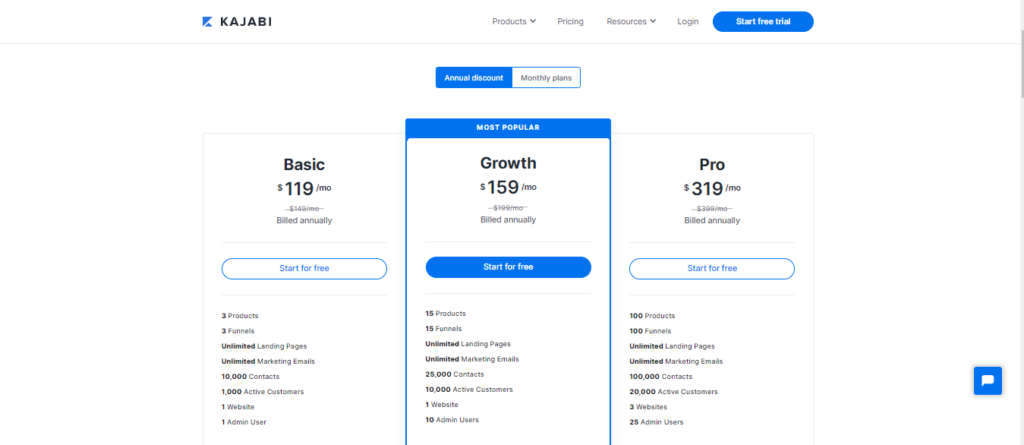
  2. Kajabi: A Complete Membership Solution.
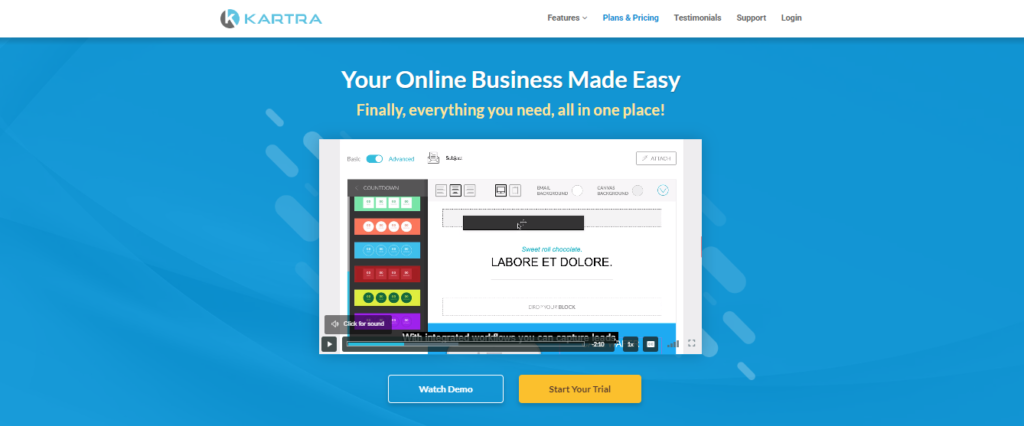
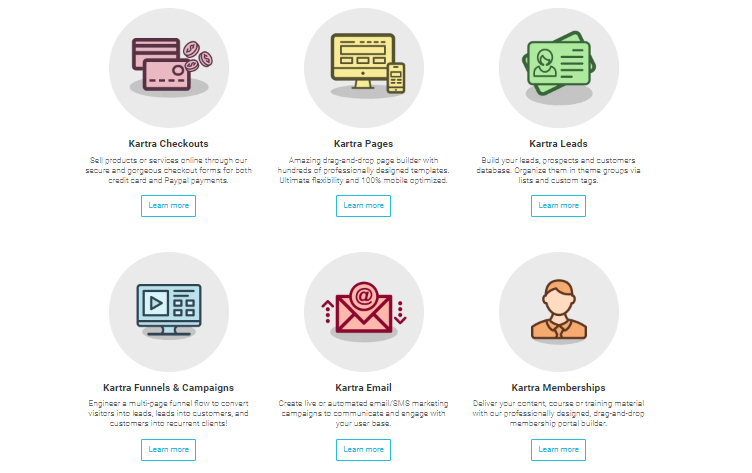
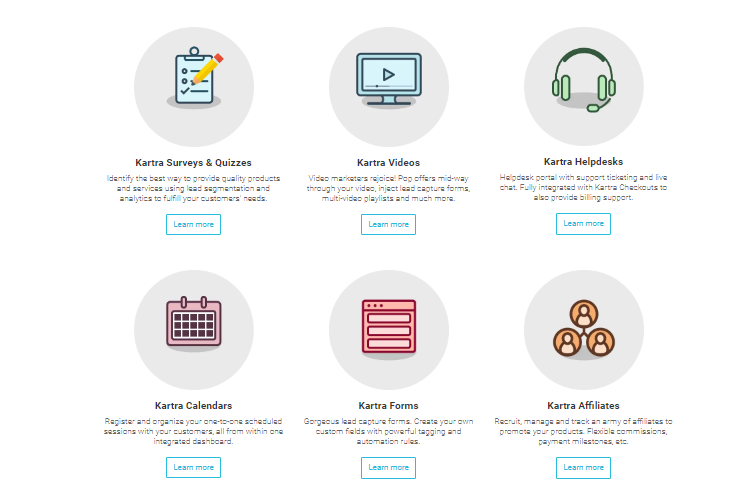
  3. Kartra – Great for agencies
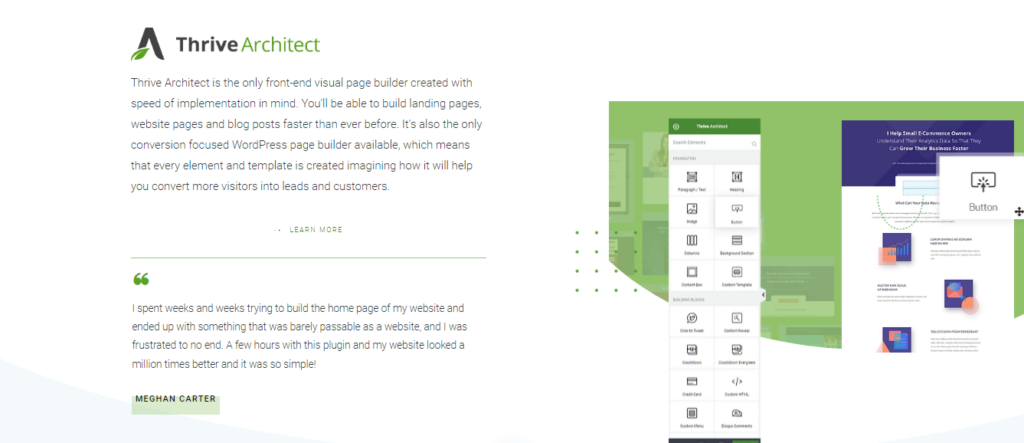
  4. Thrive Architect– A WordPress Theme to Design Funnels with Similar User Interface like Clickfunnels.
  5. Woo Funnels – A WordPress Plugin to Design Funnels.

Sales Funnel Software Features Compared Insert Table for Comparision.

Clickfunnels

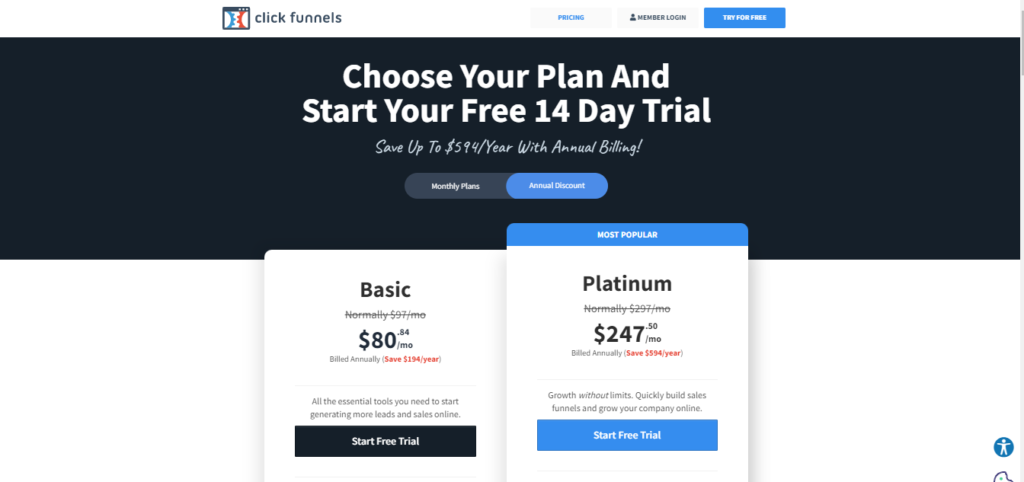
Pricing Plan of ClickFunnels

ClickFunnels is the leading tool for building high-converting and revenue-driving websites and sales funnels. Should you, as a business owner, invest your time and money in this? Check out my in-depth ClickFunnels review to find out!

In fact, this marketing SaaS company has pioneered the use of the sales funnel as a rigorous digital marketing and email marketing tool. Building landing pages with this software is all the rage right now. But does it really help digital businesses?

TL;DR: ClickFunnels is a web page or landing page builder & designer that utilizes the concept of sales funnel to build websites for beginners. People with no coding knowledge can easily use this software to build an online presence. But it comes with a learning curve and is not affordable for small businesses.

What Is ClickFunnels?

ClickFunnels is a landing page builder. Because of their specialization to build sales funnels, the websites attract targeted prospects and turn them into buyers. As a result, the landing pages are more successful as business websites.

ClickFunnels was founded by Russel Brunson, who is known for his contributions to unique marketing software. Before working with the marketing funnel, Russel was known for his work in email marketing software.

The types of funnels you can build with ClickFunnels are unlimited:

  • Lead generation funnels
  • Sales funnels
  • Content funnels
  • Sales call booking funnels
  • Discovery call funnels
  • Onboarding funnels
  • Review funnels
  • Limited time offer sale funnels
  • ​Webinar Funnels
  • Shopping cart funnels
  • Cancellation funnels
  • Upsell/downsell funnels
  • Membership funnels
  • Squeeze page funnels
  • Survey funnels
  • Tripwire funnels
  • Live demo funnels
  • Lead magnet funnels

Pros and Cons 

Kajabi

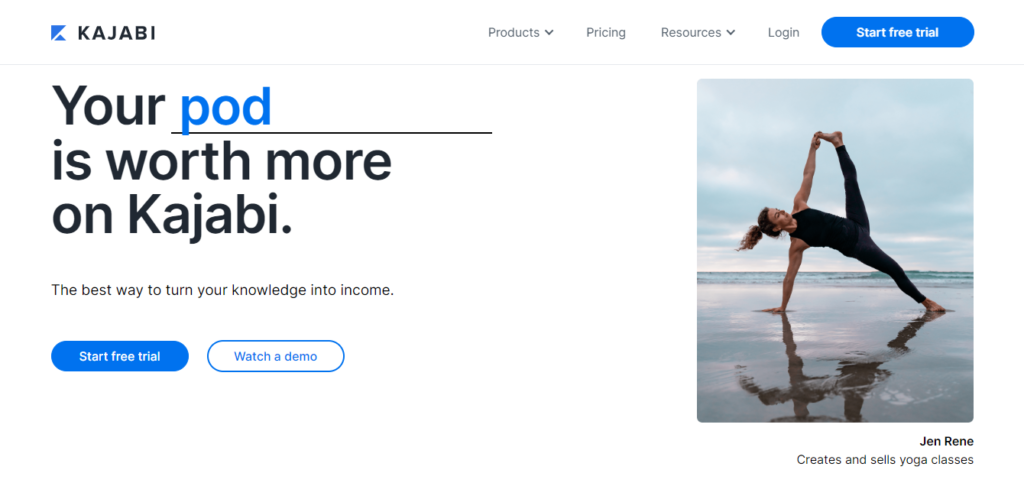
Pricing Plan of Kajabi

If you want to know whether Kajabi is the right platform for your knowledge business or not, then you’ll love this in-depth Kajabi review.

Kajabi is the most popular all-in-one online course platform in the market today. It’s completely different from a typical course builder, so many people find it difficult to make a decision.

I have helped hundreds of creators launch their courses and memberships on Kajabi, and I know the ins and outs of the platform.

In this Kajabi review, I’ll cover everything you need to know to make an informed decision. I’ll also share my experience of using the software along with what I like and what I don’t like about it.

What Is Kajabi?

Kajabi is one of the most popular platforms for building and running your online course or membership site business. And it is used by thousands of creators including some big names like Amy Porterfield and Brendan Burchard.

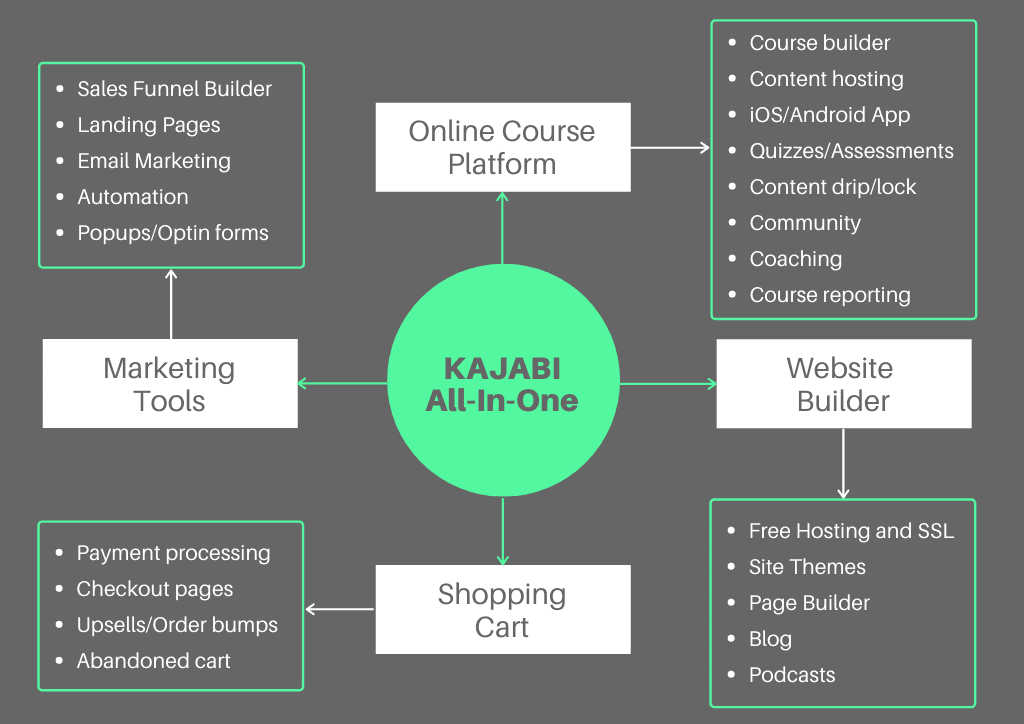
It allows you to host your online programs and deliver them to your students in a professional manner. Moreover, you can build a full-fledged website, run a blog, create marketing funnels, and even automate your email marketing.

On the other hand, if you were to use “typical” online course software, you’ll need tools like WordPress to run your blog, ClickFunnels to create funnels and landing pages, ConvertKit to manage your email marketing, etc.

The idea behind Kajabi is to let you build and run your entire online course business from a single platform so that you don’t need to hack together or learn to use several different plugins or services.

Here’s a highlight of the features that Kajabi has to offer a creator like you:

  • Create an engaging online course with videos, pdfs, quizzes, etc.
  • Deliver you content professionally through the course player.
  • Create a community area for your students.
  • Build a beautiful website including a blog for your brand.
  • Charge a one-time fee, a recurring subscription, or even a payment plan.
  • Build checkout pages and add upsells and order bumps.
  • Create and manage your affiliate program.
  • Build all types of sales funnels.
  • Email marketing automation and CRM tools.

Pros of Kajabi 

Cons of Kajabi 

Kartra

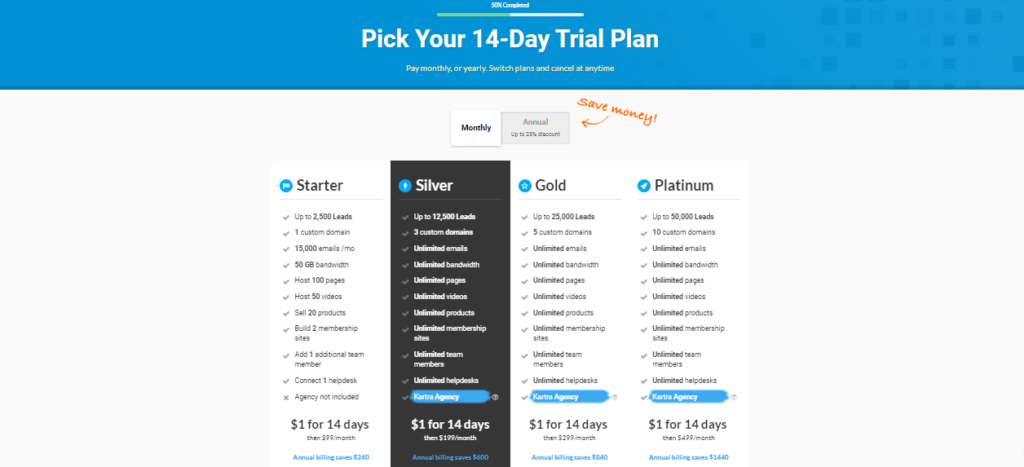
Pricing Plan of Kartra

Basically, Kartra is a one-stop solution and an all-in-one online marketing platform. Here this platform actually helps you to create, market and launch your online business without even using third-party tools or by hiring someone. 

Kartra has everything in one place like email marketing, list building, web hosting, business management platform and many other important features as well. It’s a cloud-based software that means if you want to access it you do it by having an active internet connection and browser to login to the platform. 

Kartra is an all-in-one platform that includes email marketing, list building, and other tools. Marketers can use it to manage their business and so can you.

  • Storefront design tool-  it provides standard templates with an easy to use tools setup customize templates to showcase store brands and optimize the user experience.
  • Product visualization- it means that it has the ability to display and manage photos, 3D views and videos etc for each product.
  • Promotions and discounts- it contains features that allow administrators to set up promotions on sites also provide a time-based discount and enter coupon codes.
  • Shipping options- the shipping address can be selected only by checking the delivery time and the price. If not agreed with the shipping functionality then it may be transferred to a third party.
  • Integration to add on the tool- it is easy to integrate to or has pre-packaged integration to a wide variety of leading add on tools or software
  • Security- protection against fraud and malicious attacks is done by software with the appropriate tools and functions. 

Features of Kartra

Pros of Kartra

Cons of Kartra

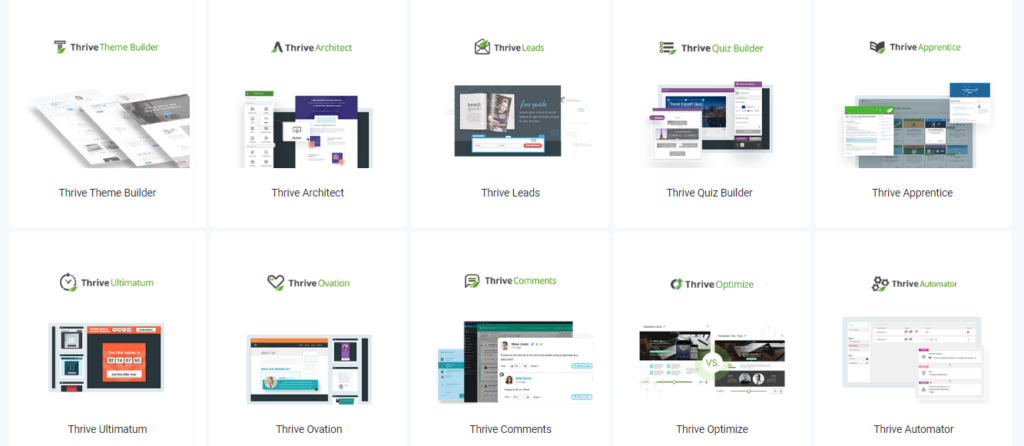
Thrive Suits

Thrive Architect Page Builder

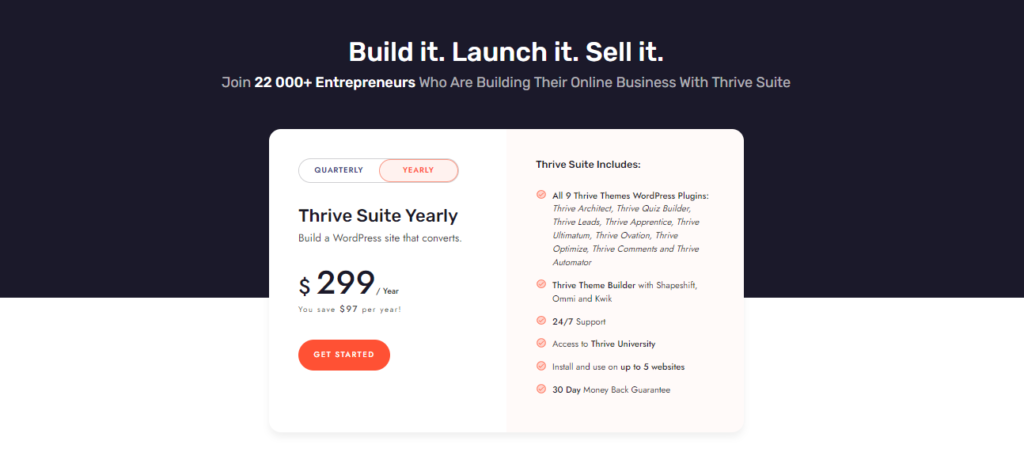
Thrive Suite is a pretty complete package. The suite provides you with all features for just $30 per month (paid quarterly) or $19 per month (paid annually).

Features

Opt-in forms and landing pages with A/B testing, conversion-focused WordPress themes, visual drag and drop website builder, widgets, headline optimizer, scarcity campaign builder, testimonials plugin, quiz builder and online course builder.

Plans and Pricing

Pros and Cons

+ Considering all that’s included, Thrive Suite is very affordable. It seems to be a solution more for agencies and developers (hence why you can use the features on such a large number of websites). If your business is online courses, this could be a good option.

 Missing email marketing and automation. Unfortunately, Thrive does not offer a free trial.

WOO Funnels

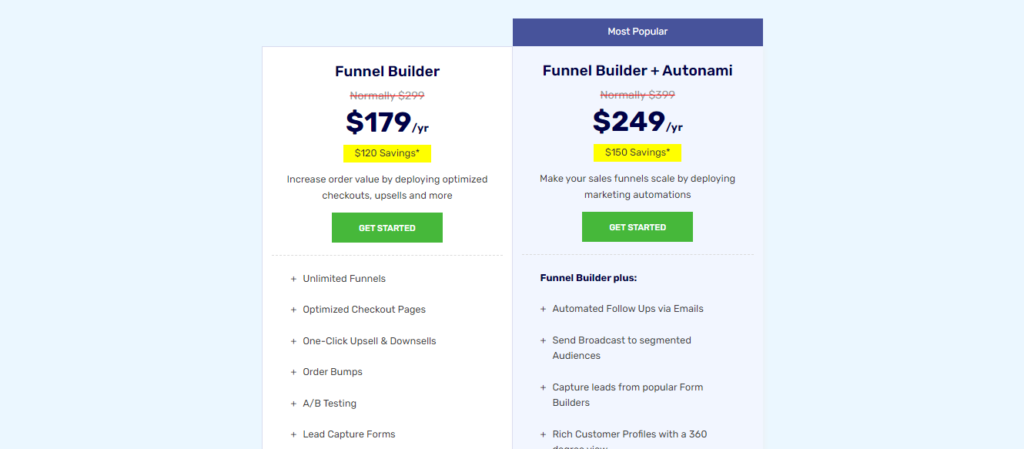
Woofunnel Pricing

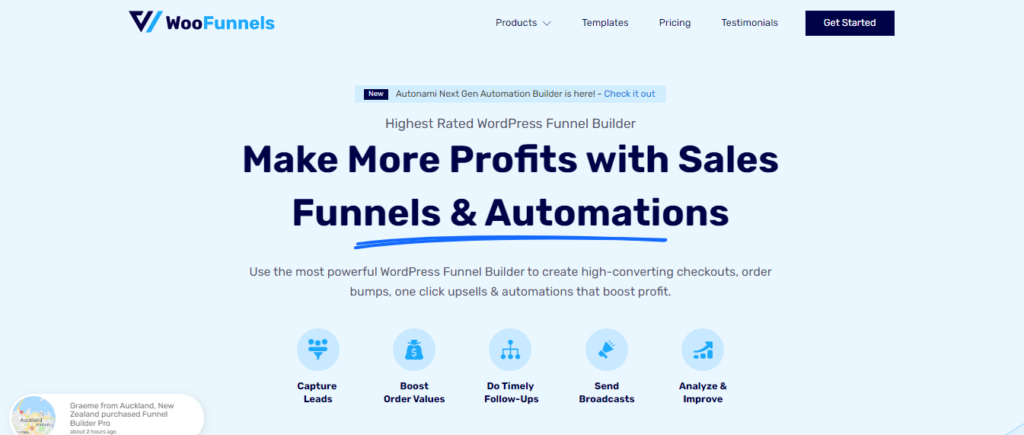
What is WooFunnels?

The BuildWooFunnels suite is a collection of several WordPress plugins by XLPlugins that work in conjunction with the #1 WordPress-based shopping cart platform in the world, WooCommerce.

WooFunnels basically extends and improves the functionality of WooCommerce and allows you to set up fully functional, conversion and mobile optimized sales funnels right inside of WordPress.

You can easily set up upsells, downsells, order bumps, and more—all using easy templates and wizards.

The result is a professional shopping cart and funnel that converts!

Build WooCommerce sales funnels with ease

Of the funnel builders that my team and I have worked with, BuildWooFunnels is the most advanced and easiest to use—by a long shot.

Just a few short years ago, building a proper WooCommerce funnel required an expensive combination of plugins and custom coding.

But Woo Funnels basically gives you a funnel and checkout builder in a box and makes this previously complicated process incredibly simple.

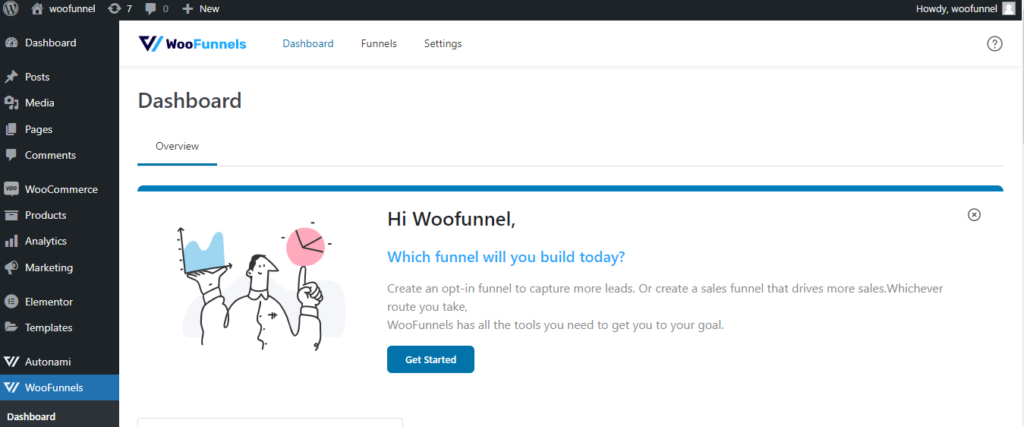
Dashboard

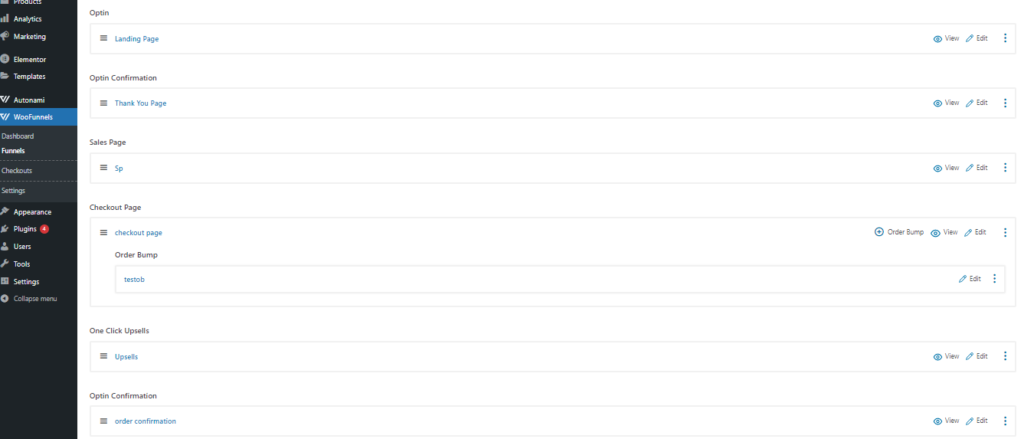
Funnel Steps

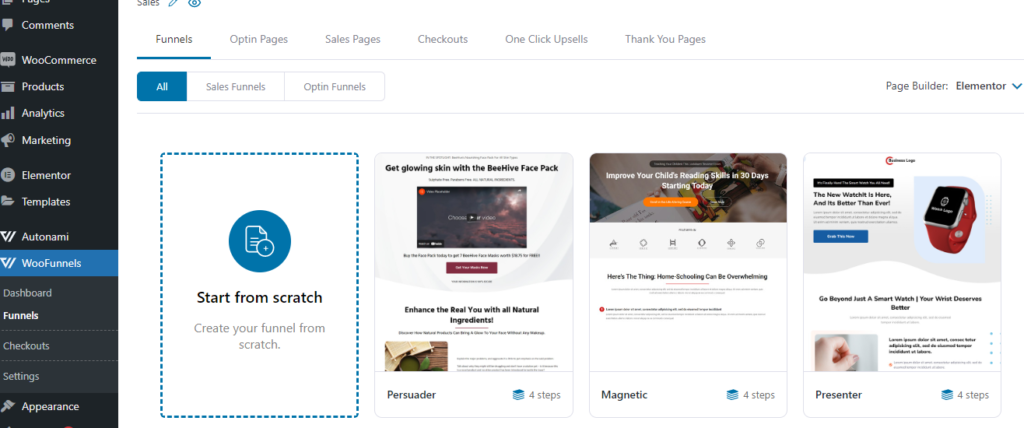
Templates

Pros of WooFunnels

Cons of WooFunnels

Best-Tools-To-Design-Funnels-For-Beginners

Best-Tools-To-Design-Funnels-For-Beginners

If you’re looking into sales funnel software, first of all, well done. You might be one step ahead of your competitors.

As any marketer knows, if you’re going to make it in the current climate, you’re going to need an intelligent digital marketing strategy, and sales funnels could very well help you with that.

As an advocate of inbound marketing, the idea of subtly guiding a user through a series of steps, offering rich content along the way, makes me think that sales funnels could be the perfect match for an inbound strategy. But I wanted to look into exactly how they work and how easy the software is to use before I made my mind up.

In this article, I’ll be sharing what I learned whilst reviewing a number of sales funnel software and pointing you towards the best tool for your needs.

It’s worth pointing out from the get-go that, though some tools market themselves as sales funnel builders, they might be missing the crucial features that you need. For example, email marketing or webinar hosting isn’t always included. You might also find that other more modest (and cheaper) software might be enough for you.

What is a Sales Funnel?

Before I go into the various sales funnel software providers, you might be wondering what a sales funnel is?

If you’ve worked in sales or marketing for long then you’ll know that leads can be at varying stages of the buyer process. In fact, depending on the complexity of your product or service, it might take months to nurture and convert this lead into a customer.

If done right, then setting up a sales funnel can greatly streamline this process and hopefully give the user a better all-round buyer experience that ultimately guides them to what they’re looking for, and violá, they make a purchase!…Or even better, become a loyal customer.

Your sales funnel will be made up of a series of steps that consist of various marketing assets, for example, social media campaigns, landing pages and email.

Sales funnel software can provide you with a holistic view of your sales and marketing efforts (and results) at a glance. (Though not all sales funnel software comes with a funnel view – more on that below.)

Sales Funnel Examples

Many businesses wonder, “How can I create a successful sales funnel?” While every funnel is different, there are many elements that are common, such as a sign-up form and email communication.

In order to offer online marketing training, an entrepreneur might create the following sales funnel:

  • An ad on Facebook offers SEO tips with the Call-To-Action (CTA).
  • The user is directed to a landing page where she can download the guide and sign up for the entrepreneur’s newsletter.
  • She receives a newsletter the next day containing information about the courses.
  • The user signs up for one of the courses
  • She continues to receive newsletters with discounts on course fees and signs up again.

In the sales funnel software used by the entrepreneur, all of these actions will be tracked. Thus, she will be able to see clearly at which point users are dropping off and where they are converting.

Moreover, as sales funnel builders come with everything from landing page editors, email marketing services, and even a platform for hosting courses and webinars. It is better to has everything under one roof, which is much more cost-effective than putting it all together individually.

Having all your marketing efforts in one place has some real benefits, especially if the sales funnel software comes with a CRM. But is it worth cancelling all your existing subscriptions for it?

When to use Sales Funnel Software

Then utilizing product sales funnel computer software tools may be outstanding complement you as your upfront expenses could be held up to a minimum if you’re simply getting started. You shall not want to concern yourself with employing a internet designer or registering up to a dozen tools, nevertheless, you will need to make certain that the application you go after includes precisely what you will need. As an example, while many offer webinar web hosting, other people cannot, of course this is often a component that is a must of company, you’ll want to locate a sales channel builder pc software that suits your requirements.

If it is well worth taking right out this service if you’re already opted up to a wide range of tools, you’ll need certainly to evaluate costs and. This could effect on the consumer experience and become more hassle for you personally as you can incorporate the product sales funnel computer software with other applications.

Have a look at the application we reviewed below to see which will be considered a fit that is great.

Best Sales Funnel Software 2022

  1. GetResponse – All-in-one machine
  2. Systeme.io – Free plan with all the features
  3. Groove CM – Complete Digital Marketing Solutions
  4. ClickFunnels – Easiest Tool to Design Funnels.
  5. CartFlow – A Simple WordPress Alternative to Design Funnels.

Sales Funnel Software Features Compared Insert Table for Comparision.

GetResponse

Get Response Tools

Get Response Workflow

Landing Page Templates

GetResponse is probably the most complete solution on this list. Having recently introduced their Conversion Funnel feature to their email marketing platform, you can now set up everything from social media campaigns to landing pages to webinars to email automations. You can even sell your products through GetResponse or integrate your account with your existing ecommerce. In fact, GetResponse is listed as one of the best email marketing services for Shopify in our detailed guide.

In terms of sales funnel software tools, GetResponse’s Conversion Funnel is quick and easy to set up, and visually, you can see exactly how your leads filter through. They also have a good selection of modern-looking templates.

If your business offers webinars, GetResponse could be a great choice for you.

Plans and Pricing

Get Response Pricing

Pros and Cons 

Systeme.io

Pricing Plans

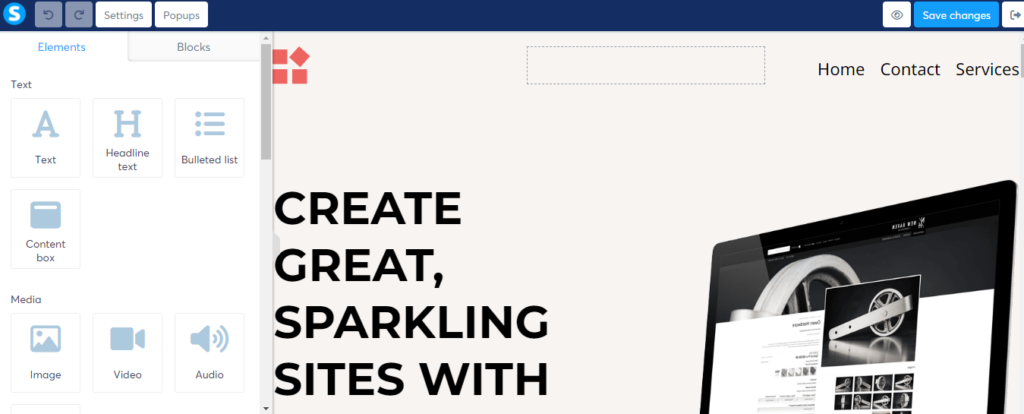
Page Builder

Landing Page Templates

Systeme.io is a sales funnel software packed full of features. You can use the service to manage your email campaigns and automations, offer online courses and sell physical products, and even set up your own affiliate program. They’ll also give you a free 11-page sales funnel template.

The interface is well laid out with separate dashboards for your own marketing activities and affiliate marketing, which details the commissions earned from each vendor.

Plans and Pricing

Free for 2,000 contacts : 3 sales funnels, 1 email campaign and membership site, automation and 1 custom domain.

STARTUP: $27.00/month for 5,000 contacts :10 sales funnels, 10 email campaigns and 5 membership sites, automation and 3 custom domains.

WEBINAR: $47.00/month for 10,000 contacts: 50 sales funnels, 100 email campaigns and 20 membership sites, automation and 10 custom domains.

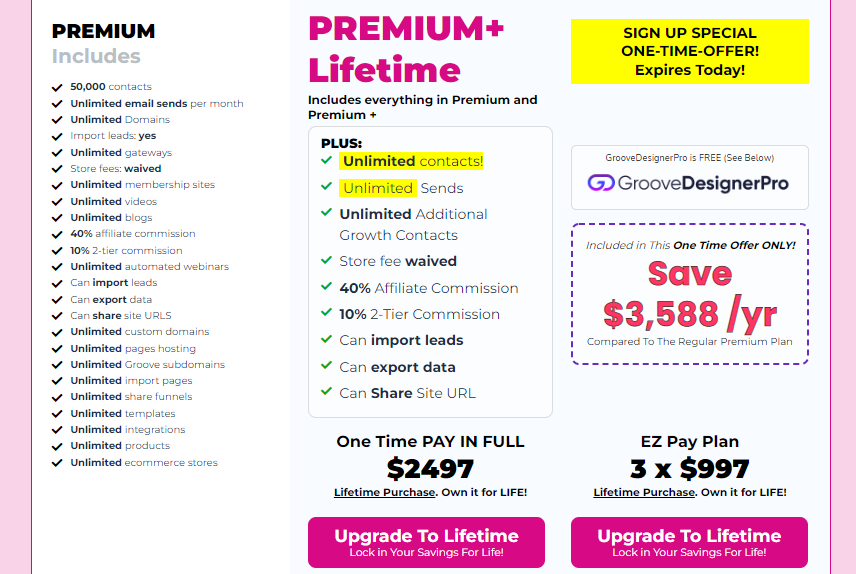
ENTERPRISE: $97.00/month for Unlimited contacts: Everything unlimited.

Pros and Cons 

Groove.CM

GroovePage Page Builder

GrooveMember Page Builder

Grooveblog Dashboard

Groovekart Page Builder

In this day and age, any business that wants to thrive must go online.

With so many things going on around the world, and global changes that will forever impact the way people live and do business, going online is no longer just an option.

Not only to maintain their success, but even just to survive.

Sure, there are tools that are already available that any business can use to run their entire company and processes digitally.

However, any minimum amount of research will tell you that most of these products are expensive, complicated and limited in customization.

In other words, not very user-friendly, and definitely not suitable for all business owners, especially those who are less tech-savvy and might even be on a budget.

I mean, who can afford to invest thousands of dollars a month into a bunch of complicated tools, and on top of that, hire employees to manage the systems, right?

Well, if this sounds familiar in any way, I have some good news for you.

As an online marketer and blogger myself, I am always looking for new solutions for these everyday challenges we face as business owners.

Today, I am very excited to introduce you to my latest discovery.

Groove is, by far, the best way I have found to be able to build websites, sales funnels and sell digital products online.

The best part? It’s FREE.

But the free value does not end there…

You see, Groove is not just a website and sales funnel builder.

The co-founder of Groove, Mike Filsaime, is actually a veteran in the Internet marketing space, and has put all his experience and expertise into one of the best suite of marketing tools I have ever seen.

I’ve also signed myself up for an account (it’s free), and for the past few days, I’ve had the chance to play around with it.

And you know what?

I can definitely tell you that this 100% free tool is perfectly capable of running your entire business, maybe even better than some of the expensive complicated tools out there.

I’m not exaggerating by any means…

From what I’ve seen so far, Groove includes everything that I need to run my online business, all for absolutely free.

Here’s just a quick list of what I’ve gathered so far:

FREE sales, page and funnel building platform
Ability to create full product funnels
Possible to build my own branded websites with full navigation
Can integrate with my own custom domain name
Able to sell my products with what they call a 1-click upsell
Capability to integrate upsells, downsells, and order bumps
Even has a way to create my own powerful affiliate program for my products!

And that’s just for starters, because there is so much more for me to explore!

I’m not even joking when I say that I am planning to change my ENTIRE online business over to Groove!

I mean, why wouldn’t I?

It’s FREE, and it’s probably the BEST suite of marketing tools I have ever seen in my life.

By the way, there’s more…

I didn’t even mention some of my favorite benefits of Groove.

As a member, I’ve also received a TON of community benefits.

I’ve been able to join their private Facebook group, connect with marketing experts inside, get help with all my problems, access private training within their own academy, ask questions through their helpdesk, and meet other like-minded entrepreneurs just like me to make the best use of these tools.

So, if you’re like me… Striving to grow your business, looking to learn more about marketing and getting to know some of the best in the industry at a more personal level, then you won’t want to miss out on this opportunity.

Sounds great, right?

But you might be asking… what’s the catch?

The catch is that Groove is free, but for a limited time only.

Groove is in its pre-launch phase, which means that many of the products have still yet to fully launch.

When they do, and as the products continue to get upgraded, Groove may no longer be free anymore.

This means that now is the time to sign up for your free account, which would also qualify you for the additional software upgrades that they make as time goes on.

Awesome deal, right?

It’s called being at the right place, at the right time.

And that’s where we’re at right now 🙂

Don’t wait any longer, because I’m honestly not sure when this free offer is going to go away.

Do yourself a favor and sign up for your free Groove account right now, and I will see you inside of the Facebook group.

Plans and Pricing

Pros

Cons 

Clickfunnels

Pricing Plan of ClickFunnels

ClickFunnels is the leading tool for building high-converting and revenue-driving websites and sales funnels. Should you, as a business owner, invest your time and money in this? Check out my in-depth ClickFunnels review to find out!

In fact, this marketing SaaS company has pioneered the use of the sales funnel as a rigorous digital marketing and email marketing tool. Building landing pages with this software is all the rage right now. But does it really help digital businesses?

TL;DR: ClickFunnels is a web page or landing page builder & designer that utilizes the concept of sales funnel to build websites for beginners. People with no coding knowledge can easily use this software to build an online presence. But it comes with a learning curve and is not affordable for small businesses.

What Is ClickFunnels?

ClickFunnels is a landing page builder. Because of their specialization to build sales funnels, the websites attract targeted prospects and turn them into buyers. As a result, the landing pages are more successful as business websites.

ClickFunnels was founded by Russel Brunson, who is known for his contributions to unique marketing software. Before working with the marketing funnel, Russel was known for his work in email marketing software.

The types of funnels you can build with ClickFunnels are unlimited:

  • Lead generation funnels
  • Sales funnels
  • Content funnels
  • Sales call booking funnels
  • Discovery call funnels
  • Onboarding funnels
  • Review funnels
  • Limited time offer sale funnels
  • ​Webinar Funnels
  • Shopping cart funnels
  • Cancellation funnels
  • Upsell/downsell funnels
  • Membership funnels
  • Squeeze page funnels
  • Survey funnels
  • Tripwire funnels
  • Live demo funnels
  • Lead magnet funnels

Pros and Cons 

CartFlow

Features Of CartFlow

The day I got to know about this Cartflows I didn’t understand anything?

Everyone has started talking about Cartflows is this! Cartflows is that! me.

So I opened a new tab, scooted over to the Search engine, and typed “Cartflows Review” into the search box. Then I get to know about this.

Cartflows is a stunning software one can use to make any kind of funnel for several minutes. It offers unbelievable functions that will assist you in making what you need, doesn’t make any difference in case you are an expert or an amateur in this field.

To lay it out simply, high-level skills do not make any difference if you want to make a creative design in a shorter time.

The checkout interaction is everybody’s no. 1 concern and with Cartflows, that is settled as well!

Besides, it is really easy to utilize and keeps any unreasonable measure of money from being discarded very much like that.

So everyone is excited about this WordPress plugin?

Well! It says that Cartflows is a WordPress tool or plugin that helps to create an unlimited sales funnel that is user-friendly and affordable.

Up-sell, back, online store withdrawal solutions, and place scratches are all included in all sales funnels to increase the overall order value of customers.

You must also know that it is quite compatible with WooCommerce and all of its add-ons. In simple words, it helps you to sell all your products on WooCommerce with more ease.

Why To Choose CartFlow Pro?

Full Comparison -Free Vs Pro

Plans and Pricing

Pros and Cons 

Free Funnel Builder

There are two free sales funnel builder on this list are Systeme.io and Groove.CM. You can set up up to 3 sales funnels and explore the tools to maximum extent, so not bad at all to learn for a beginner!

Unfortunately, in the case of the other Funnel builders such as GetResponse and Clickfunnels offer a free trial plans with some limitations. 

With Cartflow the plugins can use for free with lots of limitations and need a good knowledge of WordPress.

Conclusion: The Best Sales Funnel Builder For Beginners

If you’re still with me, well done! You should now have a good idea as to which sales funnel software is right to start your services as a funnel builder. As you’ve seen, prices can vary quite a bit and often important features like email marketing are not part of the core offering, meaning that you have to pay extra for this service with another provider.

In terms of the most complete package, value for money and templates, I’d recommend Groove.CM that enables you to explore all the features at one place with free life time trial. After Exploring all the tools and feeling confident to launch your online business you can choose the multiple upgrade plans that suits your budget. 

With Groove You can use Groovepages, GrooveSell, GrooveKart, GrooveMember, GrooveMail, GrooveBlog, GrooveVideo,etc and I think all are sufficient to learn and implement with great dedications. 

Systeme.io is a very interesting option because of its free plan and very affordable prices. The fact that its offering includes a wide range of features makes it a great choice for small businesses.

Get Response is another great all-rounder, especially for those who want to automate every aspect of the customer journey.

ClickFunnels is fairly easy-to-use software and plenty of video tutorials and help getting started, but it is quite expensive and not recommended to pay $97/month only for practice. If You are new and want to learn funnel building starts with either Groove.CM or Systeme.io and implement the designs and funnel steps from scratch.  

After Getting Confidence and basic knowledge of page builder you should join use Clickfunnels FREE 14 days Trial along with One Funnel Away Challenge by Russel Brunson.

With CartFlows You must have knowledge of WordPress and how to customize the plugins. You can use CartFlows for FREE with lots of limitations and can’t create funnels with Free version.

With the Pro version of Cart Funnel you can create multiple funnels with multiple upsells and order bump, etc. with an affordable price of Annual License or Lifetime License.

So, in the end, it really depends on what’s important to you.

I hope you found this article helpful. Please share your experiences and questions below. I’m curious to find out how you do with your sales funnels.

Difference Between Websites and Funnels.

The internet is a universe of 1.5 billion websites. And only a small fraction of those websites are getting consistent traffic.

In this internet-driven world, everyone knows you need a website for your business. And when you start creating a website for your online business, you have to scratch a lot over your head as well as on paper building web strategies that are sales-oriented and market specific.

Once you are finished creating the website, you either hire a digital marketing team or a digital marketing agency for SEO for generating organic traffic or invest money in Yahoo and Google ads.

After all of this, did you get the results you expected from your website for your business?

Not much!

Why?

Let’s learn this firstly!

What Is A Website?

A website is generally made up of five to twenty or more online pages of content including the about us page, menu of services or products, a dedicated blog which is supposed to be updated regularly.

This is a Traditional Website which basically has the goals to attract visitors on web pages turning visitors into customers specifically.

How does a visitor turn into a customer on a traditional website?

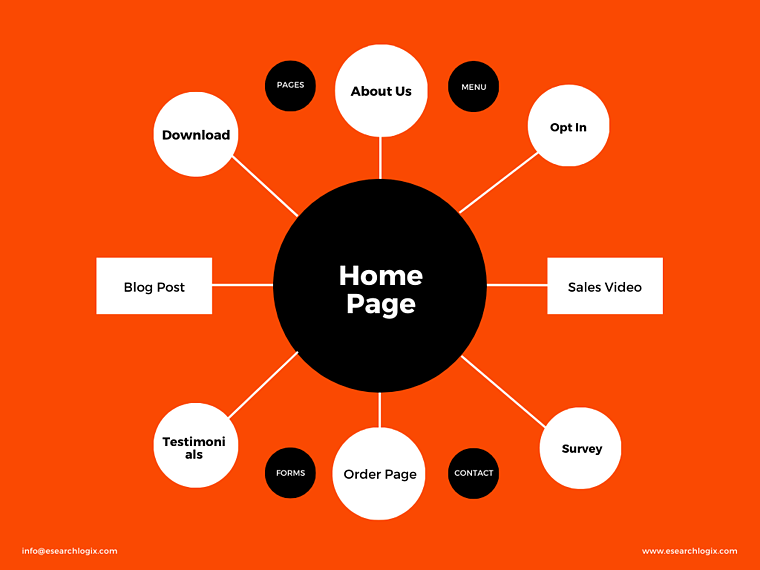
When a user visits to your website he or she usually sees the home page first, which appears like a multilane highway and the different pages on your website correspond to highway entrance and exit gates.  

Such visitors, also referred to as web traffic, move from the homepage to various pages similar to cars exiting the highway. Some of them take the off ramps to visit the about page, while others browse through the product catalog and some prefer reading blog posts or other contents. Some of them see the product catalog and want clear information and desire to buy. A few of them purchased or made an order for your product or services after putting an extra effort. But your website fails to guide maximum visitors what they are looking for and consequently, majority of visitors leave your website and probably move to your competitor’s website for the same goal.  

This is the reason you decided to invest more in search engine optimization (SEO) so that your website gets high ranking and visibility on Google as well as other search engines. Through this paid SEO strategy, you demonstrated your visitors that you are serious about having a strong digital presence.  

The conclusion to the above whole story is that maximum number of websites offer too many options but little direction. As a result, visitors get confused by all these multidirectional pages and find it difficult to navigate the website for their specific goal. It is almost like you have turned on many traffic signals simultaneously and diverting the car driver with no clear vision.

This is why your website fails to achieve its business goals. Here, in this post, we will discuss why choosing a funnel over a website can bring impressive market results for your online business and how a website builder can help you create a great funnel.

All e-commerce websites or online business portals have the ultimate goal of generating leads and turning them into paying customers, either by promoting buy online or encouraging visitors to buy from the company’s offline stores.

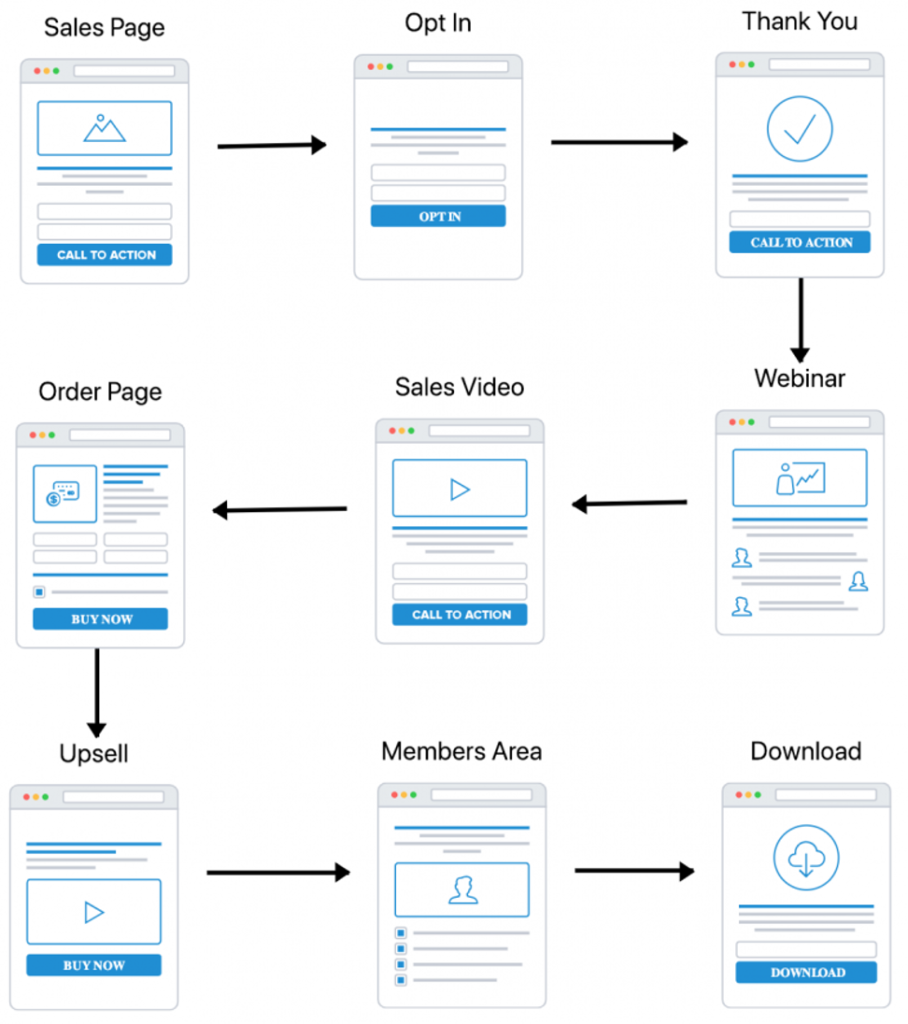
While a website is a multidirectional freeway, a sales funnel is more like a unidirectional or one-way road. Everything is designed to guide website traffic toward a specific direction- converting a sale.

What is a Funnel?

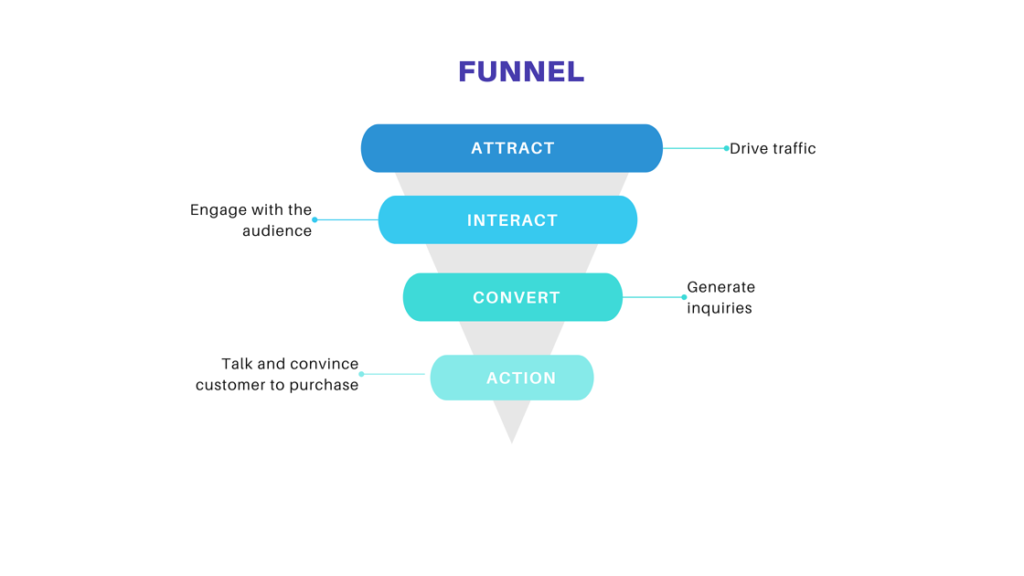
A funnel directs the series of steps a user takes from becoming aware of a product or service as max as possible to convert them a paid customer, and eventually a loyal customer.

Though effective web design is also customer-focused and helps creating sales conversion, funnels offer higher usage in terms of their goals and target audience. A typical funnel would instead concentrate on a certain buyer persona or customer avatar and a specific conversion goal.

Moreover, funnels give a defined path for users to follow leading the customer or prospect via all the stages of user’s journey from awareness to consideration and later converting them into your permanent customer who will back again.

What are the steps in a funnel?

Awareness Stage: The users may not be well aware of their problem. A funnel’s goal is to be resourceful and informative while helping them learn about their problem or concern.

Consideration Stage: The user is researching, exploring and considering all possibilities to resolve their concerns. A funnel’s goal is to help them understand why your offering is best for them.

Conversion Stage: Now, the user is more interested and ready to become a customer or signs up for subscription, newsletter or online purchase. And this is the point where your funnel succeeds.

Loyalty Stage: The goal of funnel is to foster a long-term relationship with customers and keep engaging them with attractive content, offers or rewards so they remain with you for the lifespan of your business. You want to inspire the customers become your loyal advocates and become word of mouth for your expensive advertising.

What is the difference between a website and a funnel?

The Traffic Flow

The key factor that differentiates a website from a funnel is the traffic flow. On a website, traffic flow is non-directional or multidirectional, which lets user decide what they want to view either directly clinking on tabs or buttons whatever they find easier.

Whereas the funnel is one-directional built up with the purpose to lead the audience through a defined or stepwise series of stages mentioned above, so they can make a purchase successfully at the end.

Conversion Rates

Conversion rate means how much per cent of landed web traffic decides to make a purchase. This ratio of viewership to purchasing is leveled up through conversion rate optimization. This process adds to the proportionality of your how much audience makes a purchase.

In this context, a traditional website without a landing page, product catalog, shopping cart and payment system and other essential steps for passing the loyalty stages, struggles to achieve the business goals. And a sales funnel paves the way for everything you need to optimize your conversion rates.

Analytics 

Not all page views can give you the idea on understanding buyer persona through a traditional website. Sometimes they often leave subscription link and don’t put their email address for signing up for your newsletters. Also, it is difficult to understand the interest of user what they are exactly looking for on your conventional website.

But a funnel allows you to perform easy A/B test. You can change some parts of your web page to inspire visitors sign up for subscriptions.

What are the types of Funnels?

There are many types of funnels for making your sales or business online. Each funnel has its specific goal. Here are the following categories of funnels that can help your sales conversion grow faster.

Type of FunnelsGoals
LEAD GENERATION FUNNEL

To generate leads

SELF-LIQUIDATING OFFER (SLO)To generate leads and sales
THE LEAD MAGNET FUNNEL

To get email address of visitors

THE HOMEPAGE FUNNELTo turn home page into a lead generating funnel
AUTOMATED WEBINAR FUNNEL

To make sales through a live webinar

ORGANIC CONTENT MARKETING FUNNEL

To recognize potential customers

THE SQUEEZE PAGE FUNNELTo get visitors email address            
THE SALES LETTER FUNNEL   

To sell from a long-form sales letter

THE MEMBERSHIP FUNNEL 

To get visitors into membership sites

THE SURVEY FUNNEL

To collect data on who your visitors are

THE HERO FUNNEL

To collect data on who your visitors are

Why you should build a funnel using a Website Builder?

Building a sales conversion website, that is a funnel, is faster and easier than building a traditional website, and you will end up with a great sales funnel that could generate more ROI than a conventional website today.

And to help you in this, our ESL Builder is here, which is an easy-to-use online tool that allows you create an effective funnel for your product, services or business.

Creating a funnel does not require you to buy a domain, pay hosting fees, plan webpages, nor other web development work. Just like a simple website, funnels contain forms, webpages, checkout, subscription and fulfilment process. Your funnel will be a fully functioning online store for your products, without any hassle.

You can create a sales funnel for generating leads, selling products online, getting sign-ups to your events, or be any other tasks, ESL Builder will help you create an impressive funnel so that you can offer a seamless web experience to your customers.

Top Reasons Why You Should Start Using Elementor With WordPress

You may have heard about Elementor, one of the most popular and highly recommended page builders for WordPress websites if you have been using WordPress for a while. But how do you know when it is best for your needs?

Well, the article will help you to decide, we’re promoting top reasons why you should start using Elementor with WordPress.

Table of Contents

  1. WordPress Page Builders: What Are They & Why Should You Use Them?
  2. Why Is Elementor The Most Popular Page Builder For WordPress?
  3. More Functionalities With Advanced Addons for Elementor
  4. Top Reasons To Start Using Elementor With WordPress
  5. Final Thoughts

WordPress Page Builders: What Are They & Why Should You Use Them?

WordPress sites could be created in a number of other ways. Then, you can choose to create your own website from scratch, but dealing with codes can be a time-consuming and tiresome process if you are experienced with coding. On the other hand, any time you don’t have a technical background, you’ll be able to usually employ professional website designers, but that may be very costly.

This is whenever web page designers can be found in. WordPress blogs and web page builders like Elementor will be the best, most powerful option for people who want to save time and cash in many different ways. Let’s have a look that is quick exactly how page designers empower both people with technical and non-technical abilities, and just why you need to be making use of them.

👉 Build Websites Quickly With WordPress Page Builders

Whether you are new to web page strengthening or perhaps you are an expert website designer, you’ll be able to create a website quickly with WordPress page builders like Elementor. For this reason, the page builders make it very easy-to-use that lets you rapidly design webpages with the help of a variety of widgets.

👉 Use Elementor To Design Amazing Websites With Zero Coding

A primary reason precisely why web page designers have grown to be very common today is actually since they’re empowering those without programming understanding to style their very own sites all on their own. By using web page builders, anybody can create their website without having a programming courses or employing professional website developers.

👉 Instantly Build Web Pages With Prebuilt Templates & Page Builders

Almost Every Page Builders come with lots of pre-built themes that can instantly use to create a website. For Example, Elementor has its own Elementor Templates Library where you are able to access an accumulation of pre-built templates. All you have to do is try to pick a template design that you like and place it on the website. Then you can certainly include your contents and make your website will get ready to go.

How Elementor is The Most Popular Web Page Builder For WordPress Websites?

Today you should use them, you might be wondering which page builder you should go for so that you can know which WordPress page builders are best and what are the reasons behind is? The majority of people would suggest Elementor, which might move you to inquire: why Elementor is so popular?

There are many reasons exactly over 5000,000 folks are happily utilizing Elementor with WordPress Websites. Elementor’s flexibility indicates that you can easily develop all types of websites on WordPress. With Plugins and Elementor addons the developer can customized the website as per the clients need without complexity of coding.

Flexible Customization With User-friendly ’Drag & Drop’ Page Builder.

Elementor provides you with powerful customization that is flexible having its intuitive ’drag and drop’ software. All you have to create is actually edit your page in Elementor, select any aspect you prefer through the tab that is’ELEMENTS the Elementor publisher, and subsequently pulls and fall it anywhere on your own page.

At this time, Elementor provides you with over 90+ amazing areas to fully customize and produce unique websites. Thus then you consider all the possibilities you could get to create unique websites by using Elementor with WordPress if you haven’t tried this page builder yet.

Considerable Functionalities With Advanced Addons for Elementor

If you prefer, you’ll enhance your site-building experience a lot more by expanding Elementor’s functionalities along with other add-ons. There are numerous add-ons available for Elementor, nevertheless the most popular &  most one that is Essential Addons for Elementors. 

This phenomenal elements collection for Elementor enjoys over 70+ premium factors and is dependable by very nearly 700,000+ happy users. You should definitely use Essential Addons along with Elementor if you want a truly limitless website designing experience.

Top Reasons To start Elementor with WordPress

Now that you have some idea precisely why Elementor is really so preferred among WordPress websites, let’s have deep diving into most of the main reasons you need to begin to use Elementor with WordPress websites too.

👉Preview Updates In Real Time With Elementor Page Editor.

You may also see your alterations in real-time using the Elementor Editor just like you personalize your web page. Allowing the thing is that just how your web page will probably appear to be if you’re wanting to save your valuable modifications, helping result in the entire designing that is website even faster and reliable.

👉Easily Design WordPress Page Layouts & Page Structure

Besides producing web that is amazing while using the elements provided with Elementor, you additionally have the flexibility to quickly building all of  your web page format and framework because of the Elementor publisher. You are able to pick the page that is different and even alters the web page build in every single part of your own web page. It will help you build WordPress which is a modern blog utilizing Elementor, and also other forms of distinctive searching websites too.

👉Seamless Integration With Popular WordPress Plugins.

Another reason exactly why Elementor is indeed tremendously prominent is that it gives you integration that is seamless with a multitude of WordPress blog options. For example, if you wish to create an internet site for your e-Commerce site on WordPress, you can easily take advantage of Elementor’s integration with WooCommerce of the most prominent WordPress E-Commerce platforms to create an internet site for your online website store.

👉Huge Collection of Pre-Built, Ready-To-Use Elementor Templates

Like other web page builders, there is a huge number of premade, ready-to-use web page templates by using Elementor with WordPress. Elementor includes its own Templates which provide 300+ incredible, breathtaking designs produced by their core team developers.

If you still need more design, no need to worry. You can find thousands of  spectacular web page templates for Elementor with the help of various Elementor Addons. 

👉Uses Clean Codes For Faster Loading To Enhance User Experience

Another reason why so many people are using Elementor with WordPress is really that it’s the quickest webpage builder readily available. Elementor uses codes that are clean quicker running and enhance your user experience. But, certain designs might reduce your site down, which you can easily solve by using these methods to improve slow webpages with Elementor.

👉Create The Pop-Ups In Elementor With Powerful Pop-Up Builder.

Have you checked out an online site and had your focus instantly gotten by spectacular, aesthetically visual pop-ups? Well, with Elementor’s pop-up creator, you can create your very own stunning pop-ups without any coding. This is usually a good way to instantly grab your internet site visitor’s focus. You can use these pop-ups to prompt your website visitors to subscribe to suit your newsletter, get one of this new product or manage income advertising marketing.

👉Perfect Options For Mobile Editing

Elementor also gives you amazing alternatives for mobile modification. Any website designed with Elementor becomes 100% responsive across all gadgets. You can add different history files for mobile devices, change the typography, margin & padding, and even more in order to make your website responsive with Elementor’s mobile editing.

👉Attractive & Flexible Pricing Plan For Elementor Pro

Among the best reasons for Elementor is the fact that it comes in both FREE & Premium Version. You’ll be able to experiment with the version that is free and find out if you love the program. Later, you can open each of Elemetor’s remarkable characteristics by updating to Elementor expert, which boasts appealing pricing that is flexible for many sorts of WordPress blogs consumers.

Conclusion:

For you to start using Elementor with WordPress whether you are a professional website designer or a new WordPress user, it is safe to say that there are several good reasons. Liked this article? Feel free to write coments and Suggestios to have an improvement.

6 Most Important Reasons to Use WordPress in 2022

6 Most Important Reasons to Use WordPress in 2022

Among the Few initial questions that individuals often asked is: Why would I choose WordPress Website? Isn’t my website appealing? Why do I need to change to WordPress from another platform?

Then you’re at the right place if you’re asking these questions.

In this article, we shall discuss quite essential reasons that are important to choose WordPress. We’ll furthermore discuss all the types that are possible to establish with WordPress Blogs along with popular websites which are using WordPress.

Why you should use wordpress

Note: Throughout this article, as soon as we say WordPress, we’re dealing with word press.org, also called open source self-hosted word press. Kindly try not to confuse this with WordPress.com which is a web hosting service. For facts, see the contrast of WordPress.org vs WordPress.com.

One of the most common misconceptions about WordPress is that it is just a blogging platform.

But WordPress is so much more.

While WordPress blogs going just like a tool that is blogging it has evolved into a robust internet website builder and a robust information management program (CMS).

The best part about WordPress  would be that it is user-friendly and flexible sufficient to make different types of Websites, E-Commerce Store, as well as Web Applications. That’s the major reasons why word press has expanded a whole in the field of Web Development. In fact, according to a recent survey 48% of all of the websites on the web are developed by using WordPress.

Because of its enormous characteristics, the leading brands use WordPress to run their websites.

Let’s have a look at why should you choose WordPress to make your websites.

1.WordPress is Free as an Open Source.

Wordpress Free Open Source

Word press is actually an open source and completely free of cost software. It is free to download, install, use and alter to fit your requirements. You can use it to customize any type of website as per the clients requirements. To find out more, read the complete articles to know more about the possibility of WordPress.

Even though the WordPress software is of no-cost, there will be an only need of Web name i.e Domain and a hosting to host the website on the internet.

A website name could be the address of your website on the internet. For example the address of the website can be represented as .com, .in, .co.in, .net, .org, .gov, etc…

Hosting is the website’s store where all of your website data files stored.

To Choose Domain name I would like to highly recommend GoDaddy or Name Cheap to buy the domain name for the website. For the Web Hosting there are many to recommend such as Bluehost, Hostinger, Hostgator, etc and the plans that suits your requirements.

2.WordPress Is Easy to Use

WP dashboard

Despite of the most versatile and powerful tool to develop websites, WordPress is quite easy to use for beginners.

It is possible to generate articles, design pages, customize the website layout, add navigation menus, E-Commerce Stores, Web Applications and a lot more.

WordPress makes it simple for the novices to design their particular web pages without having any technical hiccups.

Initially, you’ll getting news that the WordPress website frequently crashed due to regular updates of WordPress Version, Plugins Updates, Theme Updates, etc. To avoid these things you should take a backup of your website before updating the various versions. 

For backups, you will find outstanding WordPress backup plugins ( a lot of them tend to be free). They permit you to establish automated backups and store all of them on an isolated venue like yahoo Drive or Dropbox.

Eventually, there are concern about security. In WordPress you can customize the security level as per your requirements by using plugins such as WordFence Security Plugin. 

With the practice and focus in the right direction any one can learn to design professional website using WordPress and can earn money by providing valuable services.

There are lots of FREE Resources such as Naiyyer Sheikh Youtube Channel, Darrel Wilson Youtube Channel, WP Beginners, etc. Just need to follow the videos and implement to get perfections.

3.WordPress Is Completely Customizable

WordPress Templates

WordPress makes it easy for the novice website designers nor developers. In fact, most people initiate with WordPress without having any prior knowledge website designing.

For non-tech savvy people, WordPress is the solution for them to find several thousand no-cost web templates (design) to select. There are various WordPress themes for almost every sort of site in different niches ( whether or not it’s a blog, company website, or even an online store website).

Word press designs are easy to customize because a large amount of them include their options that are own enabling you to change colors, upload your logo design, change the credentials, establish stunning sliders, and really customize it to your specifications without writing any code.

As an example, Ocean WP is just a theme we often use, it is easy to create a professional-looking website even for beginners because of its templates. It has large number of ready-made templates that are conveniently personalized for almost any type of websites. For lots more advanced theme, you will find all of our premium paid templates to use at your WordPress Website. To expand and tailor the layout, you can utilize a drag-and-drop builder like Elementor to generate beautiful landing pages, marketing content, product landing content, and even more.

Ocean WP Theme

You can even add personalized usability to the WordPress webpages through the help of plugins. WordPress plugins are like apps for the website which you can use to include features that are advanced analytics, call types, account room, and much more.

Just like design, there are 1000s of complimentary and premium plugins available to work with. 

Apart from including additional functions, some WordPress plugins can let you change your website as a platform that is completely new. Being forced  to choose  from tens and thousands of plugins are intimidating, but there are many vital WordPress plugins that people advise for virtually any site:

A contact page plugin which means that  your customers can get in touch with you

An analytics plugin in order to observe most website visitors you’re acquiring

Search engines optimization plug-in so you can  get extra traffic from Bing

Next, you’ll need to pick additional plugins depending on the types of website creation that you’re. To obtain the most useful plugin for your requirements, you can always be hunting on Google, Youtube, https://wordpress.org/, etc. a

WordPress Plugin Dashboard

4.WordPress Is SEO Friendly

Yoast

The website that is best in the field won’t be described as a triumph when it does not have any site visitors or website visitors.

Luckily for us, WordPress is created with internet search engine site visitors in your mind.

Word press is created using code that is high-quality semantic markup. In non-geek terminology, this means Bing as well as other search engines like Google Search Engine.

This is the reason word press websites have a tendency to position more than other individuals on google.

To improve your site to get even more website traffic, we advise using a WordPress blogs Search Engine Optimization plug-in.

The recommended SEO plugins are Yoast or Rank Math to enhance the traffic on the website through Search Engine Optimization. You can check out the guidelines to set these plugins effectively on YouTube.

For comprehensive step-by-step instructions and expert suggestions to optimize your internet site, discover the finest word press Search Engine Optimization guidelines.

5.WordPress Is Safe and Secure

Wordfence

WordPress is safe and secured to run a website. The Security level can be enhanced by playing with some advance security plugin such as WordFence, etc.

Nevertheless, you can however perform a great deal to help make your website more secure from hackers, trojans, and other threats.

6.WordPress Is Here to Stay

WordPress Growth

That’s because as open-source software, it is maybe not kept by simply one company or person. Even though WordPress blogs disappear, anyone can merely fork their laws and introduce them having various identities in a matter of minutes.

Among the lesser-known factual statements about WordPress would be that it does not have a CEO. Title WordPress blogs are secure from the word press base, which is a non-profit business ensuring that WordPress continues to grow. There’s a powerful society of many people, builders, and small businesses behind word press. Like a people, they ensure that WordPress blogs will be here to stay for all the long-haul.

WordPress blogs have positive scores of customers worldwide. It’s available in much more than 53 dialects and influences hundreds of multilingual websites too.

What types of websites Can be developed with Word Press?

WordPress can be used in a lot of ways such as from a static website to an E – Commerce marketplaces and anything in between.

The following are just few examples of different types of websites with WordPress tool: 

Discover all of our complete list of different forms of sites you can make using WordPress.

We hope the above information helped you to understand about why you need WordPress tool to design the website in 2022.