ZMR Tech Solutions

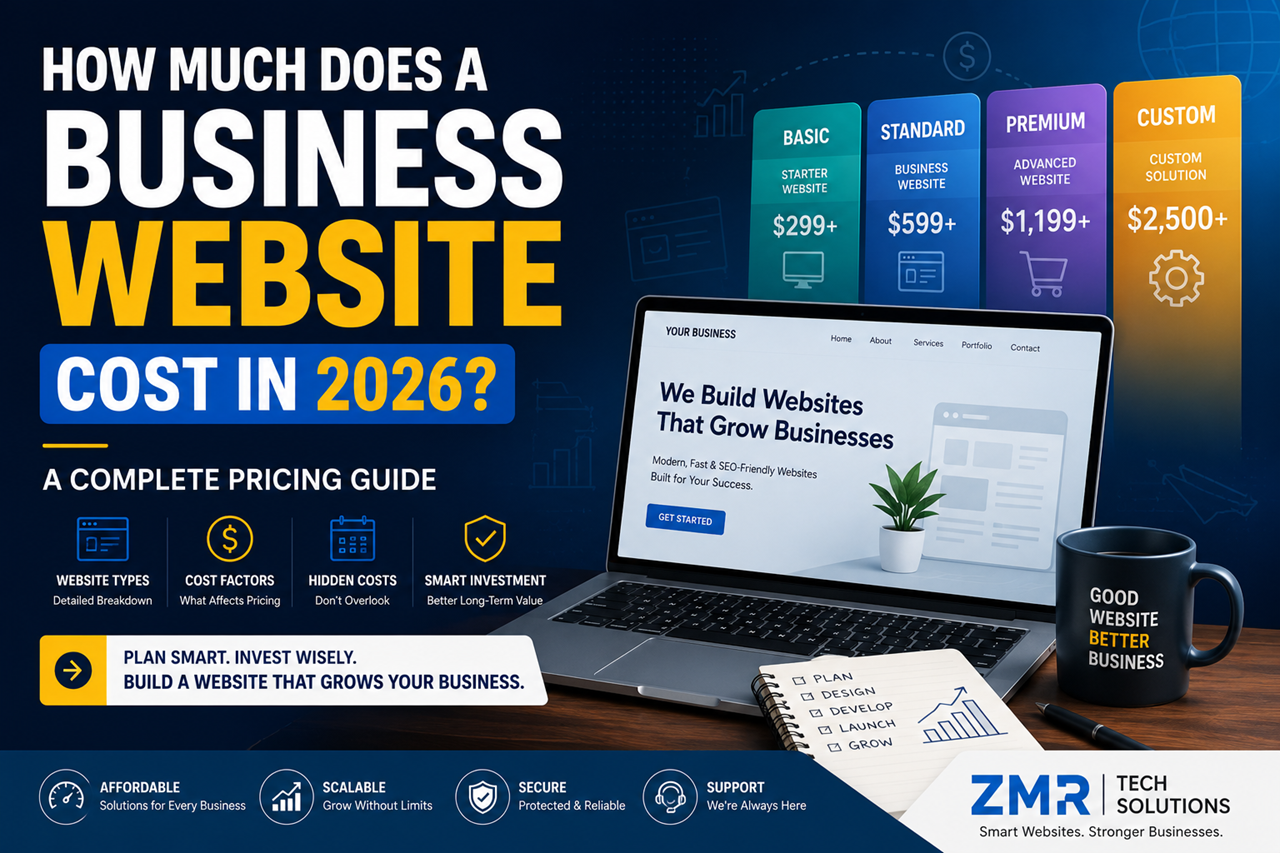
How Much Does a Business Website Cost in 2026? A Complete Pricing Guide

How Much Does a Business Website Cost in 2026? A Complete Pricing Guide

If you’re planning to create a website for your business, one of the first questions that comes to mind is:

“How much will it cost?”

The answer isn’t as simple as giving a single number. Website pricing depends on several factors, including the type of website, the features you need, the platform you choose, and the company you hire.

Some businesses only need a professional online presence, while others require online booking, eCommerce, customer dashboards, or custom software integrations.

The good news is that you don’t have to overspend to get a high-quality website. By understanding what affects website pricing, you can make a smarter investment and avoid paying for features you don’t need.

In this guide, we’ll explain everything in simple English so you can confidently plan your website budget.


Table of Contents

  1. Why Website Costs Vary
  2. Factors That Affect Website Pricing
  3. Types of Business Websites
  4. WordPress Website Cost
  5. Custom Website Cost
  6. eCommerce Website Cost
  7. Hidden Costs to Consider
  8. How to Choose the Right Website
  9. FAQs
  10. Final Thoughts

Why Website Costs Are Different

Many business owners compare websites the same way they compare products in a store.

But websites are different.

A website is more like building a house.

A small one-bedroom house costs less than a large luxury villa because the size, materials, design, and features are completely different.

The same applies to websites.

A simple five-page company website will naturally cost less than a large online store with hundreds of products or a custom business portal.

Instead of asking:

“What’s the cheapest website?”

Ask yourself:

“What kind of website does my business actually need?”

That simple question can save you money and help you make a better long-term decision.


What Affects the Cost of a Website?

Several factors influence the final price of a website.

1. Number of Pages

A website with five pages is easier and faster to build than one with fifty pages.

More pages mean more design work, content, testing, and optimization.


2. Design Requirements

A template-based design usually costs less.

A fully custom design created specifically for your brand requires more planning, creativity, and development time.


3. Features and Functionality

Basic websites may only include:

  • Home
  • About
  • Services
  • Contact
  • Blog

Advanced websites may include:

  • Appointment booking
  • Payment gateway
  • Customer dashboard
  • Membership system
  • CRM integration
  • Live chat
  • Multi-language support
  • API integrations

Every additional feature adds to the overall project cost.


4. Content Creation

If you already have professional content and images, your project may cost less.

If the agency needs to create:

  • Website copy
  • Graphics
  • Icons
  • Banners
  • SEO content

the total investment will be higher.


5. SEO

A website without SEO is like opening a shop in the middle of a desert.

Basic SEO usually includes:

  • Meta titles
  • Meta descriptions
  • Image optimization
  • Mobile optimization
  • Page speed improvements
  • Sitemap
  • Technical SEO setup

Investing in SEO from the beginning can help your website attract visitors more effectively.


6. Hosting and Domain

Every website needs:

  • Domain name
  • Web hosting
  • SSL certificate

These are recurring yearly costs and should be included in your overall website budget.

7. WordPress Website Cost

WordPress is one of the most affordable and flexible platforms for business websites. It is suitable for startups, local businesses, service providers, consultants, and even eCommerce stores.

A typical WordPress website usually includes:

  • Professional design
  • Mobile-friendly layout
  • Contact forms
  • Blog
  • Basic SEO
  • Security setup
  • SSL integration
  • Speed optimization

The final cost depends on the number of pages, custom features, premium plugins, and design requirements.

When Should You Choose WordPress?

WordPress is a great choice if you:

  • Want a professional website quickly.
  • Have a limited budget.
  • Need an easy-to-manage website.
  • Plan to publish blogs regularly.
  • Want strong SEO capabilities.

For most small and medium-sized businesses, WordPress provides excellent value without compromising on quality.


8. Custom Website Cost

A custom website is designed and developed specifically for your business. Every feature, layout, and function is built according to your requirements.

Custom websites are commonly used for:

  • Large companies
  • SaaS platforms
  • Business portals
  • Membership websites
  • Booking systems
  • CRM-based applications
  • Marketplace platforms

Because everything is built from scratch, development takes more time and usually requires a higher investment.

Benefits of a Custom Website

  • Unique design
  • Better flexibility
  • Advanced functionality
  • Easier integration with business systems
  • Long-term scalability

If your website plays a central role in your business operations, investing in a custom solution can be worthwhile.


9. eCommerce Website Cost

Selling products online involves more than just displaying items.

An eCommerce website may include:

  • Product catalog
  • Shopping cart
  • Secure checkout
  • Payment gateway
  • Order management
  • Inventory management
  • Shipping integration
  • Customer accounts
  • Discount coupons

The overall cost depends on:

  • Number of products
  • Payment methods
  • Shipping rules
  • Custom features
  • Third-party integrations

Instead of focusing only on the initial cost, consider how the website will support your sales and customer experience over time.


10. Hidden Costs You Shouldn’t Ignore

Many businesses only think about the cost of designing a website.

However, there are other ongoing expenses to consider.

Domain Renewal

Your domain name must be renewed every year.


Web Hosting

Reliable hosting keeps your website fast, secure, and available to visitors.


SSL Certificate

An SSL certificate protects customer data and helps build trust.


Website Maintenance

Regular maintenance includes:

  • Updates
  • Backups
  • Security monitoring
  • Performance optimization
  • Bug fixes

Ignoring maintenance can lead to security issues and poor website performance.


SEO and Content Marketing

Building a website is only the beginning.

To attract new visitors, you should continue investing in:

  • Blog writing
  • SEO
  • Local SEO
  • Content updates
  • Landing pages

These ongoing efforts help improve your visibility in search engines and generate more business opportunities.


How to Choose the Right Website for Your Business

Before requesting a quote, ask yourself these questions:

What is the purpose of my website?

Do you want to:

  • Generate leads?
  • Sell products?
  • Build trust?
  • Share information?
  • Accept bookings?

Understanding your goal makes it easier to choose the right solution.


How much growth do I expect?

If your business is likely to expand in the next few years, choose a website that can grow with you.

Planning ahead often saves money in the long run.


Who will manage the website?

If you want to update content yourself, WordPress is an excellent option because it’s user-friendly.

If your website requires highly specialized features, a custom-built solution may be more appropriate.


Common Website Budget Mistakes

Avoid these common mistakes:

  • Choosing the cheapest option without checking quality.
  • Ignoring ongoing maintenance costs.
  • Forgetting SEO during development.
  • Selecting unnecessary features.
  • Hiring inexperienced developers.
  • Not planning for future growth.

A well-planned website is an investment, not just an expense.


Frequently Asked Questions

How much should a small business budget for a website?

The budget depends on your goals, required features, and design preferences. Focus on value rather than choosing the lowest price.

Why do website prices vary so much?

Every website is different. Design complexity, functionality, integrations, and content all affect the overall cost.

Is WordPress less expensive than a custom website?

In most cases, yes. WordPress websites usually require less development time, making them more affordable for many businesses.

Can I upgrade my website later?

Absolutely. Many businesses start with a basic website and add new features as they grow.

Is SEO included in every website package?

Not always. Some companies include basic SEO, while advanced SEO services are often offered separately. Always ask what’s included before making a decision.


Final Thoughts

A business website is one of the most valuable investments you can make.

Rather than asking, “What’s the cheapest website?”, ask “Which website will help my business grow?”

The right website should support your goals, represent your brand professionally, provide a great user experience, and make it easy for customers to contact you or buy from you.

By understanding the factors that influence website pricing, you can make a confident decision and invest in a solution that delivers long-term value.


Ready to Build a Website That Delivers Results?

Whether you need a professional WordPress website, a custom business website, or a fully featured eCommerce store, ZMR Tech Solutions can help.

We create modern, fast, secure, and SEO-friendly websites tailored to your business goals. Our team focuses on quality, performance, and long-term growth—so your website becomes more than just an online presence.

Contact ZMR Tech Solutions today for a free consultation and let’s build a website that helps your business grow with confidence.

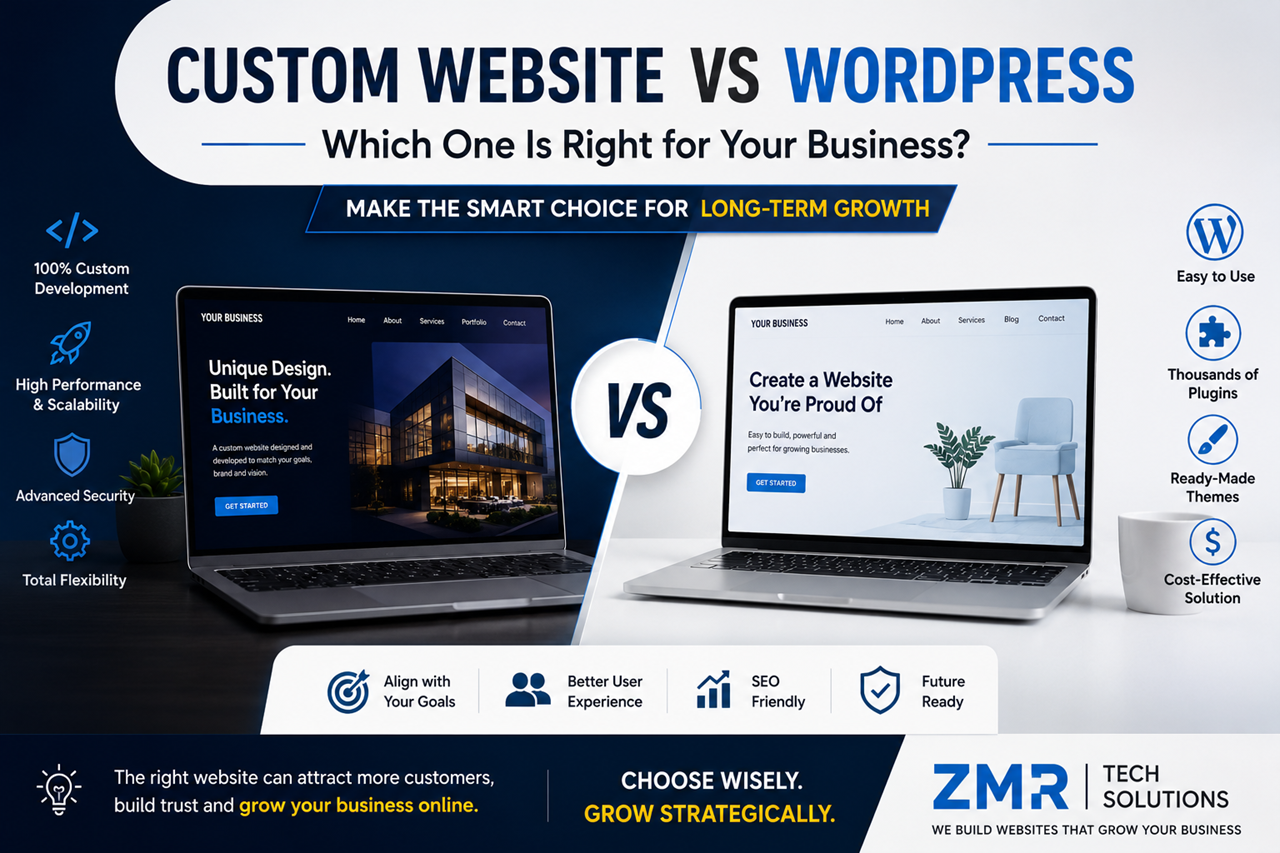
Custom Website vs WordPress: Which One Is Right for Your Business?

Custom Website vs WordPress: Which One Is Right for Your Business?

When planning a new website, one of the first questions business owners ask is:

“Should I choose WordPress or invest in a custom website?”

It’s a fair question—and the answer depends on your business goals, budget, and future plans.

Some businesses need a website they can launch quickly with a limited budget. Others need advanced features, custom workflows, and the flexibility to scale as they grow.

The good news is that both WordPress and custom websites can help your business succeed. The key is understanding which solution fits your needs today and can support your growth tomorrow.

In this guide, we’ll explain the differences in simple, easy-to-understand language so you can make an informed decision without getting lost in technical jargon.


Table of Contents

  1. What Is WordPress?
  2. What Is a Custom Website?
  3. Key Differences Between WordPress and Custom Websites
  4. Design & Branding
  5. Performance & Speed
  6. SEO Capabilities
  7. Security
  8. Scalability
  9. Cost Comparison
  10. Maintenance
  11. Which One Should You Choose?
  12. FAQs
  13. Final Thoughts

What Is WordPress?

WordPress is the world’s most popular Content Management System (CMS), powering millions of websites across industries. It allows businesses to create professional websites without building everything from scratch.

With thousands of themes and plugins available, WordPress makes it easy to launch websites for:

  • Small businesses
  • Service providers
  • Bloggers
  • Corporate websites
  • Online stores
  • Educational websites
  • Portfolios

One of the biggest advantages of WordPress is flexibility. You can start with a simple website and expand it as your business grows.

For many businesses, WordPress offers the perfect balance between affordability and functionality.


What Is a Custom Website?

A custom website is built specifically for your business from the ground up.

Instead of relying on pre-made themes or plugins, every page, feature, and functionality is designed around your unique requirements.

For example, if your company needs:

  • A custom booking system
  • Advanced CRM integration
  • Customer dashboards
  • Multi-vendor functionality
  • Unique business workflows

A custom-built website gives developers complete control over how everything works.

Although custom development usually costs more, it offers unmatched flexibility for businesses with specific needs.


WordPress vs Custom Website: The Key Difference

The easiest way to understand the difference is this:

Think of WordPress as buying a fully furnished apartment.

It’s ready to move into, cost-effective, and can be customized to suit your style.

A custom website, on the other hand, is like building your own house from the ground up.

You choose the layout, the design, the materials, and every feature based on your exact requirements.

Neither option is better for everyone.

The right choice depends entirely on your business goals.


Design & Branding

Your website represents your brand.

If it looks outdated or generic, visitors may lose confidence before reading a single line of content.

WordPress

Modern WordPress themes offer beautiful designs that can be customized with colors, fonts, layouts, and branding.

For many businesses, this level of customization is more than enough.

Custom Website

A custom website gives designers complete creative freedom.

Every section can be designed specifically for your audience and your brand identity.

If your business wants to stand out in a competitive market, custom design provides a unique experience that template-based websites often can’t match.


Performance & Speed

Website speed affects both user experience and search engine rankings.

A fast website keeps visitors engaged and improves the chances they’ll contact your business.

WordPress

A well-optimized WordPress website can deliver excellent performance.

However, installing too many plugins, using oversized images, or choosing poor-quality hosting can slow it down.

Custom Website

A custom-built website contains only the code needed for your business.

Because unnecessary features aren’t included, custom websites can often load faster and perform better under heavy traffic.

That said, performance still depends on the quality of development and hosting.


SEO Capabilities

One of the biggest myths is that custom websites automatically rank better than WordPress.

The truth is different.

Search engines don’t rank websites based on the platform they use.

They rank websites based on factors such as:

  • High-quality content
  • Fast loading speed
  • Mobile responsiveness
  • User experience
  • Technical SEO
  • Website security
  • Helpful information

Both WordPress and custom websites can achieve excellent search engine rankings when built correctly and supported by a strong SEO strategy.

7. Security: Which Platform Is Safer?

Security is one of the biggest concerns for any business website. Whether you collect customer information, process inquiries, or accept online payments, protecting your website should always be a priority.

Many people believe that WordPress is not secure. The truth is a little different.

WordPress itself is regularly updated and is considered secure when maintained properly. Most security issues happen because websites use outdated plugins, weak passwords, or poorly coded themes.

WordPress Security

A well-maintained WordPress website can be highly secure if you:

  • Keep WordPress updated.
  • Update plugins and themes regularly.
  • Use strong passwords.
  • Install a trusted security plugin.
  • Enable SSL (HTTPS).
  • Take regular backups.

Custom Website Security

A custom website doesn’t rely on third-party plugins as much, which can reduce some security risks.

However, security depends entirely on how the website is developed. Poor coding practices can create vulnerabilities just as easily as outdated plugins.

Winner: It’s a tie. Both platforms can be very secure when built and maintained correctly.


8. Scalability: Can Your Website Grow with Your Business?

Your business today may look very different in two or three years.

That’s why it’s important to choose a platform that can grow with you.

WordPress

WordPress is highly scalable for most businesses.

You can start with a simple website and later add features such as:

  • Online booking
  • Blog
  • WooCommerce store
  • Membership area
  • Live chat
  • CRM integration
  • Marketing automation

For many small and medium-sized businesses, WordPress offers all the scalability they’ll ever need.

Custom Website

A custom website offers virtually unlimited flexibility.

If your business requires complex workflows, custom dashboards, advanced reporting, or enterprise-level systems, custom development is often the better choice.

Winner: Custom Website (for complex business requirements).


9. Cost Comparison

Budget is often one of the biggest deciding factors.

Let’s compare the typical costs.

WordPress Website

A professional WordPress website usually includes:

  • Domain name
  • Hosting
  • Premium theme (optional)
  • Plugins
  • Website design
  • Development
  • Basic SEO

This makes WordPress an excellent option for startups and growing businesses.

Custom Website

A custom website requires everything to be designed and developed specifically for your business.

The cost depends on:

  • Number of pages
  • Features
  • Integrations
  • User roles
  • Dashboard requirements
  • APIs
  • Testing
  • Future scalability

While the investment is higher, businesses with unique requirements often benefit from the additional flexibility.

Tip: Don’t choose the cheapest option. Choose the solution that supports your business goals for the next three to five years.


10. Maintenance

Launching your website is only the beginning.

Regular maintenance keeps your website secure, fast, and reliable.

WordPress Maintenance

Maintenance usually includes:

  • WordPress updates
  • Plugin updates
  • Theme updates
  • Backups
  • Security monitoring
  • Performance optimization

Custom Website Maintenance

Custom websites also require maintenance.

Developers may need to:

  • Update server software
  • Fix bugs
  • Improve performance
  • Add new features
  • Maintain integrations

Every website—regardless of the platform—needs ongoing care.


Pros and Cons

WordPress

Pros

  • Lower development cost
  • Faster launch
  • Easy content management
  • Thousands of plugins
  • Large community support
  • Excellent for SEO

Cons

  • Requires regular updates
  • Too many plugins can affect performance
  • Advanced custom features may require additional development

Custom Website

Pros

  • Completely unique design
  • Built around your business
  • Greater flexibility
  • Better for complex systems
  • Highly scalable

Cons

  • Higher initial investment
  • Longer development time
  • Requires experienced developers
  • Future updates usually need development support

Which Businesses Should Choose WordPress?

WordPress is ideal for:

  • Small businesses
  • Local service providers
  • Consultants
  • Digital agencies
  • Schools
  • Restaurants
  • Healthcare clinics
  • Real estate agencies
  • Corporate websites
  • Online stores

If your goal is to launch quickly, manage content easily, and stay within budget, WordPress is an excellent choice.


Which Businesses Should Choose a Custom Website?

A custom website is a better option for businesses that need:

  • Custom business workflows
  • Enterprise software integration
  • Advanced customer dashboards
  • Multi-vendor marketplaces
  • Membership platforms
  • Large-scale web applications
  • Unique user experiences

If your website is central to how your business operates, custom development can provide greater long-term value.


Common Mistakes to Avoid

Many businesses make these mistakes when choosing a website platform:

  • Choosing based only on price
  • Ignoring future growth
  • Selecting features they don’t actually need
  • Forgetting maintenance costs
  • Choosing an inexperienced developer
  • Not planning for SEO from the beginning

The best website isn’t the most expensive one—it’s the one that solves your business problems and supports your goals.


Frequently Asked Questions

Is WordPress good for business websites?

Yes. WordPress powers millions of business websites and is suitable for most small and medium-sized companies.

Is a custom website better for SEO?

Not automatically. SEO depends on content quality, website speed, technical optimization, and user experience—not just the platform.

Which platform is more affordable?

WordPress generally has a lower initial cost, making it a popular choice for businesses with limited budgets.

Can I move from WordPress to a custom website later?

Yes. Many businesses start with WordPress and transition to a custom solution as their needs become more advanced.

Which option is better for long-term growth?

If your requirements are standard, WordPress can support years of growth. If your business depends on highly customized functionality, a custom website may be the better long-term investment.


Final Verdict

There is no universal “best” platform.

The right choice depends on your business goals, budget, timeline, and future plans.

Choose WordPress if you want a professional, SEO-friendly website that is cost-effective, easy to manage, and quick to launch.

Choose a Custom Website if your business requires advanced functionality, unique workflows, or enterprise-level scalability.

Instead of asking, “Which platform is better?”

Ask yourself:

“Which platform is better for my business?”

That question will help you make the right decision.


Ready to Build the Right Website?

Whether you choose WordPress or a fully custom solution, the most important factor is working with a team that understands your business goals.

At ZMR Tech Solutions, we build fast, secure, mobile-friendly, and SEO-optimized websites tailored to your business needs. From professional WordPress websites to fully custom web applications, we help businesses create a strong online presence that delivers real results.

Contact us today for a free consultation and let’s build a website that grows with your business.

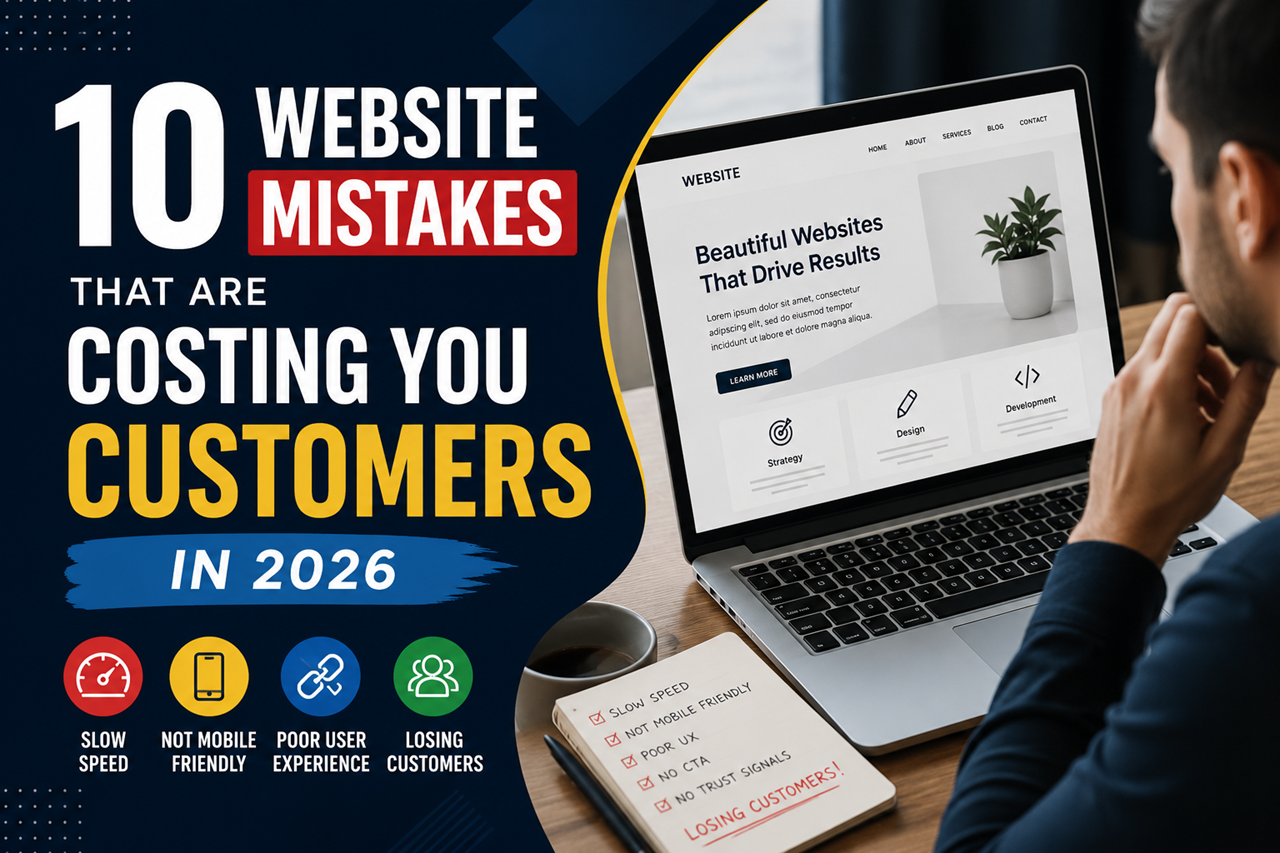
10 Website Mistakes That Are Costing You Customers in 2026 Part-2


6. Outdated Website Design

Your website doesn’t need to look flashy, but it should look modern and professional.

An outdated design can make visitors question your credibility. If your website looks like it hasn’t been updated in years, people may assume your business isn’t active or trustworthy.

Signs Your Website Needs a Redesign

  • Old-fashioned layout
  • Poor-quality images
  • Inconsistent fonts and colors
  • Cluttered pages
  • Difficult-to-read text

A clean and modern design helps visitors stay longer and builds confidence in your business.


7. Your Content Doesn’t Answer Customer Questions

Many business websites focus too much on talking about themselves instead of helping their visitors.

Your content should answer questions like:

  • What services do you offer?
  • How can you solve my problem?
  • Why should I choose your business?
  • How do I get started?

Write in simple English and avoid technical terms whenever possible. Your goal is to educate your readers, not confuse them.

Example

Instead of writing:

“We provide scalable digital infrastructure solutions.”

Write:

“We build fast, secure, and user-friendly websites that help businesses grow online.”

Clear and simple language creates a better experience for everyone.


8. Ignoring Basic SEO

Search Engine Optimization (SEO) helps people find your website through search engines.

Without basic SEO, even a great-looking website may never reach the right audience.

Some essential SEO practices include:

  • Writing unique page titles
  • Adding meta descriptions
  • Using proper headings (H1, H2, H3)
  • Optimizing images
  • Improving page speed
  • Creating helpful content
  • Adding internal links

SEO isn’t about tricking search engines—it’s about making your website useful for real people.


9. Your Contact Information Is Hard to Find

If customers can’t contact you easily, they may leave your website without taking any action.

Your contact details should be visible on every page.

Include:

  • Phone number
  • Email address
  • Contact form
  • Business location (if applicable)
  • Business hours
  • Social media links

The easier it is to contact you, the more inquiries you’re likely to receive.


10. Forgetting Regular Website Maintenance

A website needs regular care to perform well.

Ignoring updates can lead to slow performance, security risks, broken features, and poor user experience.

Create a simple monthly maintenance routine:

  • Update WordPress, themes, and plugins.
  • Back up your website.
  • Check for broken links.
  • Test forms and buttons.
  • Review website speed.
  • Scan for security issues.

Small maintenance tasks today can prevent bigger problems tomorrow.


Quick Website Checklist

Before you leave, ask yourself these simple questions:

✅ Does my website load quickly?

✅ Is it mobile-friendly?

✅ Can visitors easily find my services?

✅ Is my contact information visible?

✅ Does my website look modern?

✅ Do I have customer reviews or testimonials?

✅ Is my website secure?

✅ Am I updating my website regularly?

If you answered “No” to several of these questions, it’s a good time to improve your website.


Frequently Asked Questions

How often should I update my website?

Review your website every month and make updates whenever your business information, services, or pricing changes.

Can a slow website affect sales?

Yes. A slow website can frustrate visitors, reduce trust, and increase the chances of people leaving before contacting your business.

Why is mobile-friendly design important?

Most people browse websites on their phones. A responsive website provides a better experience and helps you reach more customers.

Do small businesses really need SEO?

Absolutely. SEO helps your website appear in search results, making it easier for potential customers to discover your business online.

How do I know if my website needs a redesign?

If your website looks outdated, loads slowly, isn’t mobile-friendly, or doesn’t generate inquiries, it may be time for a redesign.


Final Thoughts

Your website should do more than simply exist—it should help your business grow.

By fixing these common website mistakes, you can improve user experience, build trust, increase search visibility, and generate more leads.

Remember, even small improvements can make a big difference over time.

Instead of trying to fix everything at once, start with the most important issues. Regular updates and continuous improvements will keep your website performing at its best.


Ready to Improve Your Website?

Whether you’re launching a new business website, redesigning an existing one, or looking to improve speed, SEO, and user experience, ZMR Tech Solutions is here to help.

Our team creates modern, responsive, and SEO-friendly websites that are built to attract visitors, generate leads, and support long-term business growth.

Get in touch today for a free consultation and discover how the right website can help your business succeed online.

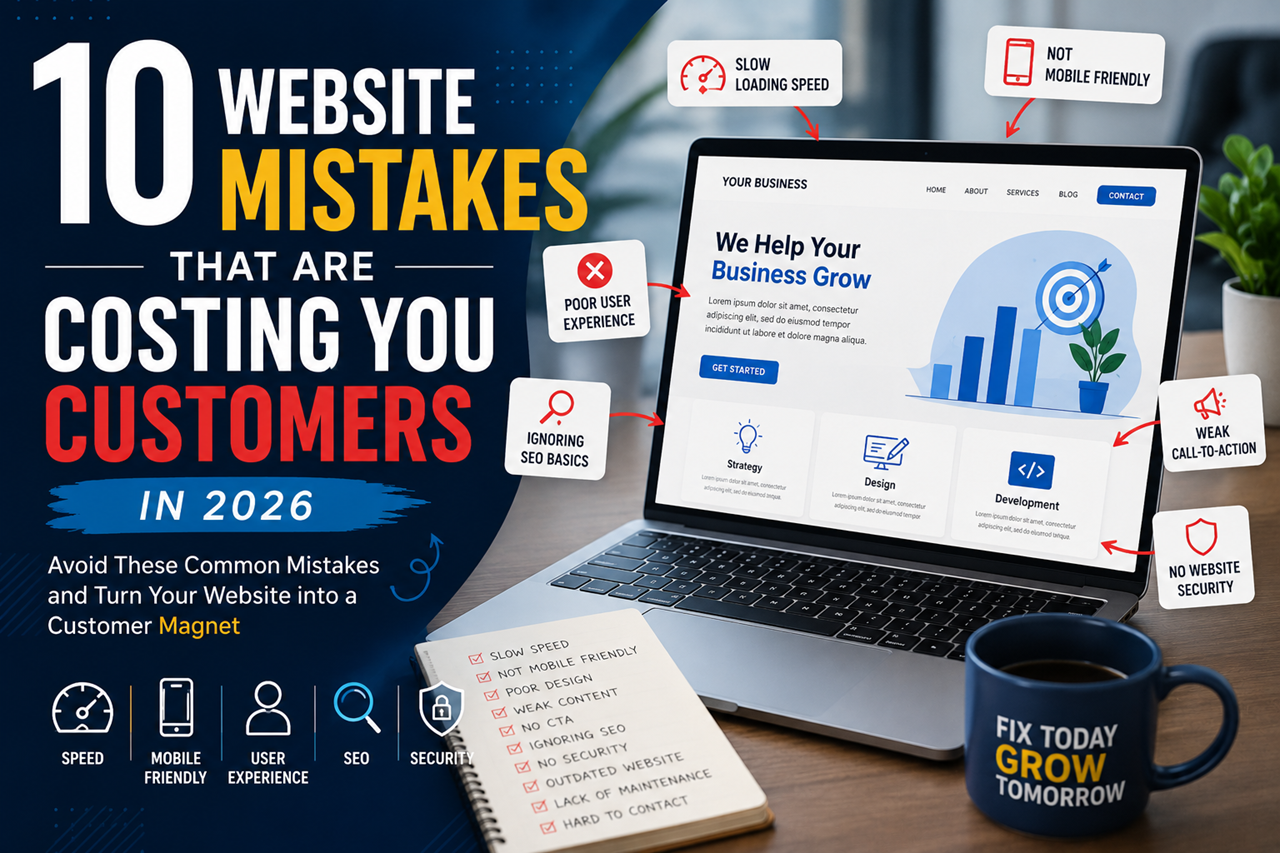
10 Website Mistakes That Are Costing You Customers in 2026 Part-1

10 Website Mistakes That Are Costing You Customers in 2026

Your website is more than just an online presence—it’s often the first impression people have of your business.

Imagine visiting a website that takes forever to load, looks outdated, or makes it difficult to find contact information. Most people won’t wait. They’ll simply close the page and visit another business.

That’s exactly what can happen to your potential customers.

In 2026, customers expect websites to be fast, mobile-friendly, secure, and easy to use. If your website doesn’t meet these expectations, you could be losing valuable leads every single day without even realizing it.

The good news is that most website problems are easy to fix once you know what to look for.

In this guide, we’ll cover the ten most common website mistakes businesses make and show you how to avoid them.


1. Your Website Loads Too Slowly

Speed matters more than ever.

People expect websites to load almost instantly. If your pages take too long, visitors are likely to leave before they even see your products or services.

A slow website doesn’t just affect user experience—it can also reduce your search engine visibility and hurt your conversion rate.

Common Reasons for a Slow Website

  • Large image files
  • Low-quality web hosting
  • Too many plugins
  • Unoptimized code
  • Too many third-party scripts

How to Improve Website Speed

  • Compress images before uploading them.
  • Remove unnecessary plugins and features.
  • Choose reliable hosting.
  • Enable browser caching.
  • Keep your website updated.

Pro Tip: Test your website speed every month. Even small improvements can make a noticeable difference.


2. Your Website Isn’t Mobile-Friendly

Today, most website visitors use smartphones instead of desktop computers.

If your website doesn’t work well on mobile devices, you’re creating a frustrating experience for potential customers.

Common mobile issues include:

  • Tiny text that’s hard to read
  • Buttons that are difficult to tap
  • Images that don’t fit the screen
  • Slow loading on mobile networks

A responsive website automatically adjusts to different screen sizes, making it easier for visitors to browse your content.

Why Mobile Optimization Matters

A mobile-friendly website helps you:

  • Improve user experience
  • Increase engagement
  • Build customer trust
  • Reach more potential customers

3. Visitors Can’t Find What They’re Looking For

A beautiful website isn’t helpful if visitors get lost.

Simple navigation allows people to quickly find important information without confusion.

Your main menu should be clean and organized.

Consider including pages like:

  • Home
  • About Us
  • Services
  • Portfolio
  • Blog
  • Contact

Avoid adding too many menu items. A simple structure is easier for visitors to understand.

Ask Yourself

Can a first-time visitor find your services within a few seconds?

If the answer is no, your navigation may need improvement.


4. Your Website Doesn’t Build Trust

People buy from businesses they trust.

If your website doesn’t look professional or provide enough information about your company, visitors may hesitate to contact you.

Trust can be built by adding:

  • Customer testimonials
  • Project portfolio
  • Client logos
  • Business certifications
  • Secure HTTPS connection
  • Professional team photos
  • Clear company information

Even small trust signals can make a big difference in converting visitors into customers.


5. Your Call-to-Action Is Weak or Missing

Many websites explain their services well but forget to tell visitors what to do next.

After reading your content, visitors should know exactly what action to take.

Strong calls-to-action include:

  • Get a Free Quote
  • Book a Free Consultation
  • Contact Our Team
  • Schedule a Demo
  • Start Your Project Today

Your CTA should be visible, easy to understand, and placed throughout the website—not just on the Contact page.

Quick Tip

Every important page should answer one simple question:

“What should the visitor do next?”

If the answer isn’t obvious, it’s time to improve your calls-to-action.

The Ultimate Guide to WordPress Trends Dominating 2025!

The Ultimate Guide to WordPress Trends Dominating 2025!

Introduction

The digital landscape is evolving, and WordPress continues to be at the forefront of website innovation. As we step into 2025, new trends are reshaping the way websites are built and managed. From AI-powered features to improved performance tools, WordPress is empowering developers and businesses alike.

This guide explores the key trends that are going to dominate WordPress in 2025. Whether you’re a developer or a business owner, understanding these changes will help you stay ahead.

Evolution of WordPress: A Snapshot of 2025

WordPress has come a long way since its beginnings as a blogging platform. In 2025, it will power nearly half of the world’s websites thanks to its customizability and robust ecosystem.

Key developments include the shift toward modular design, which enables seamless customization. The Gutenberg editor has matured into a powerful tool for creating dynamic layouts. Additionally, WordPress’ commitment to accessibility has made it a leader in inclusive web design.

The open-source nature of the platform ensures constant innovation, with a thriving community contributing plugins, themes, and updates. As technology evolves, WordPress remains a reliable solution for creating diverse online experiences.

Key Trends Shaping WordPress in 2025

Focus on Speed and Performance

Website speed is a critical factor for user experience and SEO. In 2025, WordPress emphasizes speed optimization through advanced caching plugins and lightweight themes. Developers are leveraging tools like Core Web Vitals metrics to measure performance. Hosting providers are also offering WordPress-specific solutions, such as server-side optimization. Faster websites translate into higher user retention and better search rankings.

Advanced AI and Machine Learning Integration

AI is changing the way websites interact with users. WordPress integrates AI-powered features, such as chatbots, personalized recommendations, and predictive analytics. Plugins like Rank Math are incorporating AI to optimize SEO strategies in real-time.

This trend increases user engagement by providing a customized experience. Businesses can analyze visitor behavior and adjust content dynamically, improving conversion rates.

Growth of No-Code and Low-Code Tools

The demand for no-code solutions is growing. WordPress now offers intuitive tools for users with no coding expertise. Builders like Elementor and Divi simplify design, allowing businesses to easily create stunning websites.

This shift democratizes website building, making it accessible to small businesses and entrepreneurs. With a drag-and-drop interface, anyone can create a professional-grade site.

Enhanced Security Features

Cybersecurity will be a top priority in 2025. WordPress enhances its core with features like two-factor authentication and real-time threat monitoring. Security-focused plugins, such as Wordfence and Sucuri, provide comprehensive protection. These advancements protect websites from vulnerabilities. Regular updates and community vigilance further strengthen WordPress’ security.

Rise of Headless WordPress

Headless WordPress separates the backend from the frontend, allowing for faster and more flexible development. This approach is becoming popular for building progressive web apps (PWAs) and integrating with third-party applications. Developers get more control over design and performance. Businesses benefit from delivering content seamlessly across multiple platforms.

WordPress Plugins to Watch in 2025

Plugins are the backbone of WordPress’ functionality. In 2025, innovative plugins like WP Rocket, Smush, and AI Writer are gaining popularity. These tools address specific needs, from increasing the speed of websites to automating content creation. Keeping plugins updated ensures compatibility and security. Explore the plugin marketplace to find the tools that suit your goals.

The Impact of Trends on E-Commerce Websites

Ecommerce is booming, and WordPress is at the heart of this growth. WooCommerce remains the leading solution, offering integrations with payment gateways and inventory management systems.

Trends such as personalized shopping experiences and AI-powered product recommendations drive increased customer satisfaction. Secure checkout processes and mobile-first design are also key priorities for online retailers in 2025.

Future-Proofing Your WordPress Site

Staying ahead requires proactive measures. Update your WordPress core, themes, and plugins regularly. Invest in high-quality hosting to ensure optimal performance.

Embrace trends that align with your business objectives. Whether it’s AI tools or no-code solutions, embracing innovation will keep your website relevant and competitive.

Conclusion: The Road Ahead for WordPress

WordPress’ journey into 2025 reflects its resilience and adaptability. By adapting to emerging trends, it continues to empower users and shape the digital world.

When you plan your website strategy, leverage these insights to create an engaging, secure, and future-ready online experience. WordPress’ possibilities are limitless, and its future is bright.

How To Start a Career In Digital Marketing:10 Easy Steps

Are you asking to initiate a profession in Digital Marketing? It’s a superb choice! I can explain you this without any hesitation.

I’ve been working towards digital marketing for greater than 15 years and it’s in no way too late for anybody (with and without prior experience), to get into the thrilling world of online marketing.

The precise information is that you can learn digital marketing without following a digital marketing course at a college / university, even though there are lots of options.

You can begin a career in Digital marketing by means of building the required abilities by the use of internet assets and through serving consumers around the World from the comfort of your home.

Is digital marketing a suitable career?

Digital marketing is a exceptional profession choice. We are living in a digital world and marketing budgets are shifting towards digital advertising and marketing and away from conventional marketing channels.

Companies want to improve their online visibility and there is an accelerated demand for digital marketing jobs worldwide.

The greatest advantage of the digital marketing field that you need not to be physically present in a particular place that makes digital marketing perfect for job seekers looking to begin their personal agencies or work as full-time freelancers.

Digital Marketing Salary

For many people, it’s the salary that makes a good career, and digital marketing salaries are more than competitive.

In a recent industry survey by Credo they found that the average rate for digital marketing consultants worldwide is $141.67 per hour approx that completely depends on the year of experience in digital marketing field.

Of course, you won’t be able to charge this rate from day one, there are various factors that affect the rate like years of experience, the industry the client is in, country location, etc.

What is certain though is that there is money to be made in the digital marketing industry and the demand for digital marketing consultants is increasing very fast.

10 Steps to Start a Successful Digital Marketing Career

1. Get To Know The Basics Of Digital Marketing.

For newbies to digital marketing, the first apparent step is to understand what is digital marketing? and the essential aspects that make up digital marketing.

Digital marketing or online marketing is occasionally recognized as a system of advertising and marketing on the Internet.

It has a range of factors that cover all the areas of online promotion. You need to recognize that it’s no longer a single self-discipline but it has a variety of strategies (channels) that can involve in a digital marketing campaign.

In particular, digital marketing has the following channels:

  • Search Engine Marketing ;– covers two areas: search engine optimization (organic SEO) and paid search advertising.
  • Website Marketing ;– advertising your website on the internet.
  • Content Marketing ;– how to use unique contents in your digital advertising and marketing campaigns.
  • Email Marketing ;– advertising products, services ,and offerings with the help of email.
  • Social Media Marketing ;– advertising and marketing on Facebook, Instagram, and various social media networks
  • Mobile Marketing;– advertising on the a variety of App Stores (Google Play, Apple Store)
  • Video Marketing ;– advertising and marketing on YouTube, Vimeo, and various video channels
  • Affiliate Marketing ;– making earning commissions with the aid of advertising third party’s products and services to get an affiliate commission.

A good digital marketing manager should have the essential skills to work with ALL the above channels.

Don’t get stressed, you don’t have to analyze the whole thing from day 1.

As you proceed through your digital marketing profession, you’ll get a lots of work with exclusive techniques, technologies, and tools, and eventually, the puzzle will be solved.

2. Start Your Own Website.

Once you get to understand the basics, the next step is to get your fingers painted and begin implementing digital marketing.

One of the excellent approaches to practice exclusive digital marketing concepts in the real world is to create your personal website.

Digital marketing is no longer a theoretical concept, however it’s relatively practical. It’s no longer sufficient to understand the concept behind SEO and social media marketing however you must be aware of how to follow the various strategies in practice.

Throughout your digital marketing career, you’ll be requested to promote unique products on their websites to either increase their organic traffic (SEO) or income via PPC and social media marketing.

To obtain the essential skills and confidence, create your personal website that will combine whole concepts.

In different words, set up a blog website and work on establishing your rankings and at the same time either create a product or discover a product to promote through marketing and attempt to make sales.

I understand that this technique will take time and if you are new to this, the mastering curve will be big, however it’s the only way to set a strong foundation for your career.

Having your personal website will no longer only assist you to analyze the unique ideas however you can use it as a case study to convince new employers or customers to have faith in you and ready for a proper contract or job.

When we appoint new digital marketing experts we don’t just seem their certifications however for the contender who can show their expertise and having a website with excessive rankings and site visitors is the exceptional way to do this.

3. Become An SEO Expert

You can’t pursue a profession in digital marketing if you are not good at SEO. You first practice to learn search engine optimization expert and then focus on other skills.

With search engine optimization you’ll analyze how to create websites that attract target audience and search engines love traffic. You can follow the identical concepts to scale your Google Ads and Facebook paid campaigns.

Build your SEO career gradually and when you feel confident that you have mastered the skills of SEO, then you can proceed with the rest.

The demand for digital systems has extended and as per some reports more than 50% users spent their times on social media. This provides are an excellent possibility for agencies to target these unique users. Many users are now shifting in the direction of GIG-based work (Freelance). Demand for exceptional freelancers has extended due to many restrictions on offline activities.

I hope after reading “Scope of digital marketing in India” you now have a clear picture of what opportunities are on hand for digital marketing professionals. You can study the course from expert trainers also.

4. Get A Google Ads Certification

Part of your job duties as a digital marketing strategist is to use Google Ads (previously recognized as Google AdWords), to promote products or services in number of Google properties and websites on the Internet.

The quickest way to accumulate the essential skills is to get a Google Ads certification. Google has a plethora of sources to assist you in turning out to be a Google AdWords Expert and getting a certification is an exceptional way to prove to your clients or prospect employers that you have the essential skills.

5. Master Facebook Ads Advertising

The subsequent step is to initiate with social media marketing and be specific with Facebook Ads. As a digital marketing specialist, you must be aware of how the various social media networks work (Twitter, Instagram, Pinterest, LinkedIn) however the majority of your time and marketing campaign budget, will be spent on Facebook and Instagram.

Facebook without any doubt being an exceptional social network, is now one of the most essential tools for any digital marketing campaign.

Getting organic traffic on Facebook is getting tougher so the exclusive way to use Facebook as a promotional tool, is to learn how to use its marketing platform.

If you have already observed the steps above and have appropriate understanding of search engine marketing and Google Ads, gaining knowledge of how to use Facebook Ads will no longer be difficult.

Many of the standards are comparable with PPC however you don’t want to research how to use the device and familiarize yourself with the a number of Facebook policies.

6. Become An Expert In Google Analytics

Besides learning the different tools that can generate traffic, a digital marketing professional needs to know Analytics.

One of the main characteristics of any digital marketing campaign is that everything is measurable.

You know how many people viewed your campaigns, how many people clicked on your ads, how many conversions they generated, and a lot of other metrics that cover every aspect of a campaign.

To be able to make informed decisions based on real data, you need to know how to measure the effectiveness of a campaign and how to analyze the results.

Your starting point is becoming an expert in Google Analytics.

7. Get A Digital Marketing Job As A Freelancer.

The subsequent step in your professional direction to turning into a digital marketing expert is to get an actual digital marketing job.

Starting your personal website is a superb way to implement the various digital marketing strategies however doing digital marketing for a client, is a completely different story.

Handling client accounts will ‘force’ you to set up procedures, work on your analytics and reporting skills, learn how to manage budgets, and manage client communication.

You can use job portals like upwork.com, peopleperhour.com, and fivver.com to get digital marketing jobs.

If you are a beginner, begin with handy and speedy tasks first and progressively move into high GIG projects.

It’s tough for freelancers with no reviews to get a job assigned so make sure that you:

  • Read the job posting requirements with caution and reply to any questions.
  • Reply fast. A job application will collect lots of candidates so make sure that yours is on top of the list.
  • Keep your GIG with low and reasonable price. If you have no experience, you can’t expect a standard price. Your purpose at this stage is to attain experience so that you can make money later.

8. Get A Real Internship.

Another way to develop your knowledge and experience in the field of digital marketing is to get an actual job as a digital marketing assistant in an established agency.

This is exceptionally recommended due to the fact you will get to analyze how a modern digital marketing agency works and you can use some of their practices if you are focused to set your personal startup or be part of any other organization as a digital marketing expert.

Starting your professional career as a freelance marketer, without having working experience in a company, will be tough due to the fact you’ll have to figure out the whole thing from scratch.

As I cited above, working with customers is unique than doing digital marketing on your personal websites and if you don’t have the proper strategies in place, you will lose precious time in activities that are not ‘profitable’ and this will minimize your profits and revenue.

9. Stay Informed Of New Updates And Keep Learning.

Digital marketing strategies are changing all the time. Some digital entrepreneurs love this and some hate it, however it’s a reality that digital marketing is a fast-changing industry.

Google is deploying lots of adjustments associated to organic and paid searches per year, the Facebook algorithm is continuously changing and in general, the digital marketing field is extraordinarily dynamic.

This means that if you determine to follow a profession in digital marketing, you need to be aware of in advance that gaining knowledge of will be part of your DAILY activities.

I’ve been doing this for years now and each day I get to analyze something new. In fact, 20% of my time is spent on analyzing about industry updates and new developments, case studies, mastering new tools, and staying updated with modifications made in all digital marketing channels.

10. Learn How To Use Digital Marketing Tools

Besides mastering how to use Google analytics, you additionally need to analyze how to use various digital marketing tools.

When you climb up the ladder and turn out to be a digital marketing manager, you will have to control a crew of digital marketing specialists. The exclusive way to analyze their work and manage the progress of more than one projects at the same time is through tools.

A precise tool will permit you to create dashboards for all channels and significant reports to admin or clients.

There are plethora of suitable tools available, and even though they are not free, the monthly expense is an investment for your professional growth.

Conclusion

Starting a profession in digital marketing is a brilliant choice. There is elevated demand for digital marketing experts worldwide, the revenue is desirable (depending on experience) and it’s a job you can do on your personal comfort as a freelancer or by means of joining a digital marketing agency.

If you are beginning out now, your first challenge must be to work on your skills. Digital marketing is no longer a single aspect that you can learn through taking a course and then getting to work.

There are many disciplines that make up digital marketing and you must be a specialist in all of them if you desire to achieve the top spot of the pay scale.

The great way to learn digital marketing is to implement on your personal website. Create a blogging website and putting writing content. Spend time to master search engine optimization and then shift on to Google Ads and Facebook marketing.

If you have the possibility to be part of an established digital marketing company then do it. The exposure you will obtain working with specialists and on multiple projects will be invaluable.

If you desire to turn out to be self-employed or set up your personal digital marketing business, then start your career as a freelancer and progressively build your customers and expand your business.

Possibilities of Digital Marketing as a Professional Alternative in India Beyond 2022.

Scope Of Digital Marketing In India Beyond 2022

If you are planning to explore the digital marketing niche and the scope of digital marketing in India, you are on the specific blog. In this blog, I will explain various topics of the digital marketing industry, possibilities of job and entrepreneurship opportunities, the earnings potential in the digital marketing industry, and more.

Our today’s era is a digital generation. Before we explore the scope of digital marketing in India 2022, let us first know this industry. Digital marketing is an advertising and marketing strategy to promote products/services online. So, in easy terms, we can say that we are advertising our products to clients who are the user of the internet. Many ideas of regular marketing are relevant to digital marketing.

In each and every era, marketing has developed primarily based on what the client is using. If you go back in history, you can see that at that period when clients used Radio, it gave opportunity to radio marketing. Next, we obtained the growth of televisions, which is one of the extensively used gadgets globally, which allowed the organizations to reach a mass target audience with TV ads. Even at current scenario TV advertising is one of the most used advertising and marketing strategies for companies. Since the growth of the Internet, increase customers commenced the usage of the Internet, which gave possibilities to a new era of marketing initially known as Internet marketing, which is now referred to as Digital Marketing.

To recognize the scope of Digital Marketing in India, we need to recognize its benefits and how it can maintain over a duration of time till we get a new technology of communication.

Digital Marketing Usage Statistics (2022)

Internet use in India in 2022.

There were 658.0 million internet users in India till January 2022.

India’s web penetration rate stood at 47.0% of the whole population at the starting of 2022.

Kepios analysis shows that internet users in India increased by 34 million (+5.4percent) between 2021 and 2022.

For perspective, these consumer figures disclose that 742.0 million people in India did not use the internet at the beginning of 2022, that means that 53.0% of the population remained offline at the starting of the year.

However, issues concerning to COVID-19 proceed to have an impact on the users into internet adoption, so authentic internet user figures might also be greater than these published numbers as suggested above.

For the present day insights into internet adoption and use around the world, observe our regular Global Snapshot reports shown below.

Global Snapshot reports

Source: Kepios.com & Hootsuite

Internet Users by Country

Internet Users by Country

Image Source: slideshare

India has surpassed the USA in the complete range of users, with the emergence of Reliance Jio, India has considered a exceptional growth in internet users, which creates great scope for digital marketers to achieve the target audience.

Smart Phone Users Globally:

Most of the global customers presently use smart phones for communication. As per a statistics 6.648 billion unique smartphone users globally. Today’s majority of smart phones with internet access, which permits clients to communicate with organizations anytime anywhere.

Targeting the Audience:

In regular marketing strategies, it is very challenging to promote to the target audience with precise demographics details. Most of the marketing strategies have been aimed @ mass marketing of the product. Today with digital marketing we have so many personalized and customized strategies to target the audience exclusively.

Ex: Today we can achieve the target audience by using Location, age, gender, education, interests, personal information, etc. In fact, we have many superior methods to target a very precise audience.

What is its Scope of digital marketing in India for Professionals:

As we comprehend that the digital marketing field is growing, which brings extra possibilities to professionals in this field. following are possibilities available for professionals. To begin a profession in digital marketing one need to have precise knowledge and skills and technical skills.

Future Scope of Digital Marketing Career

The easy and pleasant way to begin your profession in digital marketing is to search a job. In digital marketing, we have many specific specializations so you will have various alternatives to choose your digital marketing career.

Junior & Mid Level Career Options

  • Digital Marketing Intern
  • Digital Marketing Executive
  • SEO Executive
  • Link Building Specialist
  • Social Media Specialist
  • Google Ads Specialist
  • Email Marketing Specialist
  • Web Analyst
  • Online Reputation Executive
  • Content Marketing Executive

Higher Level Digital Marketing Job Titles

  • Digital Marketing Strategist
  • Digital Marketing Manager
  • Social Media Manager
  • Digital Marketing Head
  • Paid Advertising Manager
  • Digital Branding Head

Salaries Digital Marketing Professionals in India:

In India, the average earnings of digital marketing specialists is Rs 4,00,000 per annum. For interns/freshers, the practical revenue range of digital marketing professionals will between Rs 1,20,000 to Rs 3,00,000 per annum. As the candidate acquire experience in the field, the earnings hike can vary between 25% to 75% per annum exclusively depends on the skillset and technical potential of the candidate. Most of the candidates with 2+ years of experience can get a salary between Rs 3,60,000 to Rs 6,00,000 per annum depends on organization norms.

Experienced experts who are upgrading skills with digital marketing can expect a 20-30% hike through multiple the digital marketing skillset & certifications.

 Apart from the above list, there are plenty of expert job roles to choose in digital marketing. The statistics suggests that there is a very bright scope of digital marketing in India for candidates searching for jobs.

Digital Marketing Scope in Online Business:

1. Become a Professional Blogger:

Many digital marketing experts select full-time blogging as their professional choice. With dedication and challenging work, many specialists are now successful bloggers in their chosen niche. Bloggers can generate earnings with marketing affiliate marketing strategies. Most bloggers can earn in the variations of $100 to $1000 per month with a 1-2 years site. Top Celebrity bloggers earn upwards of $10,000 per month.

2. Earn with Affiliate Marketing & AdSense:

You can initiate your blog/website/app in a precise niche of your choice and at the beginning work hard to get traffic viewers. After obtaining targeted traffic, you can make a suitable earnings with AdSense affiliate marketing techniques. Most bloggers choose micro niche websites focusing on precise contents to generate high-quality traffic.

3. Start Freelancing Services:

Freelancing is the idea of providing your services to customers as an individual. Sitting at your home/office you can make your customers globally. Many online freelancing services like fiverr.com, freelancer.com, and so on are exceptional websites to initiate a freelancing career.

4. Start your personal agency:

If you have courage and experience in managing a startup business have sources and contacts. You can choose your personal full-time digital marketing agency. With your agency, you can be in a position to apply marketing techniques for customers and implement them with digital marketing.

5. Become a YouTuber:

You can turn to be to grow to be a full-time YouTuber in a selected niche. You want to focus on the high-quality of content material and making your target audience base on YouTube. Once you start getting subscribers and views, you can make earning with YouTube monetization.

6. Start your Drop shipping business:

Drop shipping is a commercial business model in which you can promote products online to clients without owning the inventory physically with you. Generally in this business, you have to create an e-commerce website in Shopify and pick your drop shipping products based on your research. Then you link your online store with manufacturers and online outlets from China from Ali Express.

 All the product prices are marked up and when your promote a product, the manufacturer will immediately ship the product to the client and you make a profit.

 7. Future Scope of Online Careers for Professionals/Students

If you analyze digital marketing you will open a door to many new online possibilities while analyzing or working in your existing job. As per industry data many digital marketers have made their private identity by turning into an influencer in chosen niches. Students can work part-time online for a number of digital marketing agencies.

 8. Scope as Trainer or Coach

If you are passionate about educating and have prior teaching experience and without a doubt love to share your expertise with others, you can make a exceptional career as a Digital Marketing Trainer/Online Coach. To turn out to be a high-quality coach you need to improve an in-depth practical knowledge of every topic and work on real-time projects before turning in training. Become an online or educational coach only after your get an enough quantity of experience with all the technologies.

 Note: We in no way suggest freshers to turn out to be a coach because without experience coaching will be a nightmare for students.

Scope of Digital Marketing after Covid-19

As we have considered a dramatic extend in Work from Home (WFH) jobs due to the Covid-19 pandemic. Due to Covid-19, many businesses are shifting in the direction of digital marketing for advertising and marketing. We can assume a remarkable demand for digital marketing experts across India as soon as the economy restores to a regular level.

The demand for digital systems has expanded and as per some reports. 50% extra time is spent through customers on social media. This provides a extraordinary possibility for agencies to target these unique users. Many people are now moving in the direction of GIG-based work (Freelance). Demand for excellent freelancers has elevated due to many restrictions on offline activities.

I hope after reading “Scope of digital marketing in India” you now have a clear route of what possibilities are available for digital marketing professionals. You can study this course from professional trainers.

Best Tools to Design Funnels by Experts in 2022.

Best Tools to Design Funnels by Experts in 2022.

If you’re looking into sales funnel software, first of all, well done. You might be one step ahead of your competitors.

As any marketer knows, if you’re going to make it in the current climate, you’re going to need an intelligent digital marketing strategy, and sales funnels could very well help you with that.

As an advocate of inbound marketing, the idea of subtly guiding a user through a series of steps, offering rich content along the way, makes me think that sales funnels could be the perfect match for an inbound strategy. But I wanted to look into exactly how they work and how easy the software is to use before I made my mind up.

In this article, I’ll be sharing what I learned whilst reviewing a number of sales funnel software and pointing you towards the best tool for your needs.

It’s worth pointing out from the get-go that, though some tools market themselves as sales funnel builders, they might be missing the crucial features that you need. For example, email marketing or webinar hosting isn’t always included. You might also find that other more modest (and cheaper) software might be enough for you.

What is a Sales Funnel?

Before I go into the various sales funnel software providers, you might be wondering what a sales funnel is?

If you’ve worked in sales or marketing for long then you’ll know that leads can be at varying stages of the buyer process. In fact, depending on the complexity of your product or service, it might take months to nurture and convert this lead into a customer.

If done right, then setting up a sales funnel can greatly streamline this process and hopefully give the user a better all-round buyer experience that ultimately guides them to what they’re looking for, and violá, they make a purchase!…Or even better, become a loyal customer.

Your sales funnel will be made up of a series of steps that consist of various marketing assets, for example, social media campaigns, landing pages and email.

Sales funnel software can provide you with a holistic view of your sales and marketing efforts (and results) at a glance. (Though not all sales funnel software comes with a funnel view – more on that below.)

Sales Funnel Examples

Some of you might be thinking, ‘What does a typical sales funnel look like?’ and ‘How can I build an effective sales funnel?’ Though every business’s sales funnel will look different, there are certain elements that the vast majority will have, like a sign-up form and email communication.

A sales funnel for an entrepreneur offering online courses in marketing might look a bit like this:

  • User sees an ad on Facebook offering SEO tips with a call-to-action that states: Download my complete guide to SEO
  • User is directed to a landing page where she can download the guide and opt-in to receive the entrepreneur’s emails
  • The next day she receives a newsletter that contains a link to the courses offered
  • The user signs up for one of the courses
  • She continues to receive newsletters with discounts on course fees and signs up again

All of these actions in the buyer’s journey will be tracked in the sales funnel software used by the entrepreneur, meaning that she can see clearly at exactly which point users are dropping off and where they’re converting.

Also, as sales funnel builders come with anything from landing page editors, email marketing services and even a platform to host courses and webinars, she has everything she needs under one roof, which is no doubt much more economical than setting all this up on various platforms.

I don’t know about you but I’m starting to see some real benefits to having all your marketing efforts in one place, especially if the sales funnel software has its own CRM. But is it really worth cancelling all your existing subscriptions in exchange for sales funnel software?

When to use Sales Funnel Software

If you are just starting out then using sales funnel software tools might be a great fit for you as your upfront costs can be kept to a minimum. You won’t need to worry about hiring a web developer or signing up to a dozen tools, however, you will want to be sure that the software you go for includes exactly what you need. For example, while some offer webinar hosting, others may not, and if this is a crucial part of your business, you’ll want to find a sales funnel builder software that caters to your needs.

If you’re already signed up to a number of tools, you’ll have to assess costs and if it’s worth taking out this service. While you can integrate the sales funnel software with other apps, this might impact on the user experience and be more hassle for you.

Take a look at the software I reviewed below to see which would be a good fit.

Best Sales Funnel Software 2022

  1. ClickFunnels – Easiest Tool to Design Funnels.
  2. Kajabi: A Complete Membership Solution.
  3. Kartra – Great for agencies
  4. Thrive Architect– A WordPress Theme to Design Funnels with Similar User Interface like Clickfunnels.
  5. Woo Funnels – A WordPress Plugin to Design Funnels.

Sales Funnel Software Features Compared Insert Table for Comparision.

Clickfunnels

Pricing Plan of ClickFunnels

ClickFunnels is the leading tool for building high-converting and revenue-driving websites and sales funnels. Should you, as a business owner, invest your time and money in this? Check out my in-depth ClickFunnels review to find out!

In fact, this marketing SaaS company has pioneered the use of the sales funnel as a rigorous digital marketing and email marketing tool. Building landing pages with this software is all the rage right now. But does it really help digital businesses?

TL;DR: ClickFunnels is a web page or landing page builder & designer that utilizes the concept of sales funnel to build websites for beginners. People with no coding knowledge can easily use this software to build an online presence. But it comes with a learning curve and is not affordable for small businesses.

What Is ClickFunnels?

ClickFunnels is a landing page builder. Because of their specialization to build sales funnels, the websites attract targeted prospects and turn them into buyers. As a result, the landing pages are more successful as business websites.

ClickFunnels was founded by Russel Brunson, who is known for his contributions to unique marketing software. Before working with the marketing funnel, Russel was known for his work in email marketing software.

The types of funnels you can build with ClickFunnels are unlimited:

  • Lead generation funnels
  • Sales funnels
  • Content funnels
  • Sales call booking funnels
  • Discovery call funnels
  • Onboarding funnels
  • Review funnels
  • Limited time offer sale funnels
  • ​Webinar Funnels
  • Shopping cart funnels
  • Cancellation funnels
  • Upsell/downsell funnels
  • Membership funnels
  • Squeeze page funnels
  • Survey funnels
  • Tripwire funnels
  • Live demo funnels
  • Lead magnet funnels

Pros and Cons 

Kajabi

Pricing Plan of Kajabi

If you want to know whether Kajabi is the right platform for your knowledge business or not, then you’ll love this in-depth Kajabi review.

Kajabi is the most popular all-in-one online course platform in the market today. It’s completely different from a typical course builder, so many people find it difficult to make a decision.

I have helped hundreds of creators launch their courses and memberships on Kajabi, and I know the ins and outs of the platform.

In this Kajabi review, I’ll cover everything you need to know to make an informed decision. I’ll also share my experience of using the software along with what I like and what I don’t like about it.

What Is Kajabi?

Kajabi is one of the most popular platforms for building and running your online course or membership site business. And it is used by thousands of creators including some big names like Amy Porterfield and Brendan Burchard.

It allows you to host your online programs and deliver them to your students in a professional manner. Moreover, you can build a full-fledged website, run a blog, create marketing funnels, and even automate your email marketing.

On the other hand, if you were to use “typical” online course software, you’ll need tools like WordPress to run your blog, ClickFunnels to create funnels and landing pages, ConvertKit to manage your email marketing, etc.

The idea behind Kajabi is to let you build and run your entire online course business from a single platform so that you don’t need to hack together or learn to use several different plugins or services.

Here’s a highlight of the features that Kajabi has to offer a creator like you:

  • Create an engaging online course with videos, pdfs, quizzes, etc.
  • Deliver you content professionally through the course player.
  • Create a community area for your students.
  • Build a beautiful website including a blog for your brand.
  • Charge a one-time fee, a recurring subscription, or even a payment plan.
  • Build checkout pages and add upsells and order bumps.
  • Create and manage your affiliate program.
  • Build all types of sales funnels.
  • Email marketing automation and CRM tools.

Pros of Kajabi 

Cons of Kajabi 

Kartra

Pricing Plan of Kartra

Basically, Kartra is a one-stop solution and an all-in-one online marketing platform. Here this platform actually helps you to create, market and launch your online business without even using third-party tools or by hiring someone. 

Kartra has everything in one place like email marketing, list building, web hosting, business management platform and many other important features as well. It’s a cloud-based software that means if you want to access it you do it by having an active internet connection and browser to login to the platform. 

Kartra is an all-in-one platform that includes email marketing, list building, and other tools. Marketers can use it to manage their business and so can you.

  • Storefront design tool-  it provides standard templates with an easy to use tools setup customize templates to showcase store brands and optimize the user experience.
  • Product visualization- it means that it has the ability to display and manage photos, 3D views and videos etc for each product.
  • Promotions and discounts- it contains features that allow administrators to set up promotions on sites also provide a time-based discount and enter coupon codes.
  • Shipping options- the shipping address can be selected only by checking the delivery time and the price. If not agreed with the shipping functionality then it may be transferred to a third party.
  • Integration to add on the tool- it is easy to integrate to or has pre-packaged integration to a wide variety of leading add on tools or software
  • Security- protection against fraud and malicious attacks is done by software with the appropriate tools and functions. 

Features of Kartra

Pros of Kartra

Cons of Kartra

Thrive Suits

Thrive Architect Page Builder

Thrive Suite is a pretty complete package. The suite provides you with all features for just $30 per month (paid quarterly) or $19 per month (paid annually).

Features

Opt-in forms and landing pages with A/B testing, conversion-focused WordPress themes, visual drag and drop website builder, widgets, headline optimizer, scarcity campaign builder, testimonials plugin, quiz builder and online course builder.

Plans and Pricing

Pros and Cons

+ Considering all that’s included, Thrive Suite is very affordable. It seems to be a solution more for agencies and developers (hence why you can use the features on such a large number of websites). If your business is online courses, this could be a good option.

 Missing email marketing and automation. Unfortunately, Thrive does not offer a free trial.

WOO Funnels

Woofunnel Pricing

What is WooFunnels?

The BuildWooFunnels suite is a collection of several WordPress plugins by XLPlugins that work in conjunction with the #1 WordPress-based shopping cart platform in the world, WooCommerce.

WooFunnels basically extends and improves the functionality of WooCommerce and allows you to set up fully functional, conversion and mobile optimized sales funnels right inside of WordPress.

You can easily set up upsells, downsells, order bumps, and more—all using easy templates and wizards.

The result is a professional shopping cart and funnel that converts!

Build WooCommerce sales funnels with ease

Of the funnel builders that my team and I have worked with, BuildWooFunnels is the most advanced and easiest to use—by a long shot.

Just a few short years ago, building a proper WooCommerce funnel required an expensive combination of plugins and custom coding.

But Woo Funnels basically gives you a funnel and checkout builder in a box and makes this previously complicated process incredibly simple.

Dashboard

Funnel Steps

Templates

Pros of WooFunnels

Cons of WooFunnels

Best-Tools-To-Design-Funnels-For-Beginners

Best-Tools-To-Design-Funnels-For-Beginners

If you’re looking into sales funnel software, first of all, well done. You might be one step ahead of your competitors.

As any marketer knows, if you’re going to make it in the current climate, you’re going to need an intelligent digital marketing strategy, and sales funnels could very well help you with that.

As an advocate of inbound marketing, the idea of subtly guiding a user through a series of steps, offering rich content along the way, makes me think that sales funnels could be the perfect match for an inbound strategy. But I wanted to look into exactly how they work and how easy the software is to use before I made my mind up.

In this article, I’ll be sharing what I learned whilst reviewing a number of sales funnel software and pointing you towards the best tool for your needs.

It’s worth pointing out from the get-go that, though some tools market themselves as sales funnel builders, they might be missing the crucial features that you need. For example, email marketing or webinar hosting isn’t always included. You might also find that other more modest (and cheaper) software might be enough for you.

What is a Sales Funnel?

Before I go into the various sales funnel software providers, you might be wondering what a sales funnel is?

If you’ve worked in sales or marketing for long then you’ll know that leads can be at varying stages of the buyer process. In fact, depending on the complexity of your product or service, it might take months to nurture and convert this lead into a customer.

If done right, then setting up a sales funnel can greatly streamline this process and hopefully give the user a better all-round buyer experience that ultimately guides them to what they’re looking for, and violá, they make a purchase!…Or even better, become a loyal customer.

Your sales funnel will be made up of a series of steps that consist of various marketing assets, for example, social media campaigns, landing pages and email.

Sales funnel software can provide you with a holistic view of your sales and marketing efforts (and results) at a glance. (Though not all sales funnel software comes with a funnel view – more on that below.)

Sales Funnel Examples

Many businesses wonder, “How can I create a successful sales funnel?” While every funnel is different, there are many elements that are common, such as a sign-up form and email communication.

In order to offer online marketing training, an entrepreneur might create the following sales funnel:

  • An ad on Facebook offers SEO tips with the Call-To-Action (CTA).
  • The user is directed to a landing page where she can download the guide and sign up for the entrepreneur’s newsletter.
  • She receives a newsletter the next day containing information about the courses.
  • The user signs up for one of the courses
  • She continues to receive newsletters with discounts on course fees and signs up again.

In the sales funnel software used by the entrepreneur, all of these actions will be tracked. Thus, she will be able to see clearly at which point users are dropping off and where they are converting.

Moreover, as sales funnel builders come with everything from landing page editors, email marketing services, and even a platform for hosting courses and webinars. It is better to has everything under one roof, which is much more cost-effective than putting it all together individually.

Having all your marketing efforts in one place has some real benefits, especially if the sales funnel software comes with a CRM. But is it worth cancelling all your existing subscriptions for it?

When to use Sales Funnel Software

Then utilizing product sales funnel computer software tools may be outstanding complement you as your upfront expenses could be held up to a minimum if you’re simply getting started. You shall not want to concern yourself with employing a internet designer or registering up to a dozen tools, nevertheless, you will need to make certain that the application you go after includes precisely what you will need. As an example, while many offer webinar web hosting, other people cannot, of course this is often a component that is a must of company, you’ll want to locate a sales channel builder pc software that suits your requirements.

If it is well worth taking right out this service if you’re already opted up to a wide range of tools, you’ll need certainly to evaluate costs and. This could effect on the consumer experience and become more hassle for you personally as you can incorporate the product sales funnel computer software with other applications.

Have a look at the application we reviewed below to see which will be considered a fit that is great.

Best Sales Funnel Software 2022

  1. GetResponse – All-in-one machine
  2. Systeme.io – Free plan with all the features
  3. Groove CM – Complete Digital Marketing Solutions
  4. ClickFunnels – Easiest Tool to Design Funnels.
  5. CartFlow – A Simple WordPress Alternative to Design Funnels.

Sales Funnel Software Features Compared Insert Table for Comparision.

GetResponse

Get Response Tools

Get Response Workflow

Landing Page Templates

GetResponse is probably the most complete solution on this list. Having recently introduced their Conversion Funnel feature to their email marketing platform, you can now set up everything from social media campaigns to landing pages to webinars to email automations. You can even sell your products through GetResponse or integrate your account with your existing ecommerce. In fact, GetResponse is listed as one of the best email marketing services for Shopify in our detailed guide.

In terms of sales funnel software tools, GetResponse’s Conversion Funnel is quick and easy to set up, and visually, you can see exactly how your leads filter through. They also have a good selection of modern-looking templates.

If your business offers webinars, GetResponse could be a great choice for you.

Plans and Pricing

Get Response Pricing

Pros and Cons 

Systeme.io

Pricing Plans

Page Builder

Landing Page Templates

Systeme.io is a sales funnel software packed full of features. You can use the service to manage your email campaigns and automations, offer online courses and sell physical products, and even set up your own affiliate program. They’ll also give you a free 11-page sales funnel template.

The interface is well laid out with separate dashboards for your own marketing activities and affiliate marketing, which details the commissions earned from each vendor.

Plans and Pricing

Free for 2,000 contacts : 3 sales funnels, 1 email campaign and membership site, automation and 1 custom domain.

STARTUP: $27.00/month for 5,000 contacts :10 sales funnels, 10 email campaigns and 5 membership sites, automation and 3 custom domains.

WEBINAR: $47.00/month for 10,000 contacts: 50 sales funnels, 100 email campaigns and 20 membership sites, automation and 10 custom domains.

ENTERPRISE: $97.00/month for Unlimited contacts: Everything unlimited.

Pros and Cons 

Groove.CM

GroovePage Page Builder

GrooveMember Page Builder

Grooveblog Dashboard

Groovekart Page Builder

In this day and age, any business that wants to thrive must go online.

With so many things going on around the world, and global changes that will forever impact the way people live and do business, going online is no longer just an option.

Not only to maintain their success, but even just to survive.

Sure, there are tools that are already available that any business can use to run their entire company and processes digitally.

However, any minimum amount of research will tell you that most of these products are expensive, complicated and limited in customization.

In other words, not very user-friendly, and definitely not suitable for all business owners, especially those who are less tech-savvy and might even be on a budget.

I mean, who can afford to invest thousands of dollars a month into a bunch of complicated tools, and on top of that, hire employees to manage the systems, right?

Well, if this sounds familiar in any way, I have some good news for you.

As an online marketer and blogger myself, I am always looking for new solutions for these everyday challenges we face as business owners.

Today, I am very excited to introduce you to my latest discovery.

Groove is, by far, the best way I have found to be able to build websites, sales funnels and sell digital products online.

The best part? It’s FREE.

But the free value does not end there…

You see, Groove is not just a website and sales funnel builder.

The co-founder of Groove, Mike Filsaime, is actually a veteran in the Internet marketing space, and has put all his experience and expertise into one of the best suite of marketing tools I have ever seen.

I’ve also signed myself up for an account (it’s free), and for the past few days, I’ve had the chance to play around with it.

And you know what?

I can definitely tell you that this 100% free tool is perfectly capable of running your entire business, maybe even better than some of the expensive complicated tools out there.

I’m not exaggerating by any means…

From what I’ve seen so far, Groove includes everything that I need to run my online business, all for absolutely free.

Here’s just a quick list of what I’ve gathered so far:

FREE sales, page and funnel building platform
Ability to create full product funnels
Possible to build my own branded websites with full navigation
Can integrate with my own custom domain name
Able to sell my products with what they call a 1-click upsell
Capability to integrate upsells, downsells, and order bumps
Even has a way to create my own powerful affiliate program for my products!

And that’s just for starters, because there is so much more for me to explore!

I’m not even joking when I say that I am planning to change my ENTIRE online business over to Groove!

I mean, why wouldn’t I?

It’s FREE, and it’s probably the BEST suite of marketing tools I have ever seen in my life.

By the way, there’s more…

I didn’t even mention some of my favorite benefits of Groove.

As a member, I’ve also received a TON of community benefits.

I’ve been able to join their private Facebook group, connect with marketing experts inside, get help with all my problems, access private training within their own academy, ask questions through their helpdesk, and meet other like-minded entrepreneurs just like me to make the best use of these tools.

So, if you’re like me… Striving to grow your business, looking to learn more about marketing and getting to know some of the best in the industry at a more personal level, then you won’t want to miss out on this opportunity.

Sounds great, right?

But you might be asking… what’s the catch?

The catch is that Groove is free, but for a limited time only.

Groove is in its pre-launch phase, which means that many of the products have still yet to fully launch.

When they do, and as the products continue to get upgraded, Groove may no longer be free anymore.

This means that now is the time to sign up for your free account, which would also qualify you for the additional software upgrades that they make as time goes on.

Awesome deal, right?

It’s called being at the right place, at the right time.

And that’s where we’re at right now 🙂

Don’t wait any longer, because I’m honestly not sure when this free offer is going to go away.

Do yourself a favor and sign up for your free Groove account right now, and I will see you inside of the Facebook group.

Plans and Pricing

Pros

Cons 

Clickfunnels

Pricing Plan of ClickFunnels

ClickFunnels is the leading tool for building high-converting and revenue-driving websites and sales funnels. Should you, as a business owner, invest your time and money in this? Check out my in-depth ClickFunnels review to find out!

In fact, this marketing SaaS company has pioneered the use of the sales funnel as a rigorous digital marketing and email marketing tool. Building landing pages with this software is all the rage right now. But does it really help digital businesses?

TL;DR: ClickFunnels is a web page or landing page builder & designer that utilizes the concept of sales funnel to build websites for beginners. People with no coding knowledge can easily use this software to build an online presence. But it comes with a learning curve and is not affordable for small businesses.

What Is ClickFunnels?

ClickFunnels is a landing page builder. Because of their specialization to build sales funnels, the websites attract targeted prospects and turn them into buyers. As a result, the landing pages are more successful as business websites.

ClickFunnels was founded by Russel Brunson, who is known for his contributions to unique marketing software. Before working with the marketing funnel, Russel was known for his work in email marketing software.

The types of funnels you can build with ClickFunnels are unlimited:

  • Lead generation funnels
  • Sales funnels
  • Content funnels
  • Sales call booking funnels
  • Discovery call funnels
  • Onboarding funnels
  • Review funnels
  • Limited time offer sale funnels
  • ​Webinar Funnels
  • Shopping cart funnels
  • Cancellation funnels
  • Upsell/downsell funnels
  • Membership funnels
  • Squeeze page funnels
  • Survey funnels
  • Tripwire funnels
  • Live demo funnels
  • Lead magnet funnels

Pros and Cons 

CartFlow

Features Of CartFlow

The day I got to know about this Cartflows I didn’t understand anything?

Everyone has started talking about Cartflows is this! Cartflows is that! me.

So I opened a new tab, scooted over to the Search engine, and typed “Cartflows Review” into the search box. Then I get to know about this.

Cartflows is a stunning software one can use to make any kind of funnel for several minutes. It offers unbelievable functions that will assist you in making what you need, doesn’t make any difference in case you are an expert or an amateur in this field.

To lay it out simply, high-level skills do not make any difference if you want to make a creative design in a shorter time.

The checkout interaction is everybody’s no. 1 concern and with Cartflows, that is settled as well!

Besides, it is really easy to utilize and keeps any unreasonable measure of money from being discarded very much like that.

So everyone is excited about this WordPress plugin?

Well! It says that Cartflows is a WordPress tool or plugin that helps to create an unlimited sales funnel that is user-friendly and affordable.

Up-sell, back, online store withdrawal solutions, and place scratches are all included in all sales funnels to increase the overall order value of customers.

You must also know that it is quite compatible with WooCommerce and all of its add-ons. In simple words, it helps you to sell all your products on WooCommerce with more ease.

Why To Choose CartFlow Pro?

Full Comparison -Free Vs Pro

Plans and Pricing

Pros and Cons 

Free Funnel Builder

There are two free sales funnel builder on this list are Systeme.io and Groove.CM. You can set up up to 3 sales funnels and explore the tools to maximum extent, so not bad at all to learn for a beginner!

Unfortunately, in the case of the other Funnel builders such as GetResponse and Clickfunnels offer a free trial plans with some limitations. 

With Cartflow the plugins can use for free with lots of limitations and need a good knowledge of WordPress.

Conclusion: The Best Sales Funnel Builder For Beginners

If you’re still with me, well done! You should now have a good idea as to which sales funnel software is right to start your services as a funnel builder. As you’ve seen, prices can vary quite a bit and often important features like email marketing are not part of the core offering, meaning that you have to pay extra for this service with another provider.

In terms of the most complete package, value for money and templates, I’d recommend Groove.CM that enables you to explore all the features at one place with free life time trial. After Exploring all the tools and feeling confident to launch your online business you can choose the multiple upgrade plans that suits your budget. 

With Groove You can use Groovepages, GrooveSell, GrooveKart, GrooveMember, GrooveMail, GrooveBlog, GrooveVideo,etc and I think all are sufficient to learn and implement with great dedications. 

Systeme.io is a very interesting option because of its free plan and very affordable prices. The fact that its offering includes a wide range of features makes it a great choice for small businesses.

Get Response is another great all-rounder, especially for those who want to automate every aspect of the customer journey.

ClickFunnels is fairly easy-to-use software and plenty of video tutorials and help getting started, but it is quite expensive and not recommended to pay $97/month only for practice. If You are new and want to learn funnel building starts with either Groove.CM or Systeme.io and implement the designs and funnel steps from scratch.  

After Getting Confidence and basic knowledge of page builder you should join use Clickfunnels FREE 14 days Trial along with One Funnel Away Challenge by Russel Brunson.

With CartFlows You must have knowledge of WordPress and how to customize the plugins. You can use CartFlows for FREE with lots of limitations and can’t create funnels with Free version.

With the Pro version of Cart Funnel you can create multiple funnels with multiple upsells and order bump, etc. with an affordable price of Annual License or Lifetime License.

So, in the end, it really depends on what’s important to you.

I hope you found this article helpful. Please share your experiences and questions below. I’m curious to find out how you do with your sales funnels.

Why to choose Groovefunnel by the beginners?

Groove Templates

Building a continuing business is overwhelming. That’s why we must leverage all of the resources we could get. Today our company is counting down our picks for the most notable 10 reasons you should grow your company on GrooveFunnels.

Success in Internet Marketing isn’t possible without the tools that are right. These tools are particularly expansive and you also require more than one device to run business smoothly. Tools like Page Builders, product Sales Funnel Builders, Email Autoresponders, Membership Websites, etc. are necessary nowadays. These tools could cost you $1000 to $5000 each month. GrooveFunnels is really a complete suite of 15+ apps that includes all tools which are significant in Internet Marketing. GrooveFunnels can cost you around $99 to $299 each month. But GrooveFunnels it offers a lifetime deal too as an OTO.

This Lifetime Offer includes all tools access for lifelong. No credit card will become necessary ever for 15+ apps for life. There are numerous more features of GrooveFunnels. The most truly effective 10 features are down the page.

Easiest Platform To Build Website, Sales Pages and Funnels

GrooveFunnels is home to the top internet site sales page and funnel-building platform in the planet called GroovePages. GroovePages is just a drag and drop web page and funnel builder reinvented.

GrooveFunnels hosts the top internet site web site and platform that is funnel-building the world called GroovePages. GroovePages is really a drag and fall page and funnel builder reinvented.

Numerous even would phone it the new better method to build funnels and offer digital products online. Not only is it super full of features, you could almost produce any type of web site you need simply by clicking and dragging elements that are different the web page. You will ever need whether you want to build branded websites, sales pages, or product funnels, GroovePages may be the last Site Builder.

Sell Products and Services Online

GrooveFunnels is a lot more than only a typical web page builder that is typical. It undoubtedly includes all that’s necessary to offer things and services online.

Expert websites are extremely crucial. Nonetheless in purchase establishing your company up for enduring development, having an internet that is pleasant just isn’t enough. This is often why GrooveFunnels is really an item product sales being complete are online for services in the first place. Alongside building your pages with GroovePages, you get site Hosting and also Subdomain as well as the capability to utilize your personalized that is domain that is quite your own which can be not all with GrooveFunnels. You certainly will get almost all of the various tools you’ll need to execute your business that is online and complete that online element associated with a suite of top-of-the-line marketing services. GrooveFunnels also offers shopping that is an advanced earning system, autoresponder software, a webinar application, an account website platform, a built-in affiliate marketing system, along with other tools for monitoring your schedules, surveying your web readers and revolutionizing your on line online video promotion, to be able to say a couple of. The month just forgets about shelling out thousands to take care of a never-ending number of tools and logins.

GrooveFunnels is all you have to do.

Developed By Internet Marketing Experts

GrooveFunnels is made by online marketing experts for internet marketers and business owners.
The problem with lots of the tools around is as they may have good pc software but they are not created for the typical product marketer or even a company owner.

Their applications could be way too hard to use or overly complicated and possibly don’t add all of the features that are necessary. Probably the month-to-month rates plans are too high if you are on a budget and certainly, it’s rather a challenge to come Indicate using their help team, especially at all, in short, they simply don’t understand us if they can’t speak your jargon, and that if they even respond to you.

Well, the great news is that the CEO and co-founder of GrooveFunnels are Mike Filsaime among the top web marketers on the planet that has been on the market since 2004.

Mike has the standing not only as a website marketing expert, but he also created a number of the most readily useful software for marketers such as example Webinarjam Everwebinar and Butterfly advertising, that have all been in charge of making millions for his customers.

And now you’ve got the opportunity to leverage all those several years of experience Mike happens to be creating state-of-the-art computer software to secure his program suite that is best to date is a member of the GrooveFunnels community.

Perfect For Absolute Beginners

Everyone understands making websites and making use of advanced software can be quite a technical process. There are lots of companies who invest in supposedly easy computer software, only to find out that they’re not as easy as these people were advertised and either required them hours and hours to master the program or are forced to hire more technical employees to run management tools for them, not through funnels.

as advanced as the technology is, GrooveFunnels has actually been made up of the absolute newbie in mind, no development, no coding, and no design abilities are needed whatsoever. In fact, 1000s of brand new beginners with no experience whatsoever were in a position to effectively build their first site integrated aided by the most readily useful tools available on the market, with results more skillfully designed than high-priced web developers.

When along with a number of the other GrooveFunnels products, you may also arrange your own shopping cart software, product sales systems, marketing funnels, affiliate programs, email autoresponders, live and automated webinars, and a lot that is whole with only several clicks of the switch.

If you can type, copy and paste, drag and fall, simply click and scroll then you can use some of the programs available with GrooveFunnels.

Personalized Customer Support

Probably one of the worst experiences anyone can have as a customer is if you have too little customer care or whenever help isn’t supplied.

GrooveFunnels knows the value of these customers. So when you need to assist, there won’t be any beating around the bush. In reality, you will have the help you’ll need if you require it.
The consumer support team of GrooveFunnels is one of the most active and helpful. There is a specialist assistance desk where you can ask any questions you’ve probably and their team will react to your inquiries in a prompt matter.

Their Help Desk also contains a ton of resources including articles, videos, and sometimes asked questions, you may need so you can even browse through the existing content and search for answers for whatever.

No concern will ever get unanswered, that you have an extremely positive customer experience so you can rest assured.

Active Community Of Experts

You’ll be part of an active community of professionals, other members, and aspiring entrepreneurs.

GrooveFunnels is not only a product and service provider, which means that you may not need to be a customer. When you are with GrooveFunnels, you’ll be in a community, a residential area of website marketing professionals, fellow GrooveFunnels users, as well as other aspiring entrepreneurs who are all learning to develop a web business together.

The minute you subscribe, you will be invited to join an exclusive Facebook group where every person hangs down, actively participating in discussions asking one another questions, and helping away one another. It is a classic remarkable destination to get prompted, learn from fellow users, and meet brand new friends. The entire GrooveFunnels team, including Mike Filsaime himself, can also be actively involved inside this private group and along with other team people, this is the spot to be to just take your personal business and training to your next level.

Online Academy With Valuable Resources

When it comes to learning just how to use most of the amazing pc software GrooveFunnels also puts in the extra work to provide you with all of the help you’ll need. As a GrooveFunnels member, you’ll also obtain access to GrooveDigital which is a powerful Academy.

This membership that is private will house an ever-growing archive of educational content, including certain tutorials on how best to do specific tasks within the Tools detail-by-detail walkthrough, on how best to get one thing right from the start to finish, along with live demonstrations of longer lessons, such as for example generating entire sites and funnels from the ground up.

Whether you would rather watch them as tutorial videos or read them in articles filled with screenshots. GrooveFunnels has made their Academy that is online suitable for you in whatever way you may like to discover.

Multiple Training Sessions And Live Webinars Every Week.

Exactly How active is active. I totally mean that not just within the Facebook group or through the online Academy when I mentioned that GrooveFunnels is an active community.

An expert team at GrooveFunnels additionally takes some time numerous times each week to provide fellow people regular real-time training.

You will find official webinars with additional presentations and walkthroughs along with just about everyday YouTube and Facebook live sessions on a selection of subjects, all built to help you create the best usage of one’s GrooveFunnels membership In reality, you may also request your subjects for the GrooveFunnels team set, and they’ll simply take those demands under consideration when going real-time with all the next session for you personally.

Pretty awesome, right?

This seriously shows that GrooveFunnels certainly has their customer’s most readily useful interest in mind with exactly what they are doing.

Make Money With GrooveFunnels

Despite the fact that GrooveFunnels is definitely an all-inclusive system to grow your company, you might like to generate income directly with GrooveFunnels.

All users can take part in what the Groove is called by them Partner Program. By distributing the phrase about GrooveFunnels, you’ve got the opportunity to online make money as a joint venture partner marketer.

This means you don’t have to worry about making a service or product creating a team, managing customer care, or any such thing regarding traditional businesses. All you have to do is share about GrooveFunnels. You can make up to a 40% recurring Commission on your product sales. Of course you are not acquainted with affiliate marketing online, do not worry. GrooveFunnels provides you training on that also. Complete with tutorials, marketing tools, and online help.

The Groove partner system will be the perfect side hustle for a busy expert, and even a full-time earnings in the event that you decide you want to do internet affiliate marketing full-time.

Now before we reach Number One, listed here are three mentions that are honourable.
# One

When there will be major notices, GrooveFunnels people will be the first always to learn they’ll certainly be published within the Facebook group and other members will also have the opportunity to provide their feedback and viewpoints.

Absolutely nothing beats being section of an exclusive group that gets very first dibs in the information before anyone else.

# Two As being a computer software provider, one could additionally expect constant updates.

Which means you can expect you’ll be operating on the newest And greatest version for the device without having to concern yourself with outdated functions that no longer work.

And unlike other computer software organizations on the market, there defintely won’t be any additional charges. Because the updates that are same readily available for all members who utilize the tools.

# Three

GrooveFunnels members will receive surprise bonuses also. new announcements and updates can happen whenever you want and as a member, the news that is good you will end up element of any new improvements towards the tools therefore the community.

For instance, a present surprise bonus introduced the launch of a brand new weekly webinar show, where in actuality the GrooveFunnels team brings on a unique guest specialist to show fellow GrooveFunnels people brand new skills and lessons at GrooveFunnels. You can be sure you won’t ever stop learning and not stop growing.

Its Free For Life

Let’s save the very best for final. Shall we?

Getting started with GrooveFunnels will not run you any such thing. Though some pc software tools out there may provide such things as 14 or 30-day trials before they start charging you a month-to-month fee.
You can begin GrooveFunnels today at no cost. And it is not merely free for two weeks, thirty days, if not 3 months, your GrooveFunnels membership shall be free for a lifetime.

And what exactly can you get free of charge?

Well keep in mind GrooveFunnels the page and funnel builder we discussed, you shall be capable of geting a lifetime membership to this tool that may enable you to create up to three funnels.

Yes, lifetime, which means which you won’t be deactivated from the device following a particular period of time and also you will not lose restrictions towards the features you already have. You will get free access to life.

This includes not merely the free web page builder, but also your free web hosting, free subdomain, as well as the capability to publish your internet site onto your own customized domain title free of charge.

You’ll also have free access to the full version of GrooveSell plus the lite version of other tools within the GrooveFunnels suite of products. And undoubtedly, your account in to the Facebook group use of the academy webinars training, Those are 100% free for you to access for as long as you would like.

Keep in mind, GrooveFunnels is really a community. As well as if you choose to never update your account, your membership will continue to be intact and you’ll will have use of the team.

The only thing standing in the way between you and your life time account is the free account.

So join that now. We shall see you inside of the GrooveFunnels Facebook team community.